
AI Moderated Interview
AI Moderated WhatsApp Chat Interview
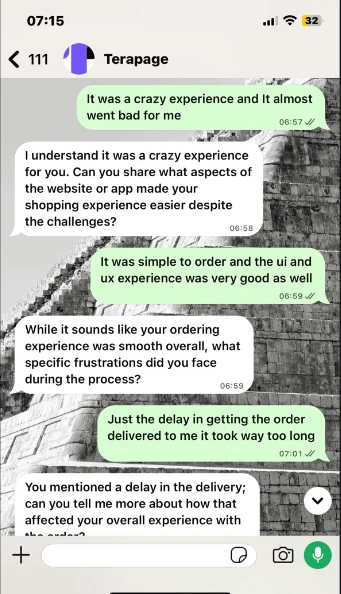
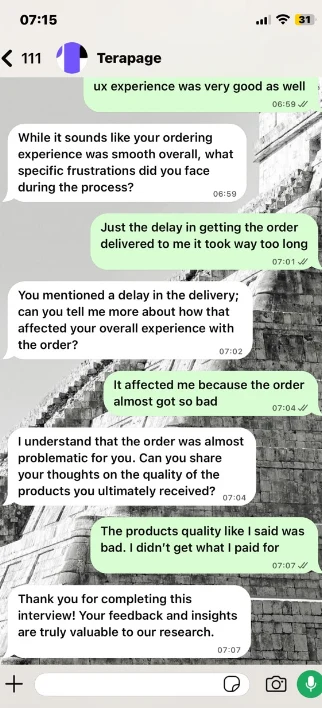
Run AI moderated text interviews in WhatsApp. Participants answer in a chat they already use, while Terapage's AI moderator asks your questions, follows up with relevant probes and sends every conversation to the same transcripts, summaries and analysis as your other AI interviews.
From interview guide to WhatsApp conversation
WhatsApp Chat is a channel inside AI Moderated Interview, so you set it up the same way as your other AI interviews.
Set the objective
Create an AI Moderated Interview, describe what you want to learn and choose the interview language.
Write your questions
Add your core questions and optional follow-up probe guidelines for each one.
Choose WhatsApp
In AI Moderator, pick Guided Text & Chat Interview and WhatsApp, then set the moderator persona, welcome and farewell messages.
Launch and invite
Set dates and reminders, launch the activity and send WhatsApp invitations to your participants.

Make WhatsApp your interview channel
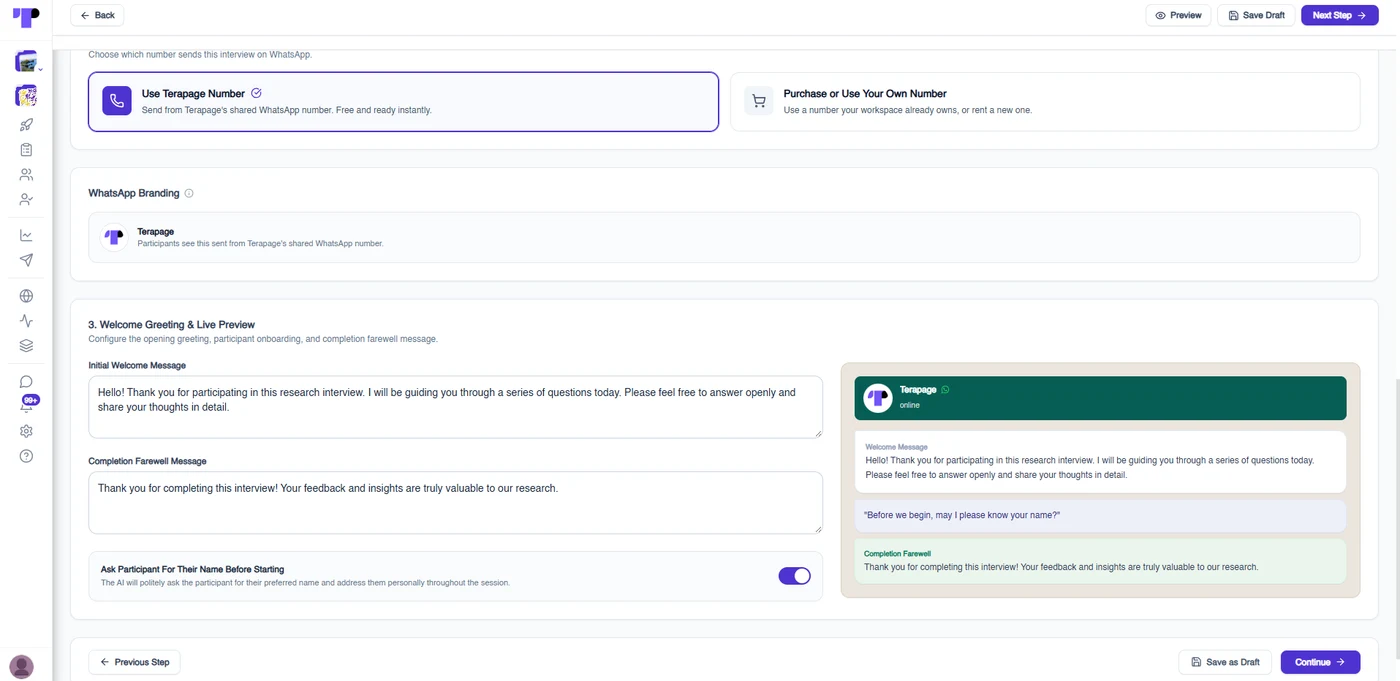
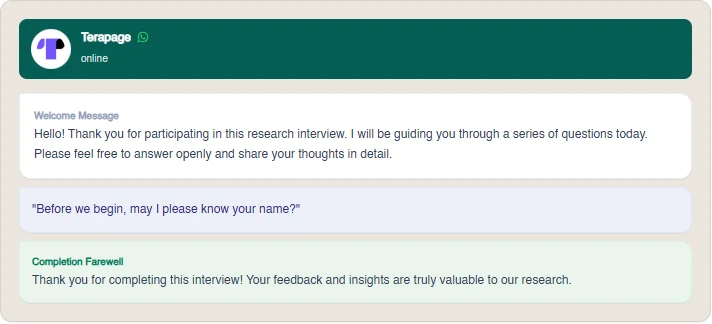
Choose WhatsApp in the AI Moderator step and shape how the conversation opens and closes. A live preview shows what participants will see.
- Send from Terapage’s shared WhatsApp number, ready to use straight away
- Participants see the interview arrive from Terapage
- Write your own welcome greeting and completion farewell message
- Optionally have the AI ask for the participant’s name and use it during the session
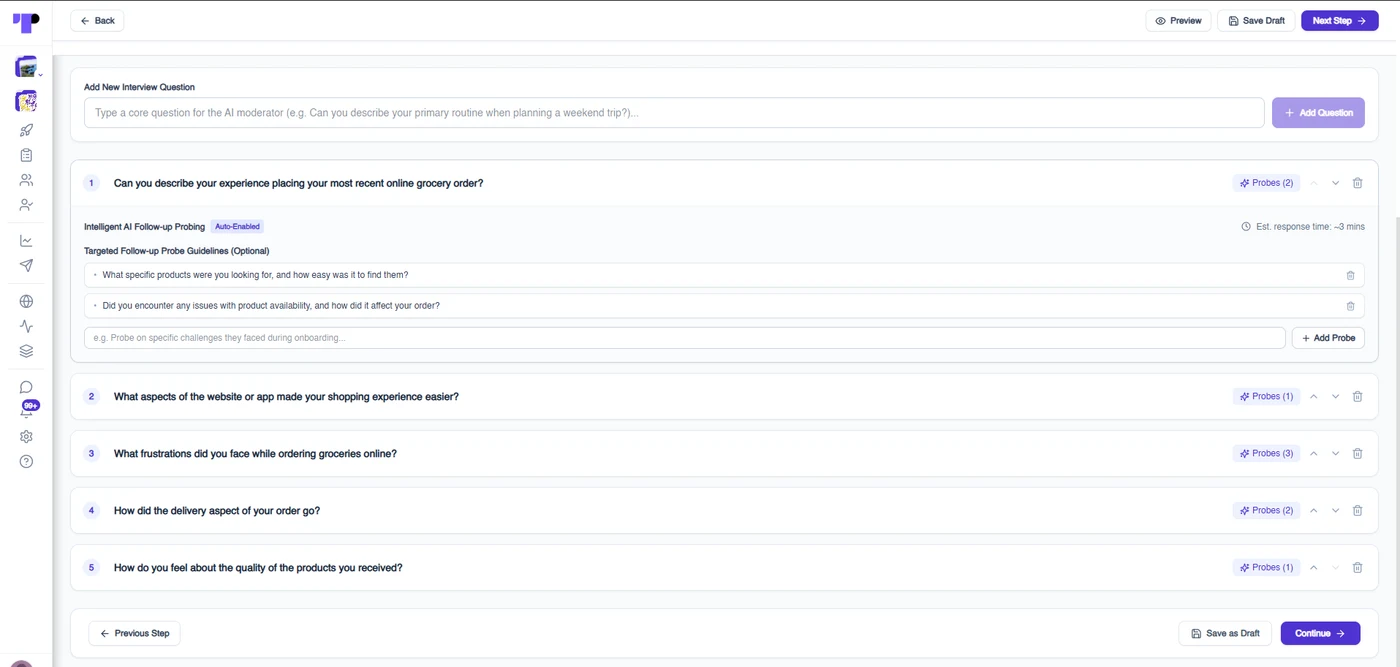
Your questions, with intelligent follow-up probing
Add the core questions you want every participant to answer. For each one you can add targeted follow-up probe guidelines, and the AI moderator uses them to dig deeper where an answer needs it.
- Add, reorder and remove interview questions
- Optional probe guidelines for each question
- An estimated response time for each question
- The same AI interview engine as Terapage’s other chat interviews


Every conversation becomes a transcript
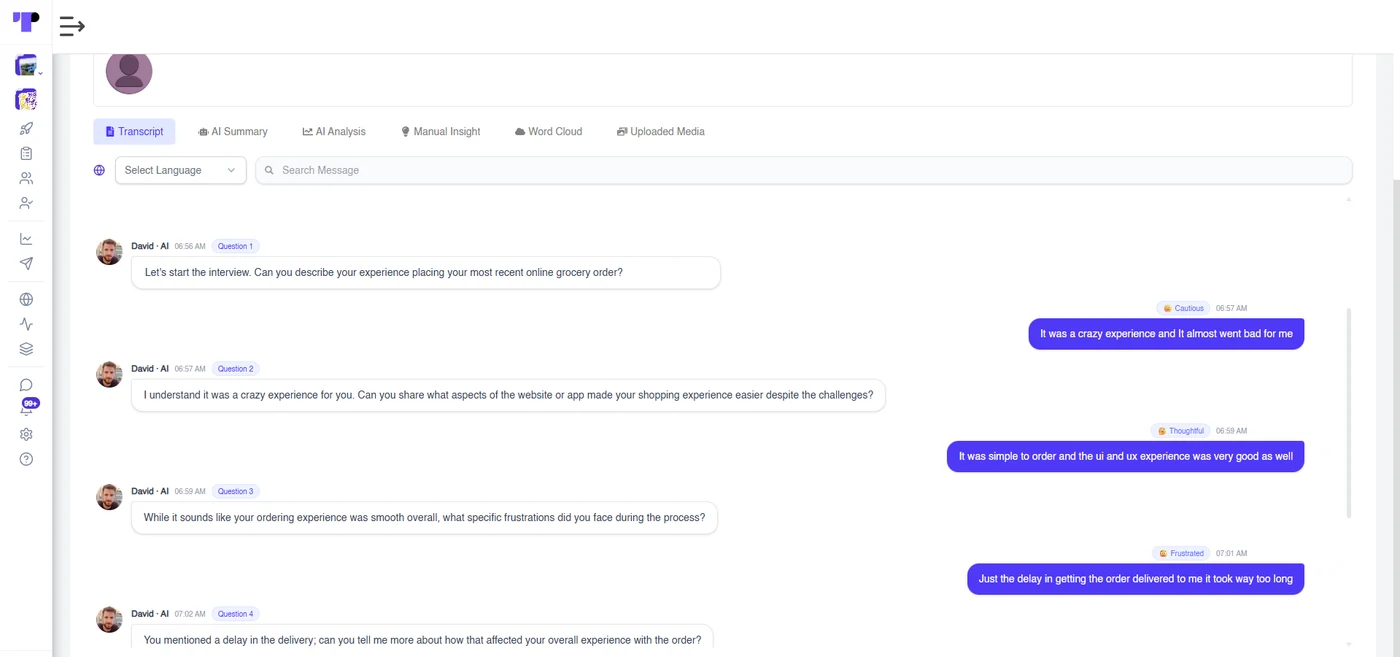
WhatsApp replies flow into the same response views as your other AI interviews. Open a participant to read the full exchange between them and the AI moderator.
- Speaker labels and timestamps for every message
- Each AI turn tagged with the question it belongs to
- A mood tag on participant replies
- Search within the conversation
AI summary and analysis, ready when the chat ends
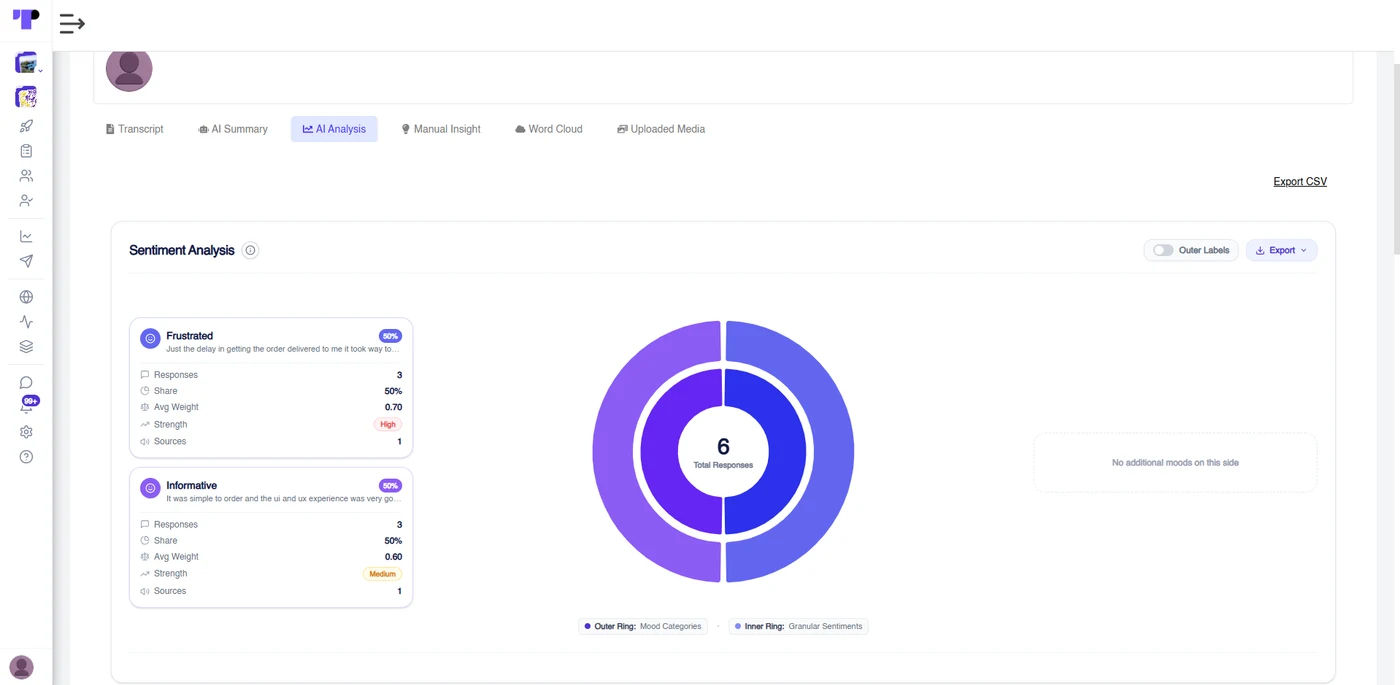
Move from transcript to insight without leaving the page. Each interview has its own summary and analysis, and combined views bring participants together.
- AI Summary for each participant and across participants
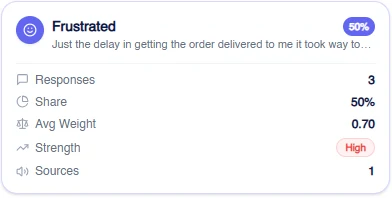
- Sentiment analysis with mood categories and granular sentiments
- Manual insights, word cloud and exports of transcripts, summaries and analysis
A familiar chat, guided by AI
Starts in WhatsApp
Participants receive a WhatsApp invitation, or open the interview from their study and send the start message. Their reply begins the conversation.
A text conversation
The AI moderator asks one question at a time and follows up on what the participant says. Participants answer by typing their replies.
In their own time
There is no new app to download for the chat. Participants can stop invitations and reminders at any time by replying STOP.
And more platform features & capabilities...


Ready to run an AI interview in WhatsApp?
Set up your questions, choose WhatsApp as the channel and review transcripts and analysis as replies come in.