
AI-Powered Research Companion
AI Research Chatbot
Terapage AI Chat Assistant lets research teams configure a branded, always-available AI chatbot that answers participant questions using the study's own materials, stays inside researcher-defined guardrails, and provides clear analytics on every conversation without writing a single line of code.
Explore the Feature
Simple
Configured like any other Terapage research activity.
Trustworthy
Answers grounded in your own study materials.
Safe
Disclaimers, disallowed topics and escalation built in.
Insightful
Per-participant threads and study-wide analytics.

What AI Chat Assistant does
It turns recurring participant questions into a self-serve, always-on conversation. Researchers name the assistant, upload their own study materials, define safety controls, and launch — participants get instant, cited answers, and every question they ask becomes a signal about what the study is missing.
Includes a custom knowledge base, personality and tone controls, safety controls, and study analytics.
Set up the activity in a few clicks
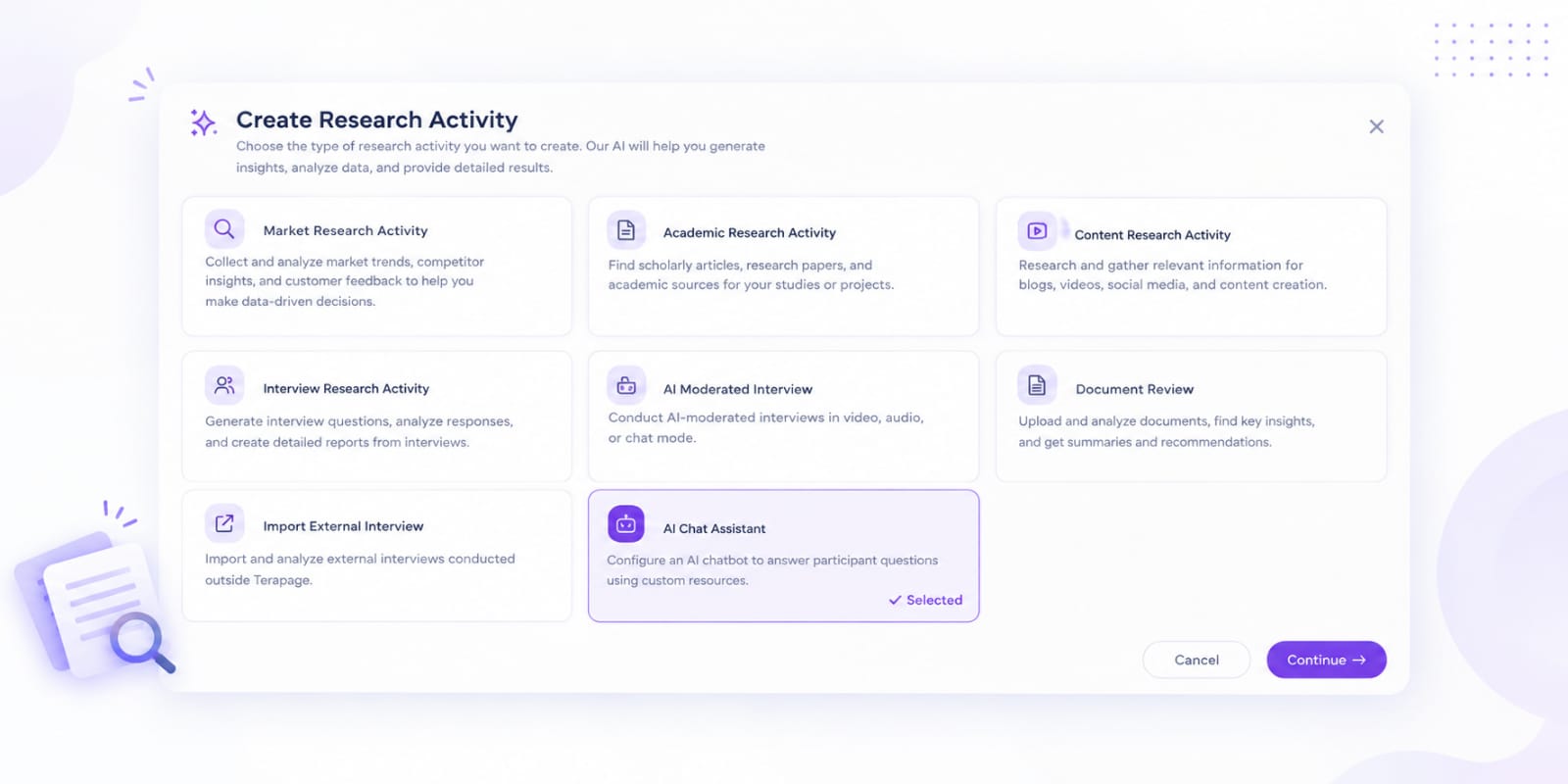
Pick "AI Chat Assistant" from the same activity picker used for Live Interviews, Focus Groups and Document Reviews. It's configured the same way any other Terapage activity is, so there's nothing new to learn.
- Choose the activity type from a familiar picker screen.
- Name the activity, add a description and set participant instructions.
- Set availability dates, max questions and max duration if needed.


Give it a name, a personality and a voice
Name the assistant Study Assistant, Care Companion, Product Expert and upload an avatar. Choose a personality such as Neutral, Professional, Friendly, Empathetic, Clinical or Educational, paired with a tone like Conversational, Formal, Supportive, Technical or Simplified language.
- Custom avatar upload or default avatar library.
- Personality and tone dropdowns matched to the study.
- Optional custom system prompt for anything more specific.
Control response length and citations
Decide how long responses should be Short, Medium or Detailed and choose whether the assistant always cites sources, cites when available, or never displays citations. Add suggested prompts so participants can tap instead of typing.
- Response length: Short, Medium or Detailed.
- Citation behaviour: always cite, cite when available, or never display.
- Suggested prompts shown as tappable chips in the chat.
Build a knowledge base it can trust
Upload the actual materials for the study PDFs, Word docs, spreadsheets, images, audio, or video and organise them into categories. Decide how far the assistant can reach beyond that library: repository-only, repository-preferred, blended with the internet, or internet-only for benchmarking.
- Drag-and-drop upload for documents, images, audio and video.
- Researcher-defined categories and tags.
- Repository-only, repository-preferred, or blended internet access.
Manage the full resource library before launch
The Knowledge Resources screen gives researchers a clear view of every uploaded file: category, priority and whether it's included in AI responses. Each resource can carry an effective date, expiry date and language, and can be switched on or off at any time.
- Prioritise resources as High, Medium or Low.
- Include or exclude any resource from AI responses instantly.
- Track effective dates, expiry dates and resource language.

Clear consent and privacy, every time
Before a participant types a single message, they see a plain-language consent screen and privacy notice explaining what's collected, how it's used, and who on the research team can read it. They can request a human moderator at any point.
- Consent screen confirms voluntary participation before starting.
- Privacy notice covers what's recorded and who can review it.
- Participants can request human support from within the chat.


A chat experience participants already know
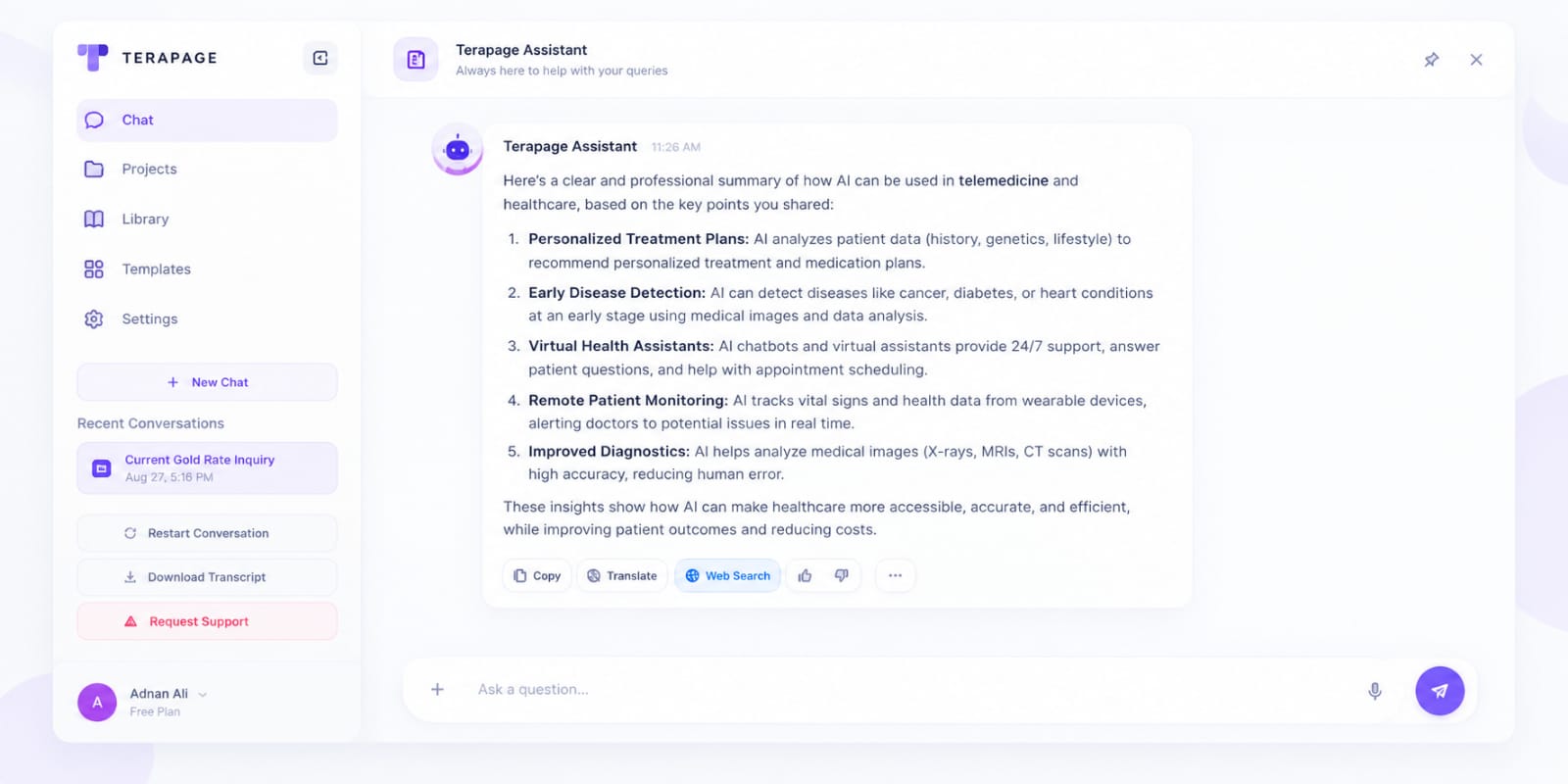
The chat itself feels like any modern messaging app text, voice input, file and image uploads, and translation sitting alongside controls to restart the conversation, download a transcript, or request a human moderator.
Familiar by design: restart conversation, download transcript, and request support are always one tap away.
Every answer comes with receipts
When the assistant draws on an uploaded resource, participants can open the exact source passage behind the answer. When it pulls from the internet, that's flagged clearly too, so nothing is ever presented as study-verified when it isn't.
- Tap into any response to see the supporting document.
- Web-sourced answers are labelled separately from study materials.
- Researchers control citation behaviour per activity.


See engagement across the whole study
Track how many participants have started, how many are active, and how many have asked for human support so gaps in participation surface early instead of at the end of fieldwork.
- Real-time engagement rate across all assigned participants.
- Active, not-started and support-requested counts at a glance.
- Search and group participants directly from the dashboard.
From conversation to insight: transcripts, gaps and reporting
Every conversation can produce a transcript, sentiment reading, resource-gap signal and moderation record. Because the feature sits inside Terapage, chat data can connect with Data & Reports, Publish Insights, Recap and wider study workflows.


Ideal use cases for AI Chat Assistant


And more platform features & capabilities...




Make participant support available 24/7
Give participants an AI research companion that understands your study materials, follows your rules and turns every conversation into useful research insight.
Get Started For Free