Insight Communities in Market Research: Types, Benefits, Limitations, and Best Practices
Quick answer: An insight community, also called a market research online community (MROC), is a private online group of people who take part in a brand's research over time. Instead of recruiting new participants for every study, researchers return to the same members for diary studies, discussions, document reviews, and interviews, so each study builds on the last and changes in opinion can be tracked over months or years.
Key takeaways
- An insight community keeps participants connected after the report, while one-off research lets them go and the next study starts from zero.
- There are four types of insight communities, grouped by size (small or large) and duration (short-term or continuous).
- Engagement depends on varied activities, reminders, incentives, direct messaging, and active discussion boards.
- The main risks are participant fatigue, panel conditioning, representation limits, and group influence, and each can be managed.
- Five best practices keep a long-term insight community healthy: clear goals, the right members, varied activities, a steady calendar, and AI-powered analysis.
Research teams are under pressure to move fast, but most studies still start the same slow way: find people, screen them, collect answers, write the report. By the time the findings are shared, customers may have already changed their minds, and the next project starts from scratch.
That costs more than money. Each new study means finding new people, rebuilding context, and missing the bigger picture of how customers change over time.
Insight communities solve this by giving researchers an always-on, engaged audience they can return to for continuous qualitative and quantitative research.
What Is an Insight Community?
Insight community (noun): a private online group of people who help a brand with research over time. Also known as a market research online community (MROC) or customer insight community.
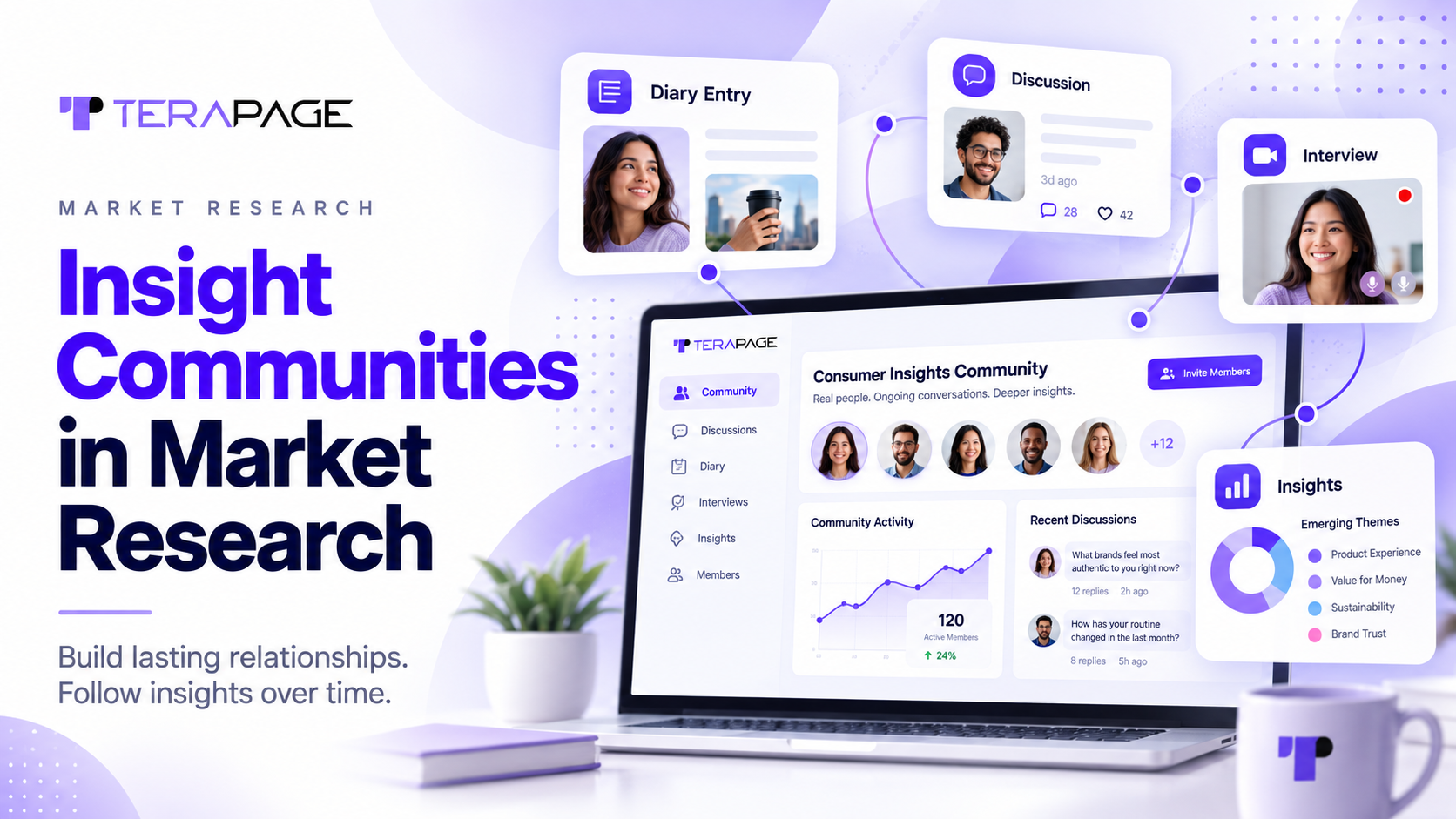
An insight community is a private online group of people who help a brand with research over time. You might also hear it called a market research online community (MROC) or customer insight community. Instead of starting fresh for every study, brands keep coming back to the same people.
Members can be customers, target audiences, or employees taking part in employee engagement research. On Terapage, they join diary studies, discussion boards, document reviews, and AI-moderated interviews in one Insight Community Platform. Because they stay connected, researchers can check in anytime, see how their views change, and build a long-term source of consumer insights and voice of the customer (VoC) data.
"Research should be continued, not completed."
Terapage Long-Term Insight Community
How Is an Insight Community Different From One-Off Research?
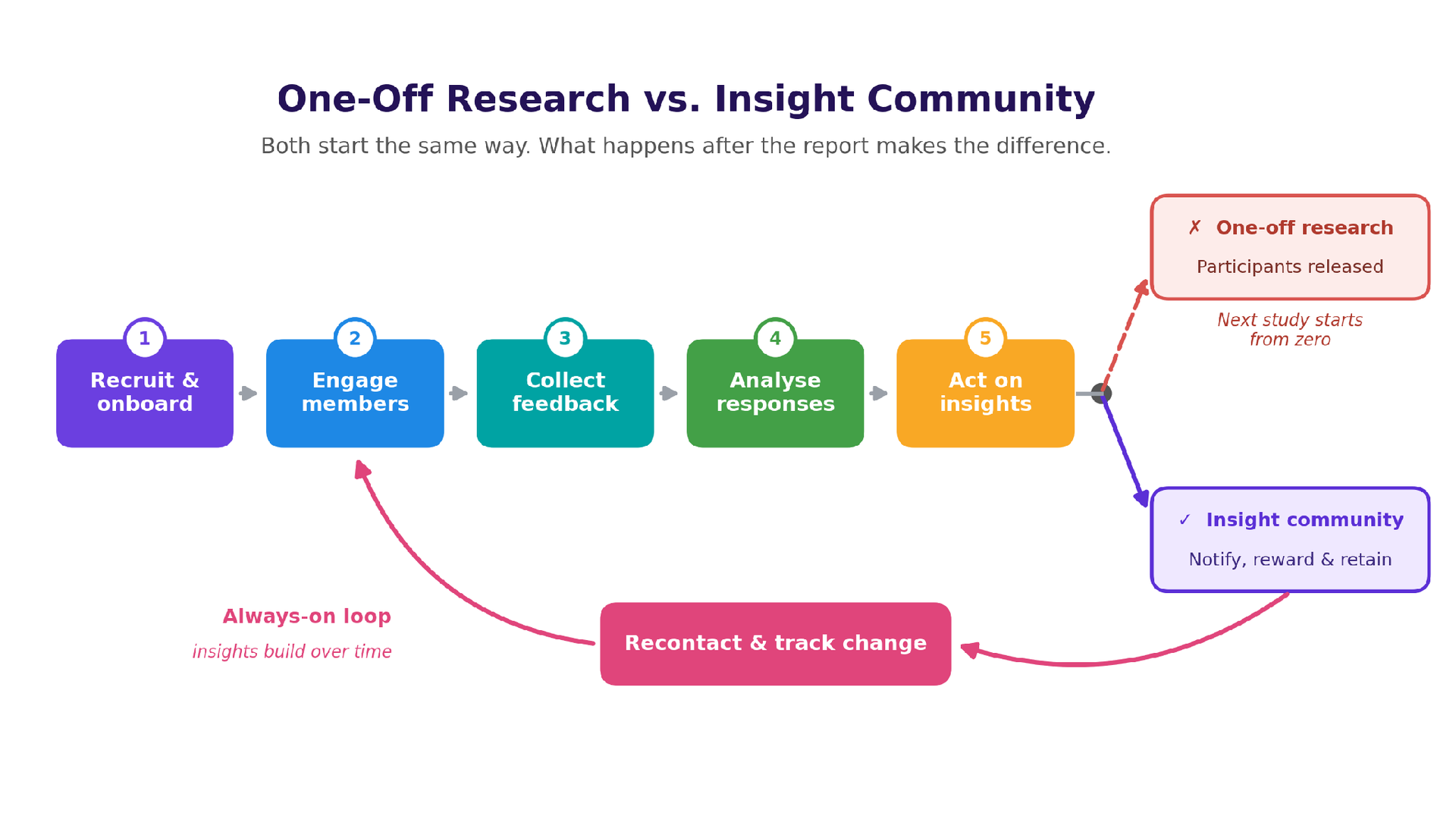
Both start the same way: recruit people, collect feedback, and analyse it. The difference comes after the report. One-off research lets participants go, while an insight community keeps them connected so the next study builds on the last one.
| Factor | One-off research | Insight community |
|---|---|---|
| What happens after the report | Participants are released | Members stay connected for the next study |
| Starting point for the next study | Recruit and screen from scratch | Already recruited and profiled members |
| Tracking change over time | Difficult, a new sample each time | Built in, the same members over months or years |
| Context and knowledge | Rebuilt every project | Grows with every study |
| Best suited for | Single, time-bound questions | Continuous, longitudinal, and mixed-method research |
Terapage supports every step of this loop, from participant recruitment and onboarding to incentives, AI-Powered Insights, and Publish Your Insights.
What Are the Types of Insight Communities?
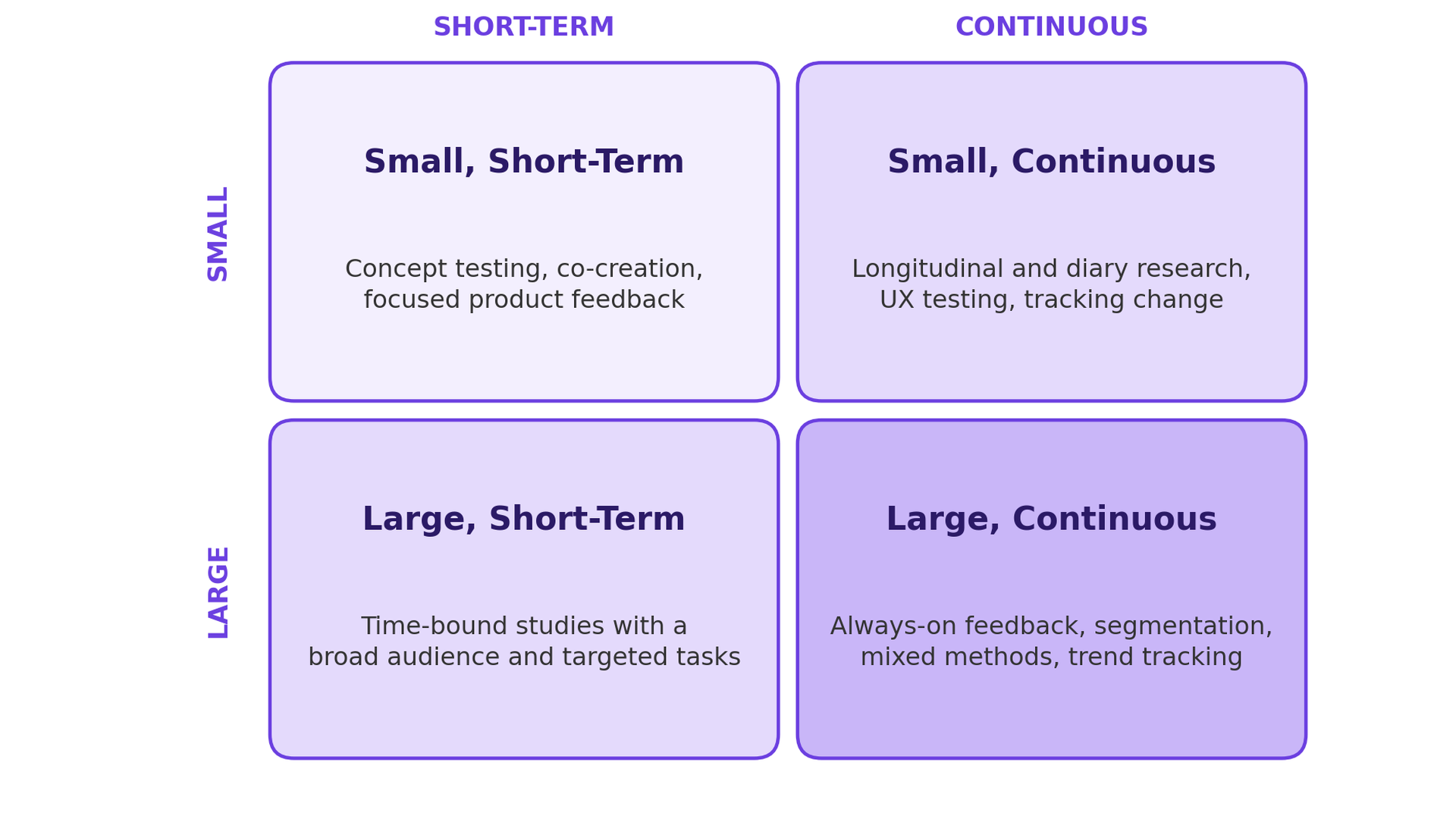
Insight communities are grouped by two things: how many members they have and how long they run. This gives four main types.
- Small, Short-Term: A small group for a few days or weeks. Best for concept testing, co-creation, and quick product feedback where deep discussion matters more than numbers.
- Small, Continuous: A small group that stays active for months. Best for diary studies, user experience testing, and tracking how behaviour changes over time.
- Large, Continuous: Hundreds or thousands of members in an always-on community. Best for ongoing customer feedback, audience segmentation, mixed method research, and long-term trend tracking. This is the model behind Terapage's Long-Term Insight Community.
- Large, Short-Term: A big audience for a limited time. Best for fast feedback at scale using targeted polls and surveys or multi-task activities.
How Do Insight Communities Keep Participants Engaged Over Time?
An insight community only works if people keep showing up. That depends on two things: how researchers run it, and how it feels for members every time they log in.
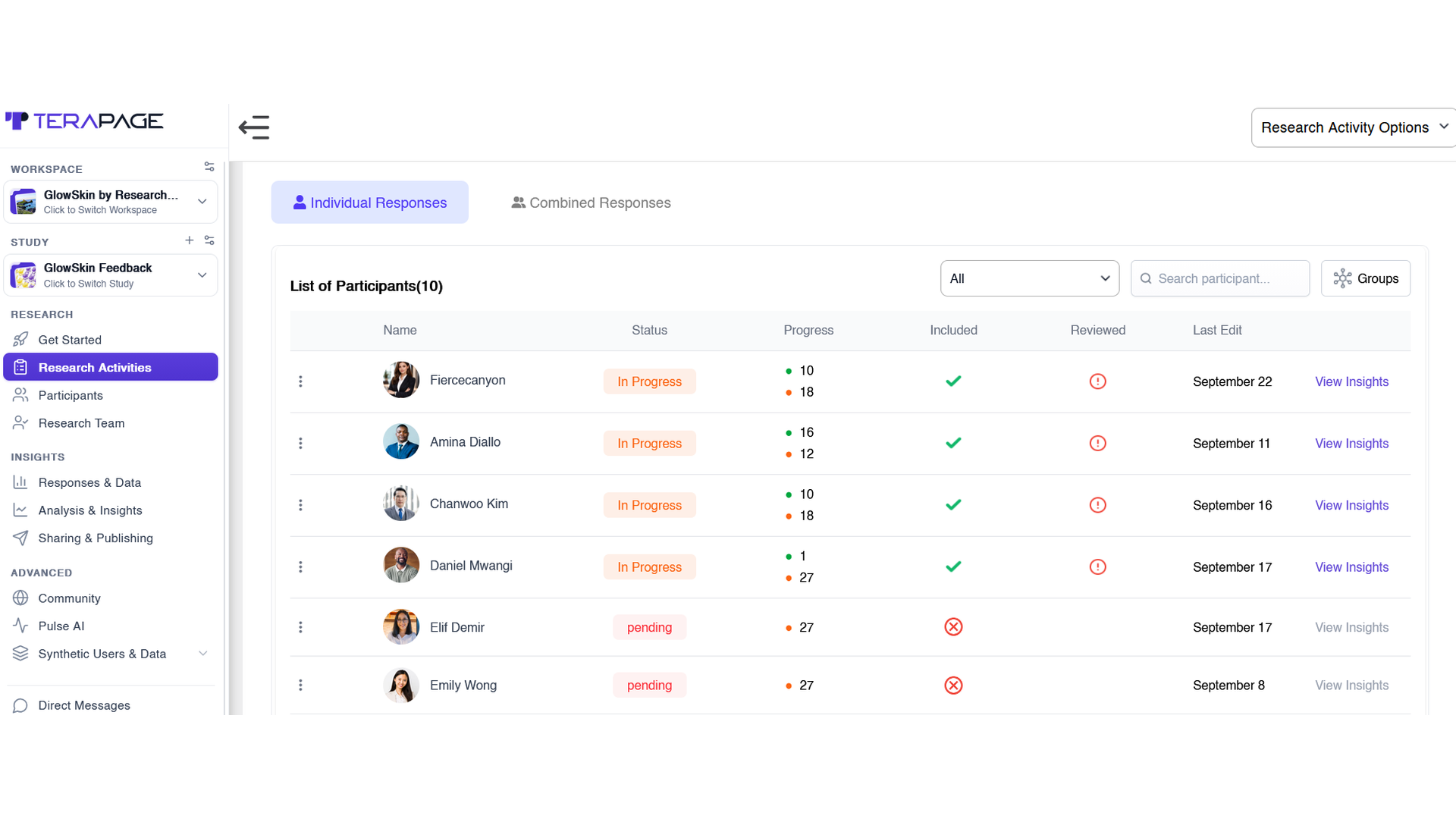
On Terapage, researchers can see every member's status, progress, and responses in one participant list. Members can move between journals, reviews, discussions, and interviews in the same place, which keeps the community fresh for months or even years.
Insight Community Participant Journey: Onboarding, Screening, and Long-Term Engagement
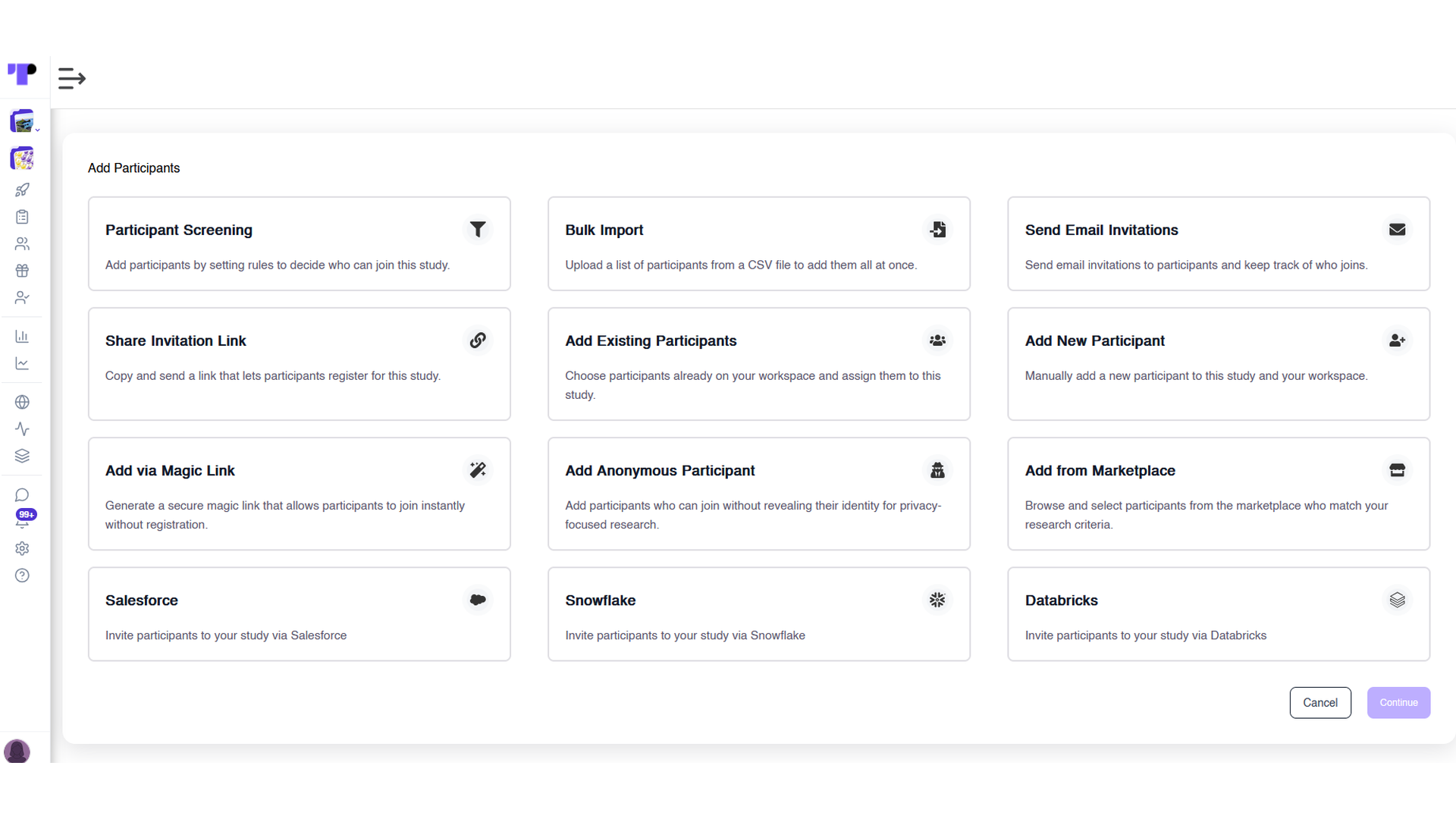
With streamlined onboarding, researchers can invite people by email, share a link or magic link, import a list, pick members from the participant marketplace, or connect Salesforce, Snowflake, and Databricks.
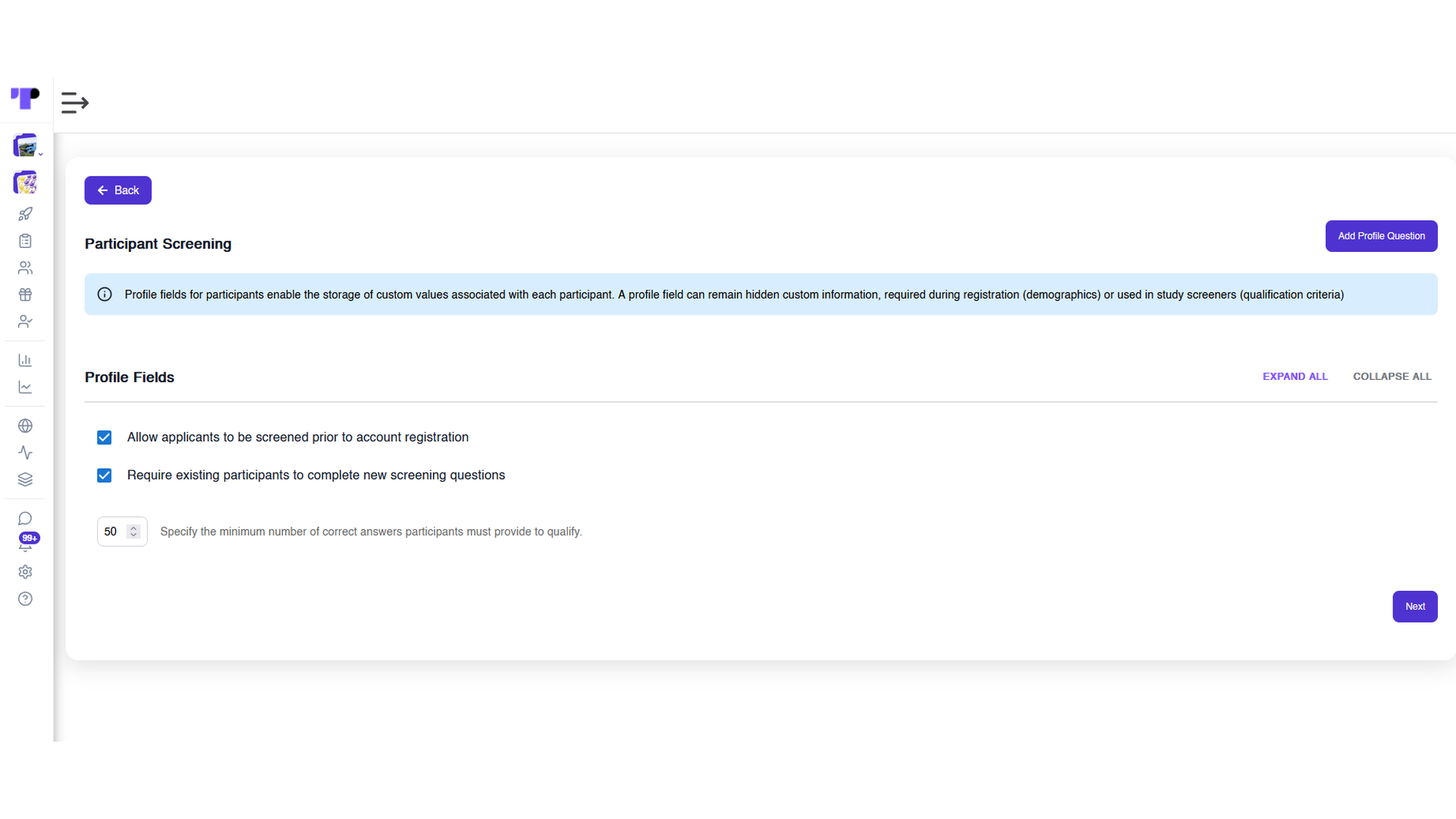
Researchers can screen applicants before they register, set a minimum qualifying score, and re-screen existing members with new questions as research needs change. This keeps the panel relevant over the long term without recruiting from scratch.
Once inside, members use one app on phone or desktop through mobile-compatible research. What keeps them active week after week:
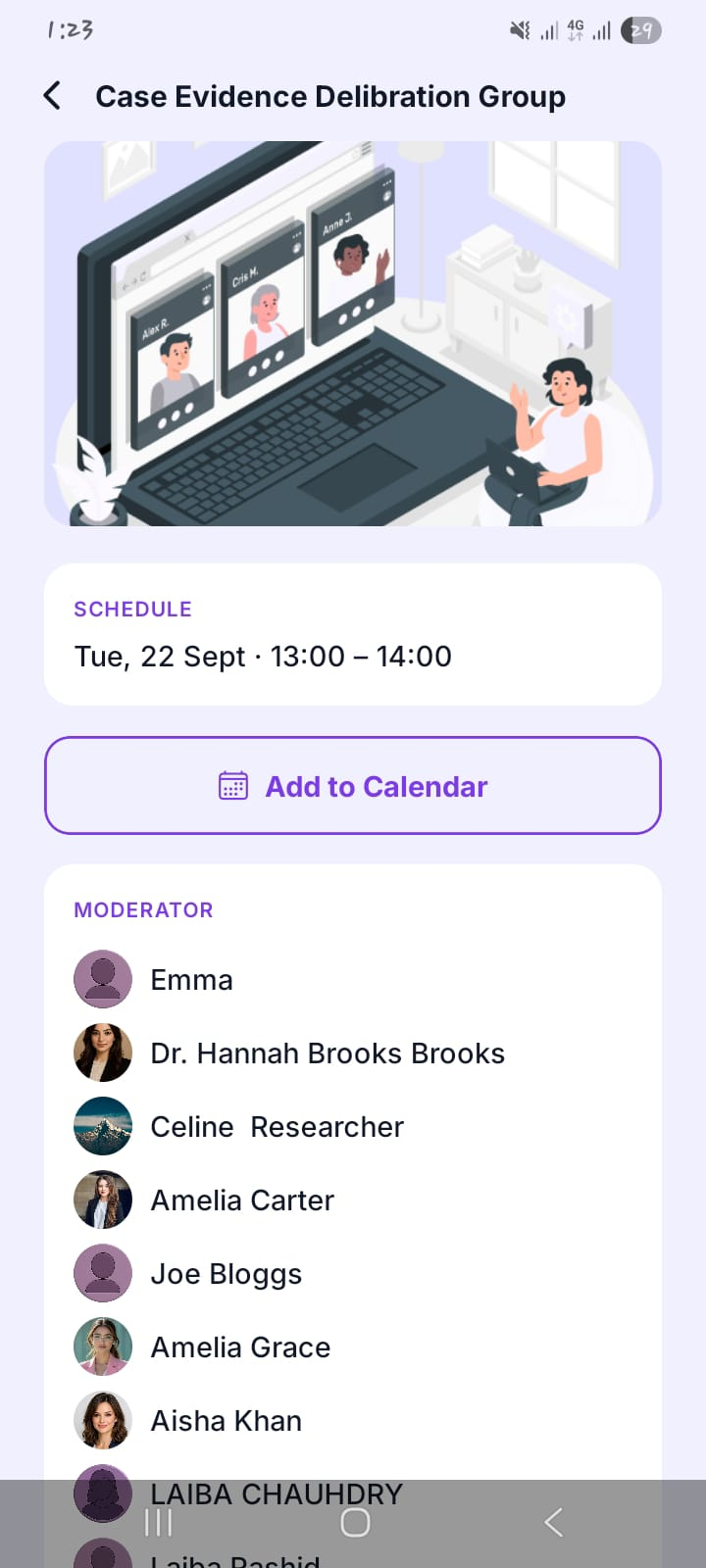
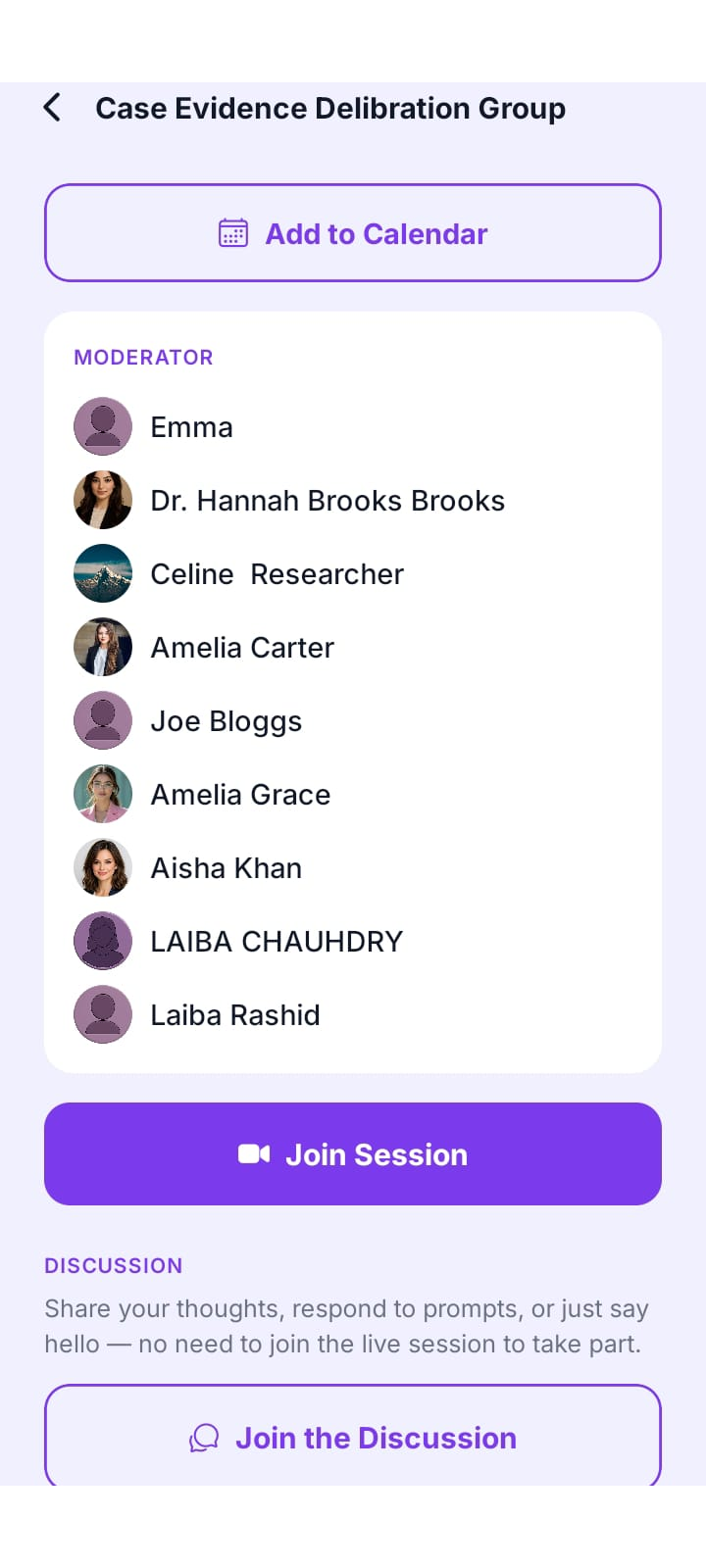
- Reminders and schedules: members see upcoming activities and can add them to their calendar.
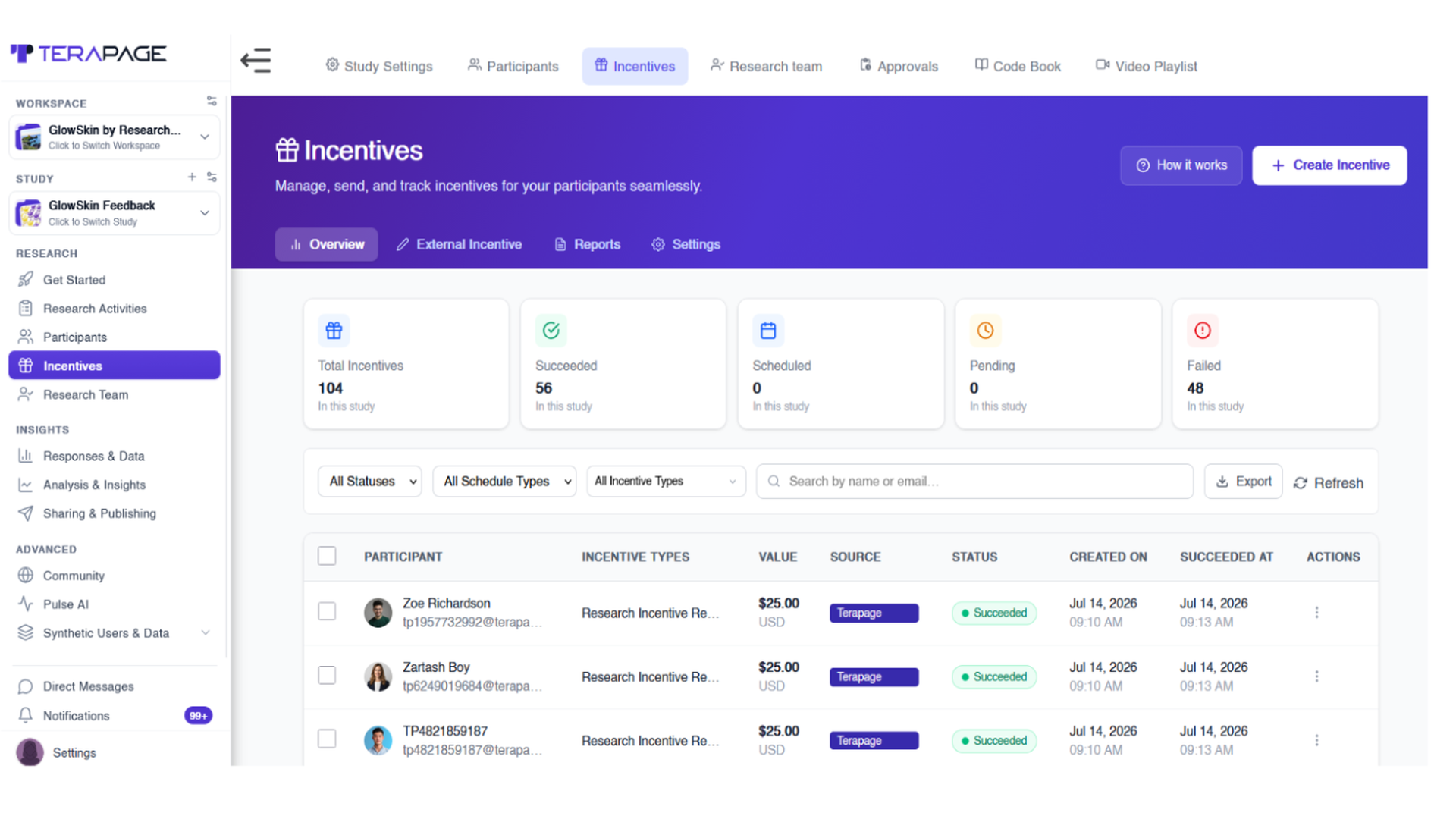
- Points and incentives: rewards for completed activities give members a reason to keep taking part.
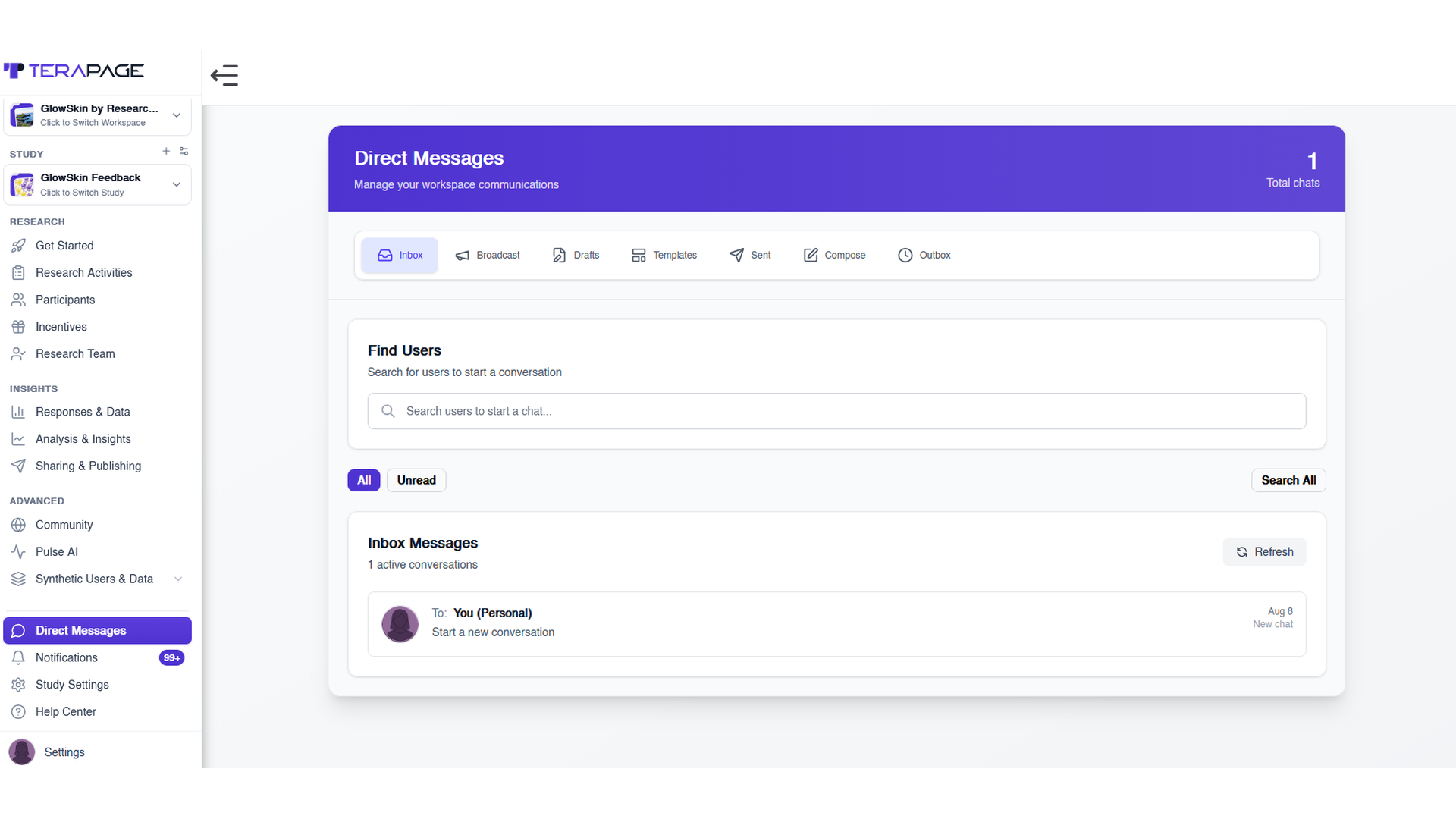
- Direct messages: members can ask what a task needs or report an issue through in-app messaging, while researchers can reply one-to-one or broadcast updates to everyone at once.
How Discussion Boards Keep Insight Communities Active
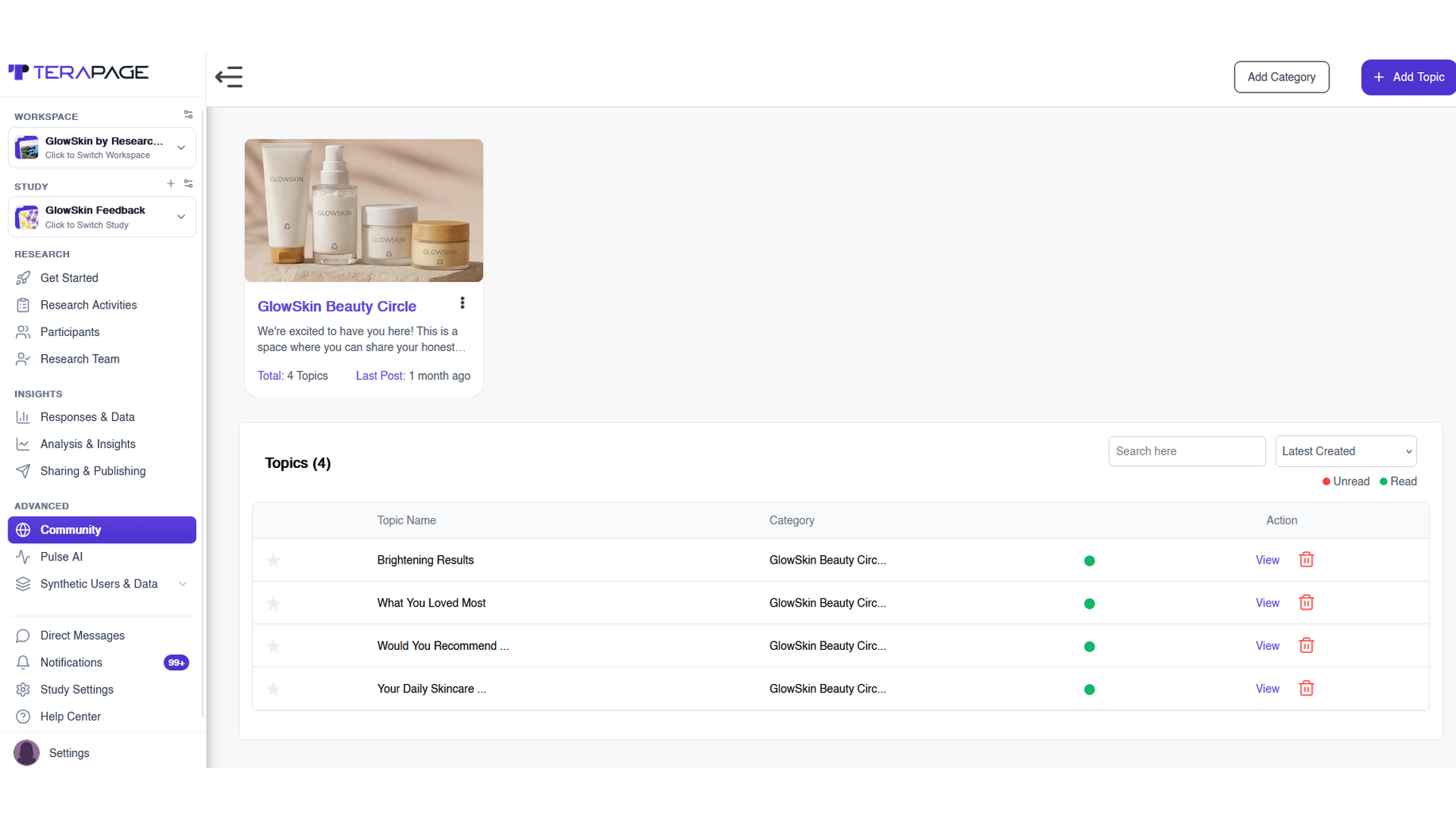
Community discussions turn a research panel into a real community. Through discussion boards, researchers create categories and topics, and members post, comment, like, and start their own conversations whenever it suits them. Researchers can track read and unread topics and add new ones as research needs change. Over time, these discussions build trust and reveal the real language customers use.
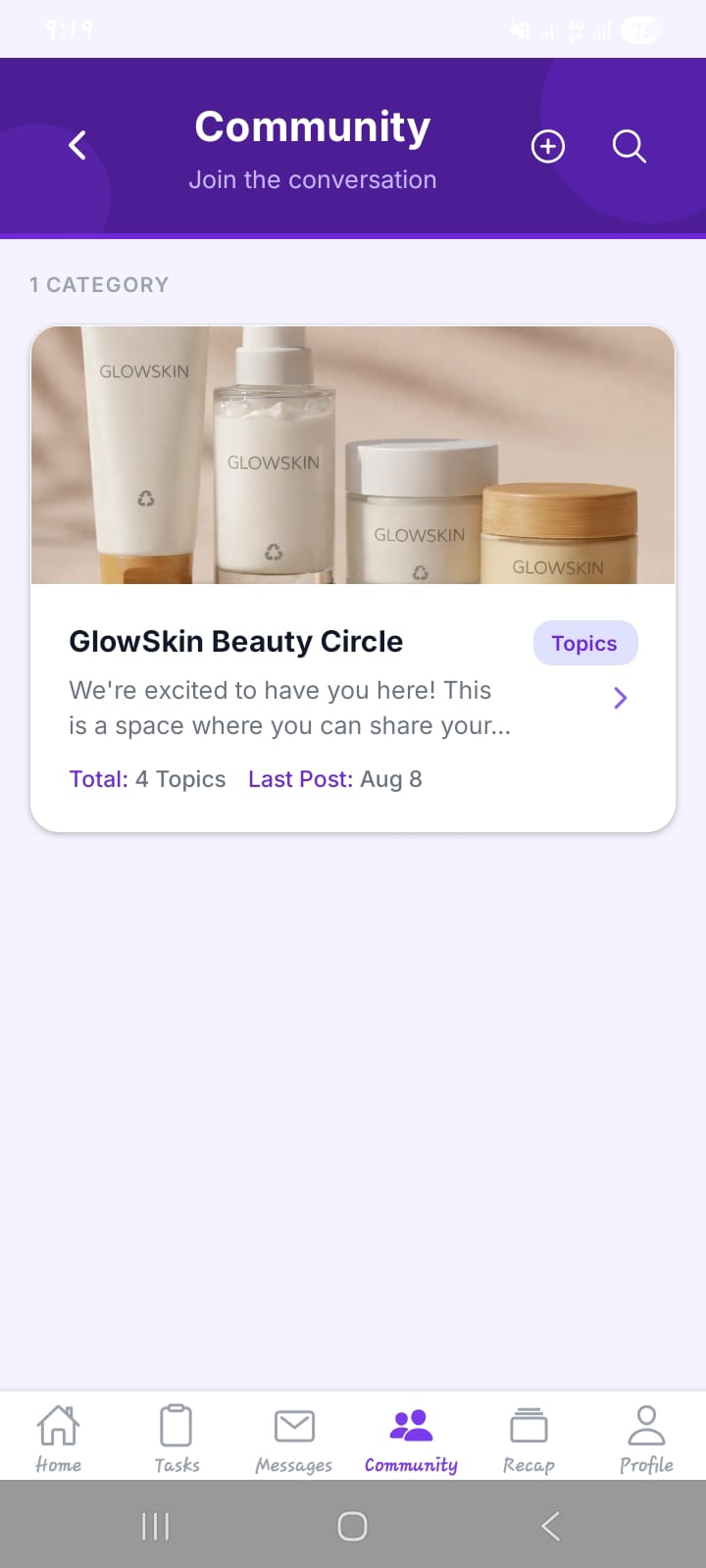
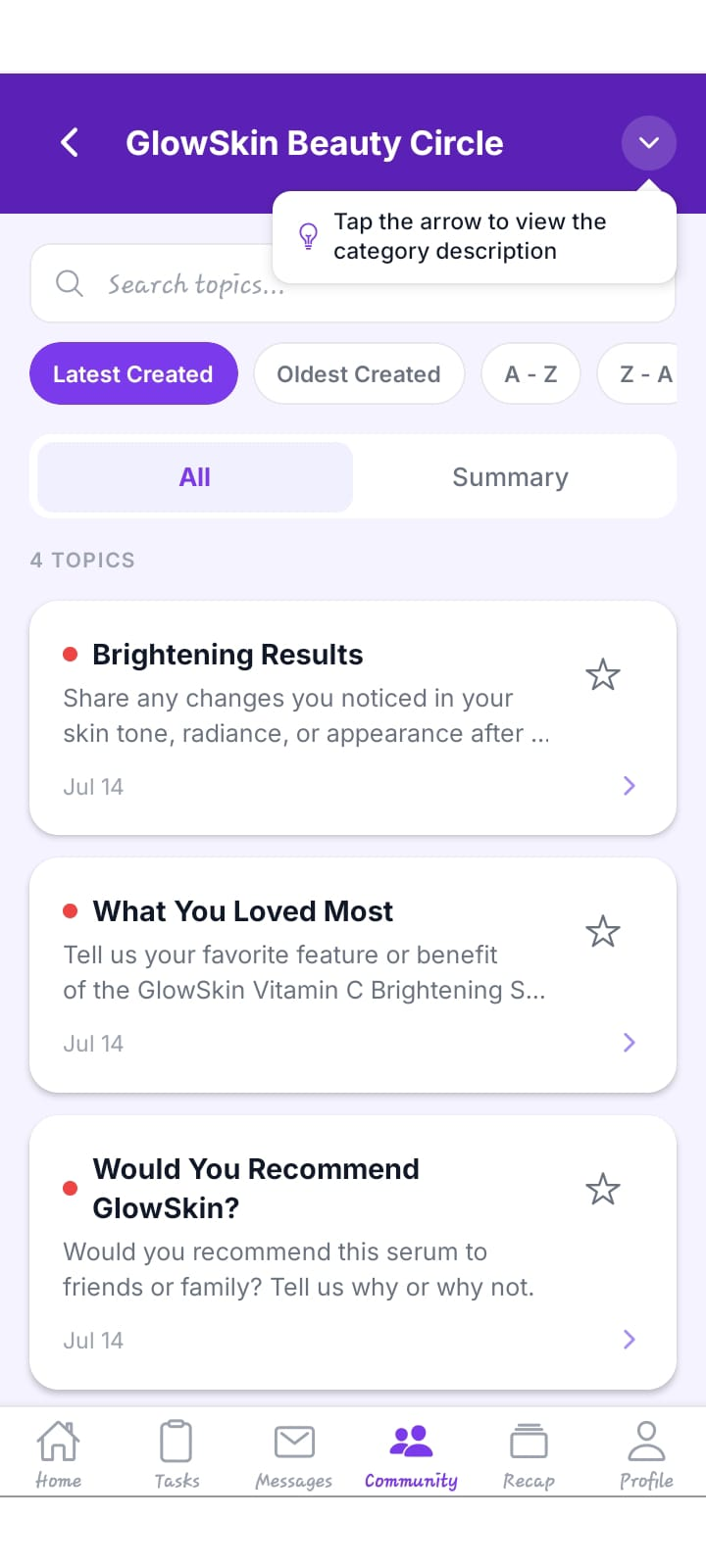
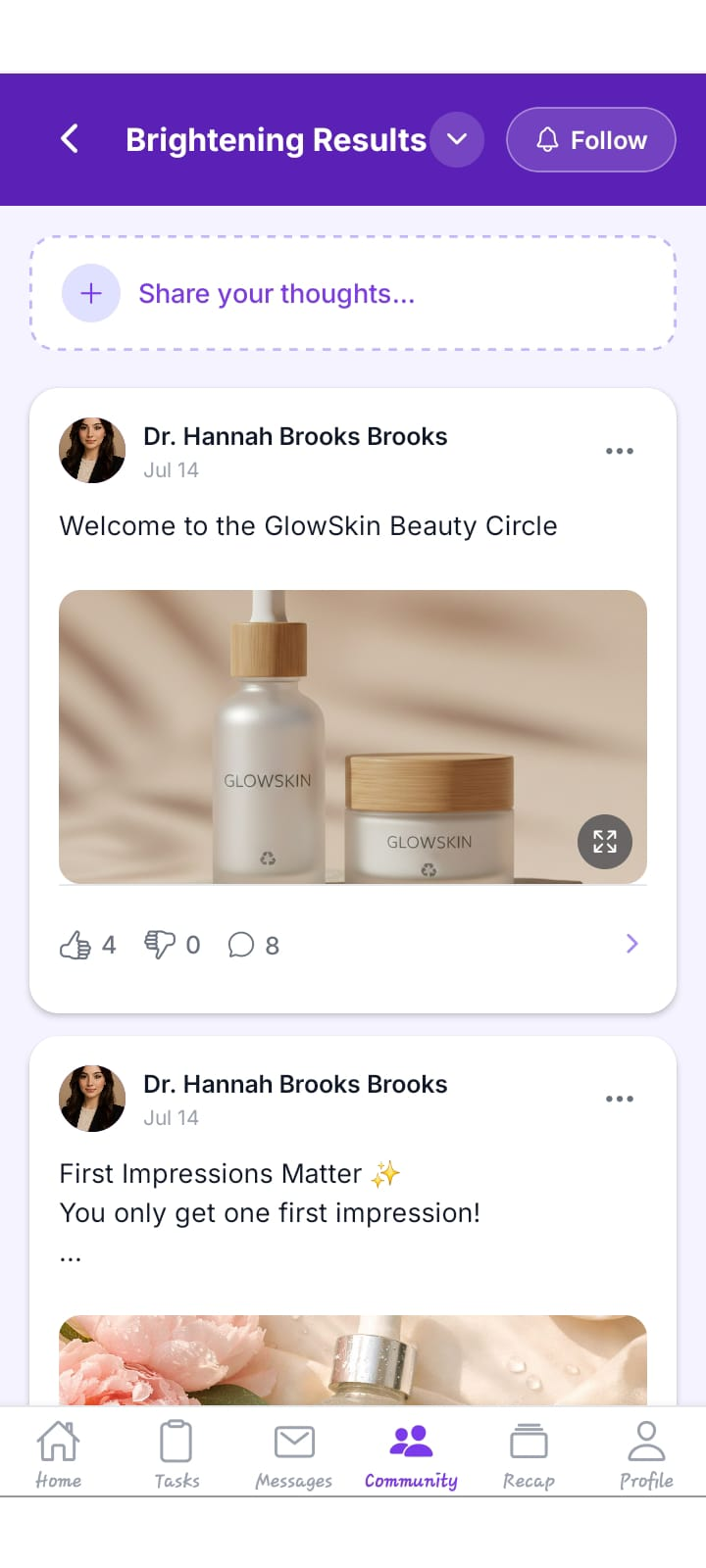
Members see the same community on their phone through the Community tab. They open a category, browse or search topics, sort them by date, and read a summary of the conversation. Inside a topic, they share their thoughts with text and images, react with likes or dislikes, comment on other posts, and follow topics to get notified about new replies.
Diary Studies for Tracking Daily Behaviour
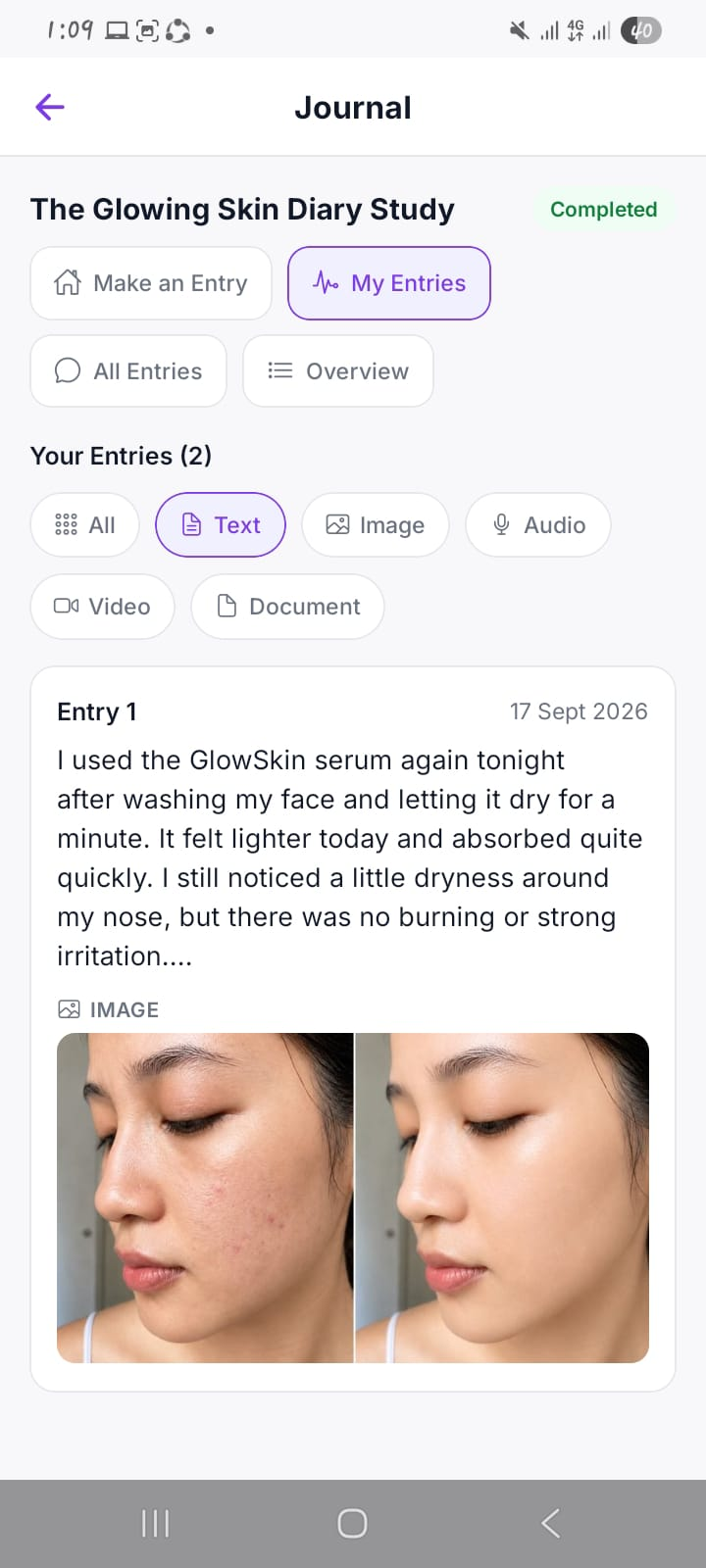
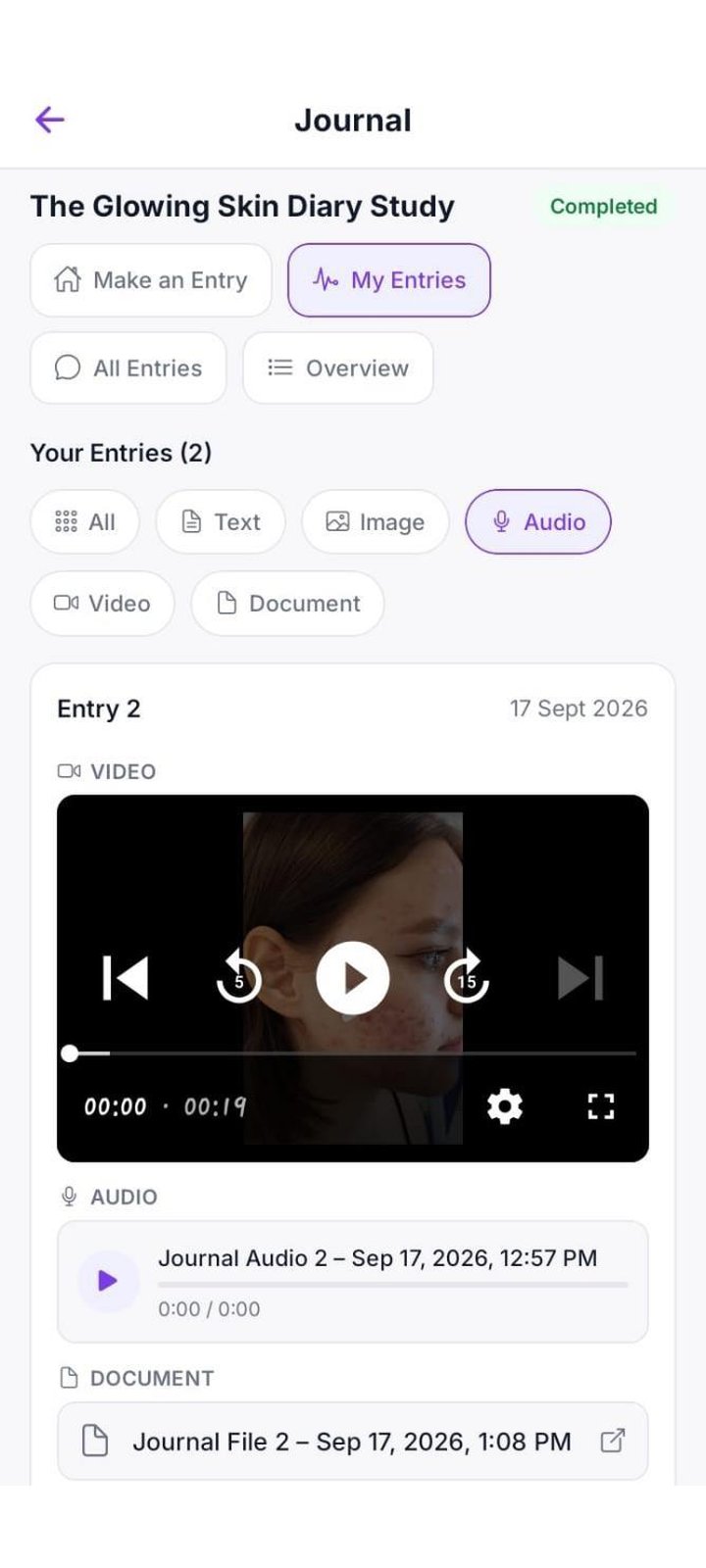
Journal and diary activities let members record what they did and felt, daily or at set intervals. Because entries are made in the moment, they reduce recall bias and support digital ethnography and longitudinal research.
Members can document routines for do-it-at-home research, store visits for in-store shopping studies, or purchases for online shopping research. Over weeks, these entries show how habits and product experiences change.
Sharing Video, Image and Poll Tasks With Community Members
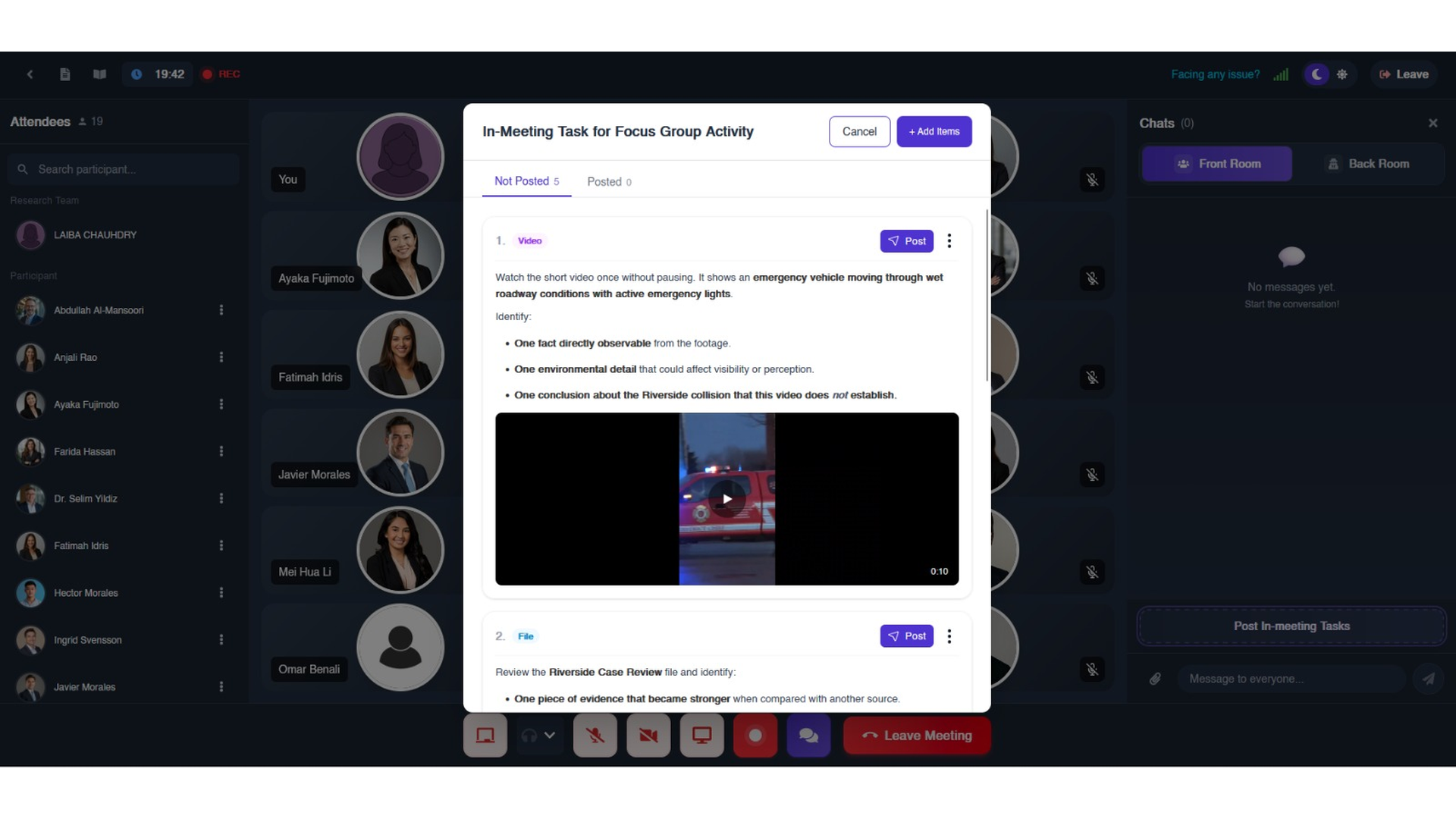
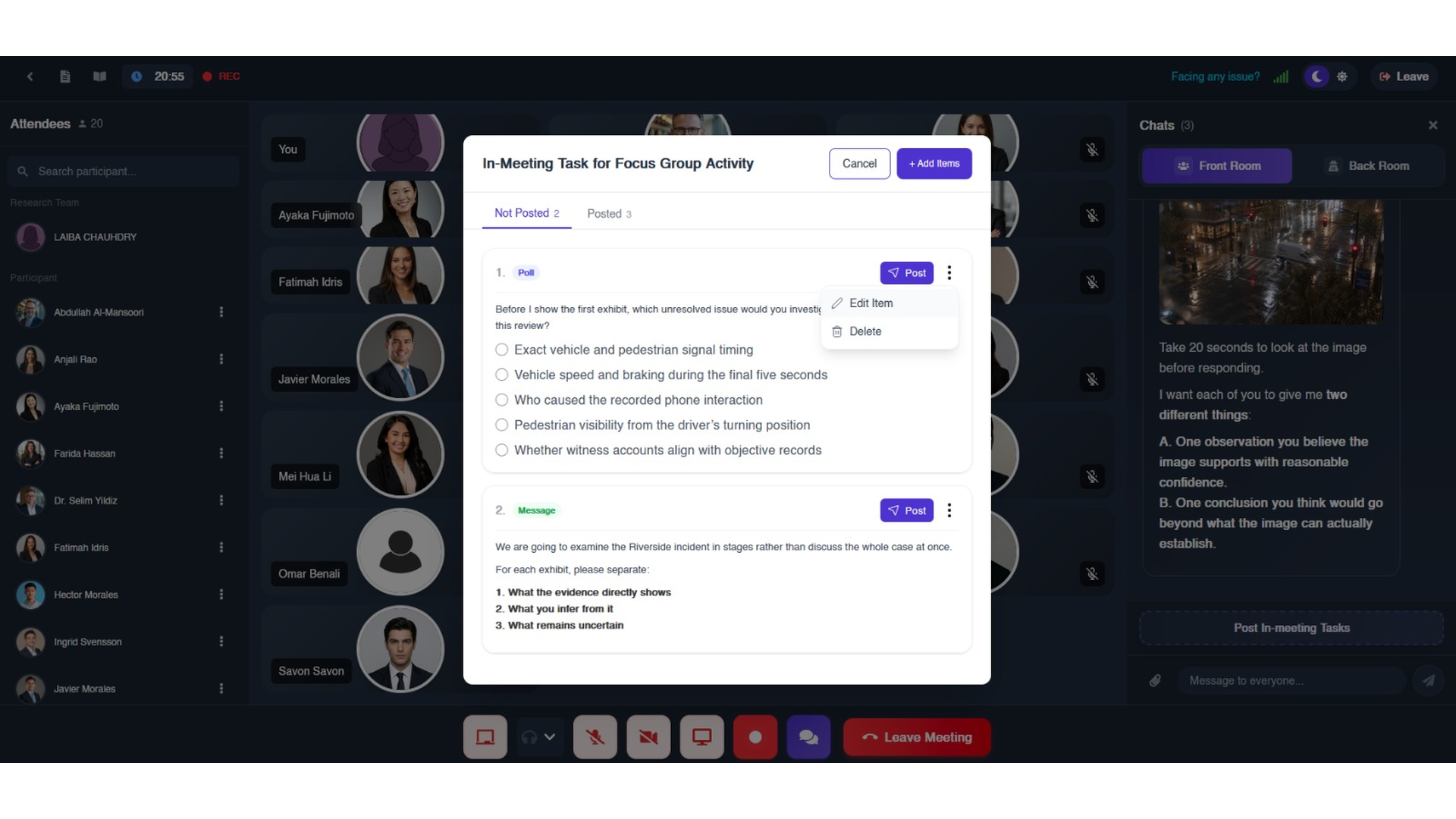
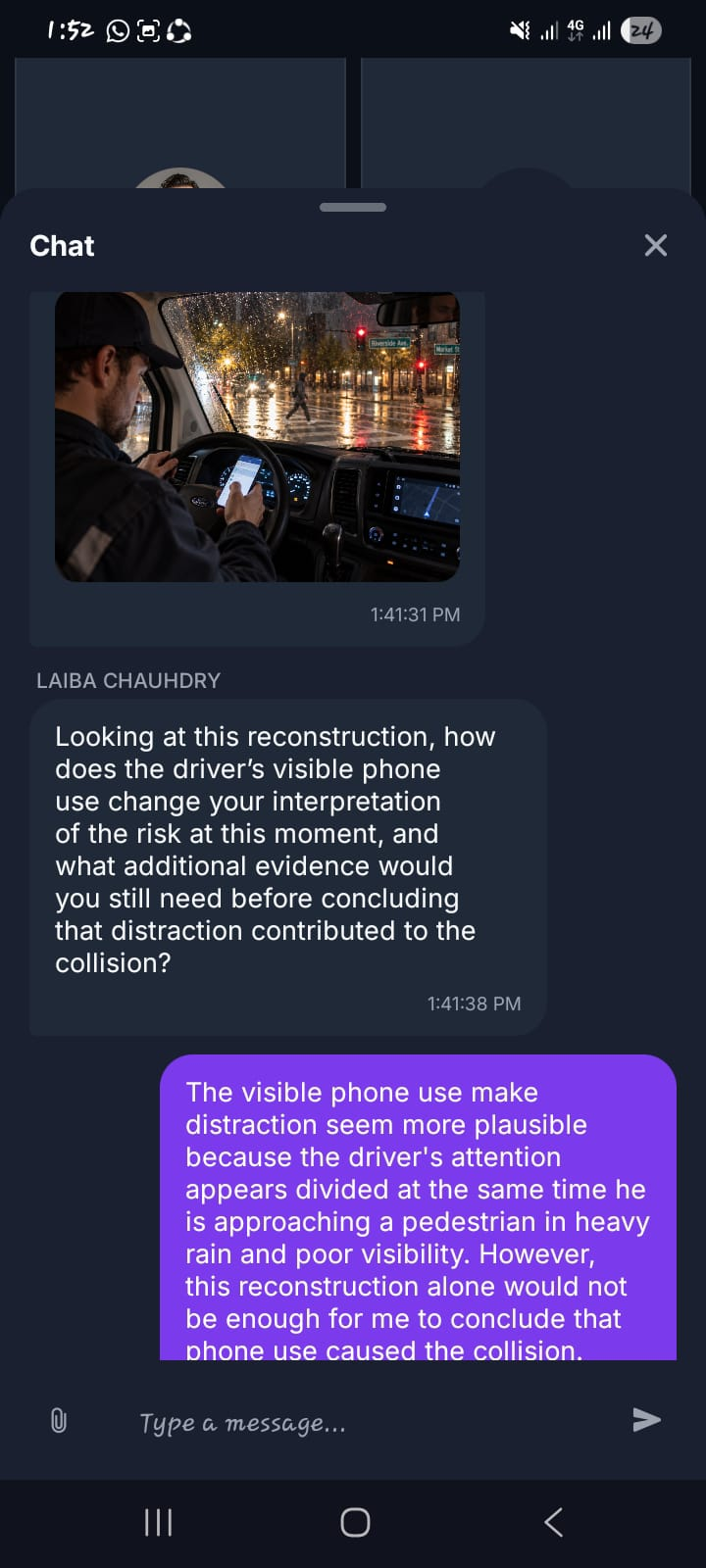
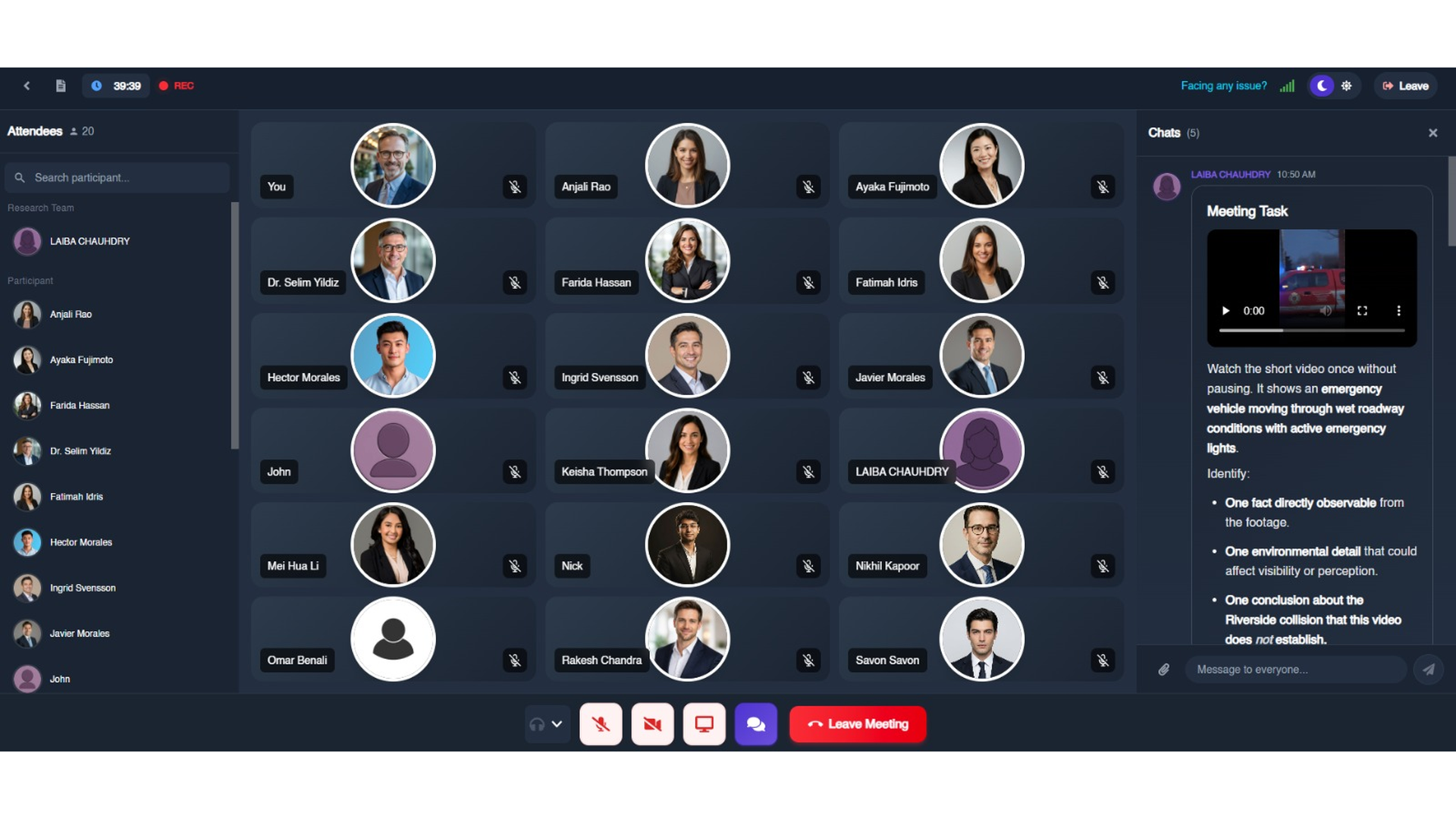
During a live session, researchers can share videos, images, files, polls, and prompts without members leaving the call. Members react on the spot, giving honest first impressions that suit brand and media research, and the same group can review new creative work in later sessions to show how their reactions change over time.

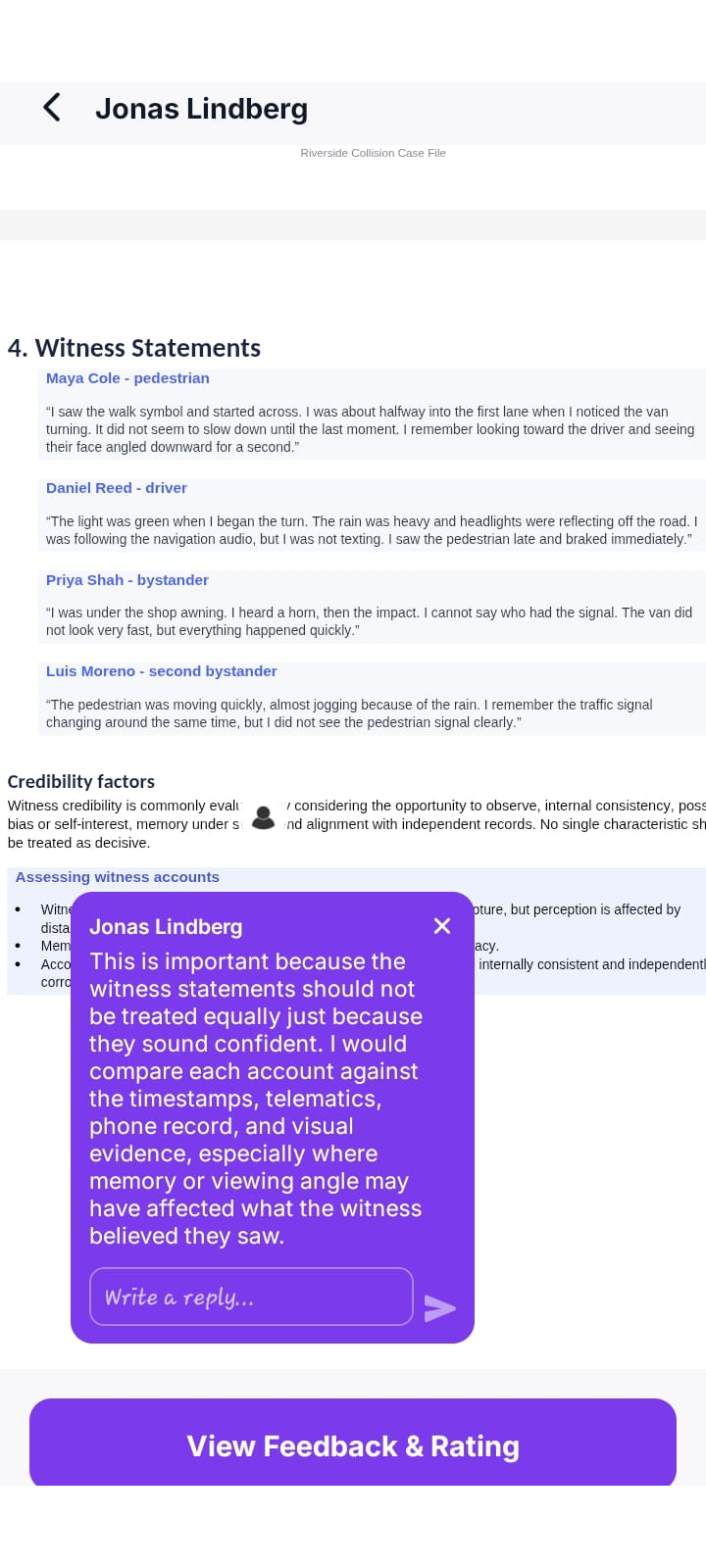
Document Review for Structured Community Feedback
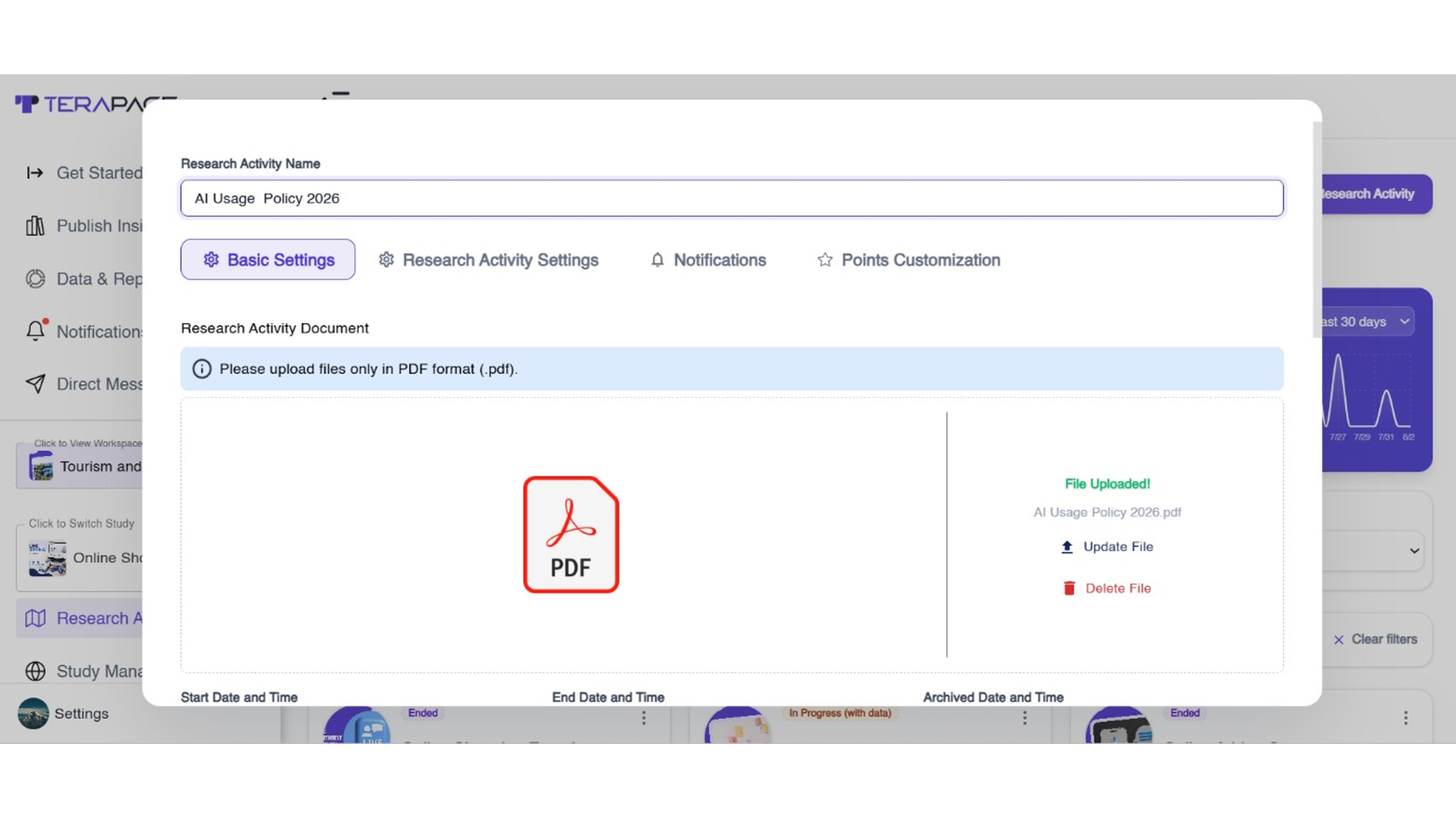
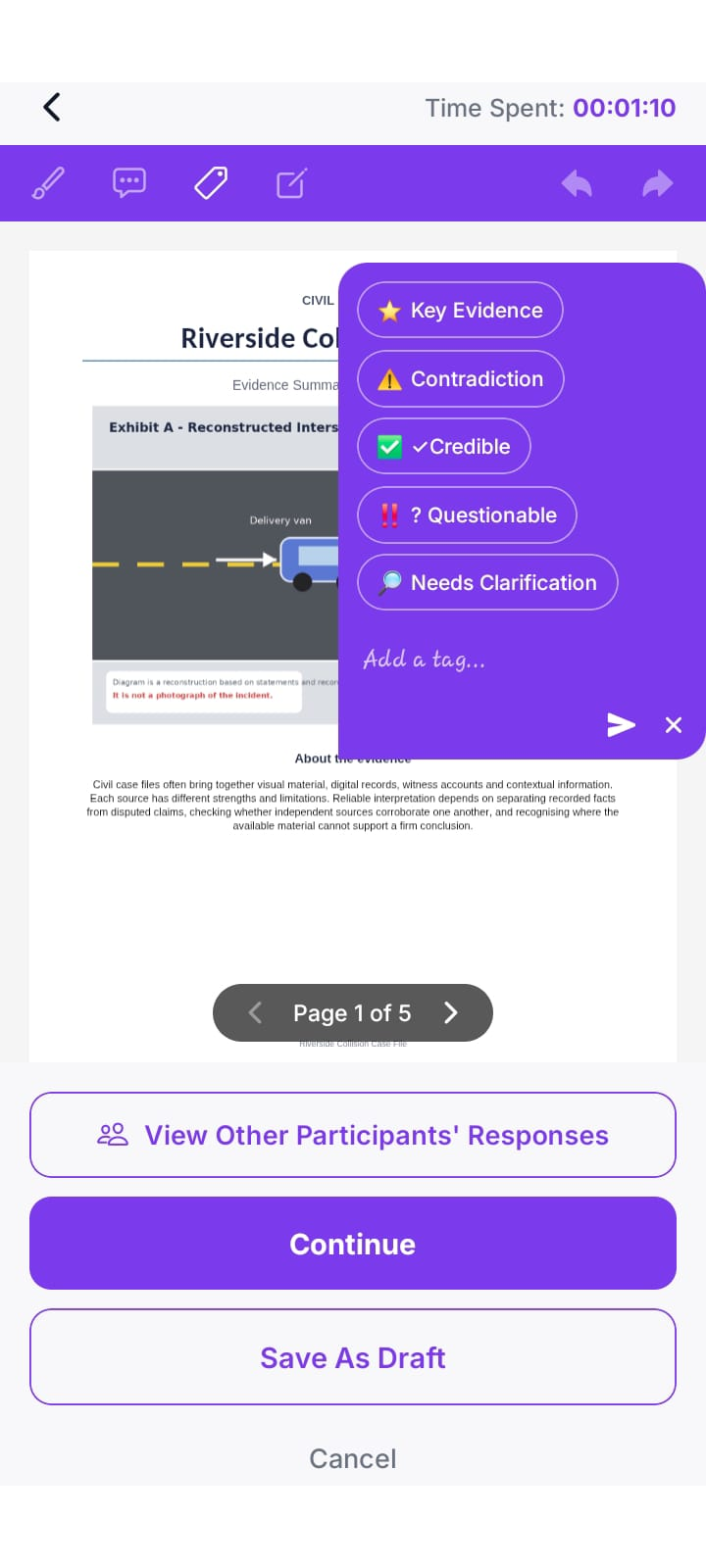
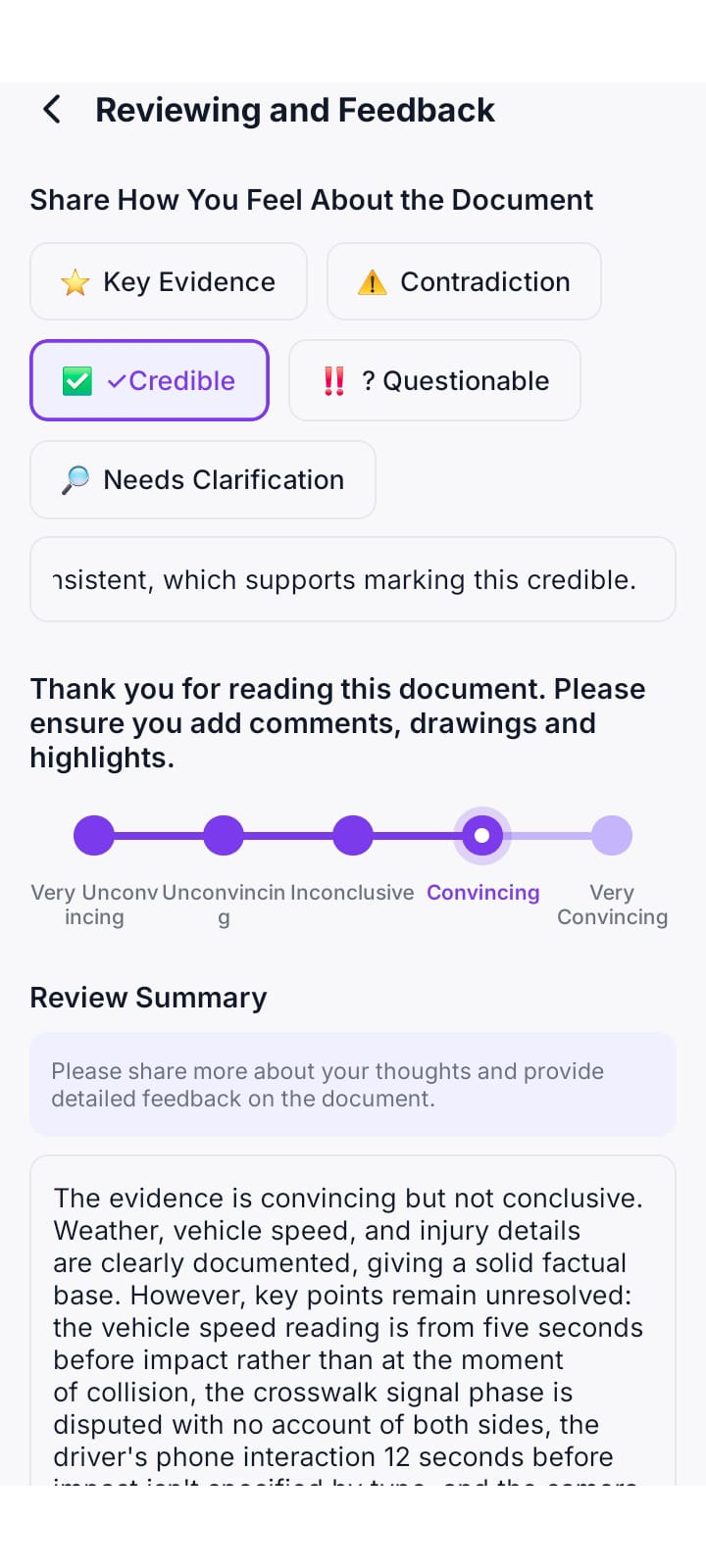
With the Document Review Activity, members highlight, tag, comment on, and rate the same file, such as a policy, guide, or concept brief. They can also see what other members said. Over time, researchers can share updated versions with the same group to check whether changes really worked. It also supports specialist studies like mock jury research.
Live Sessions and AI-Moderated Follow-Ups
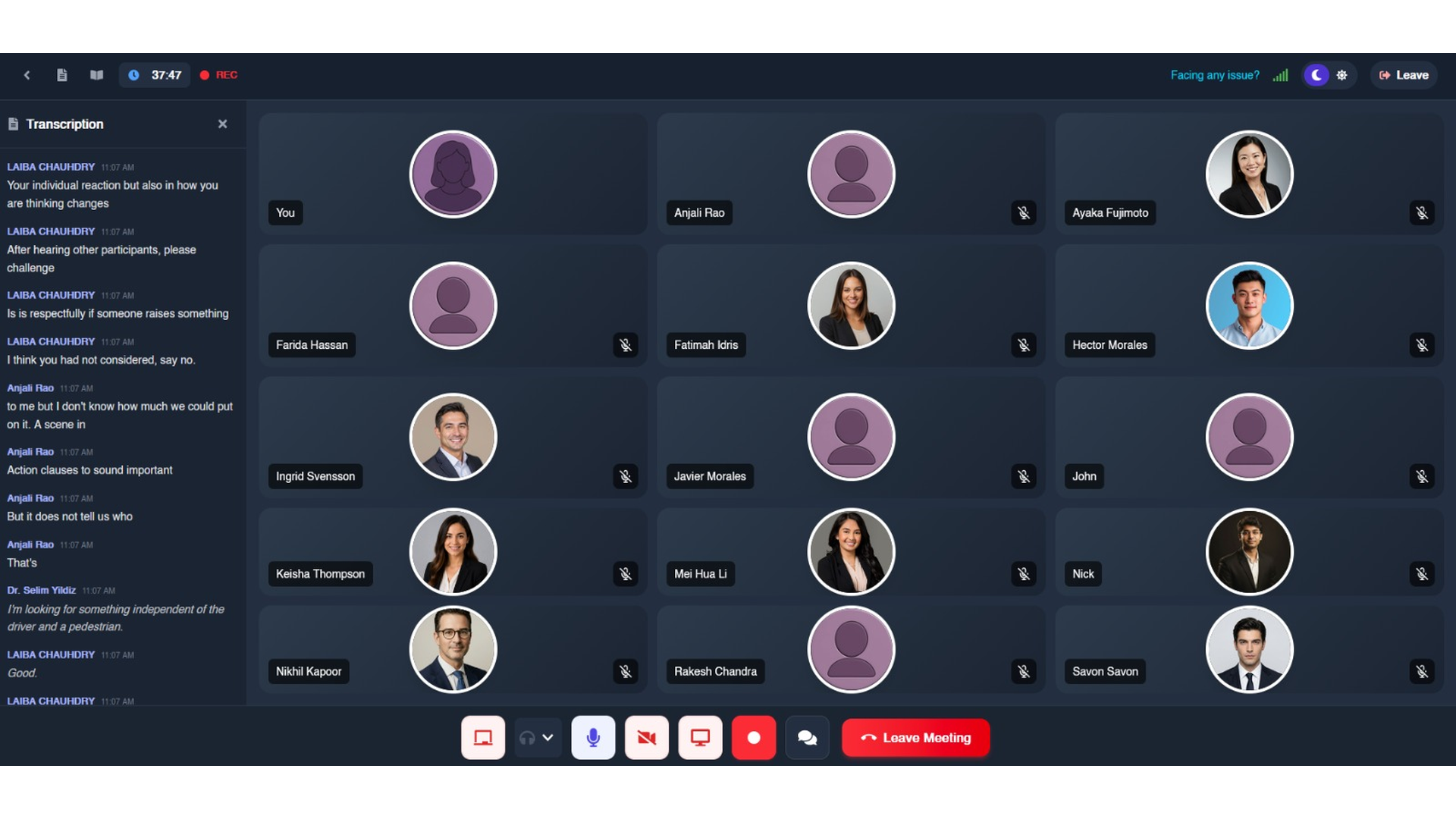
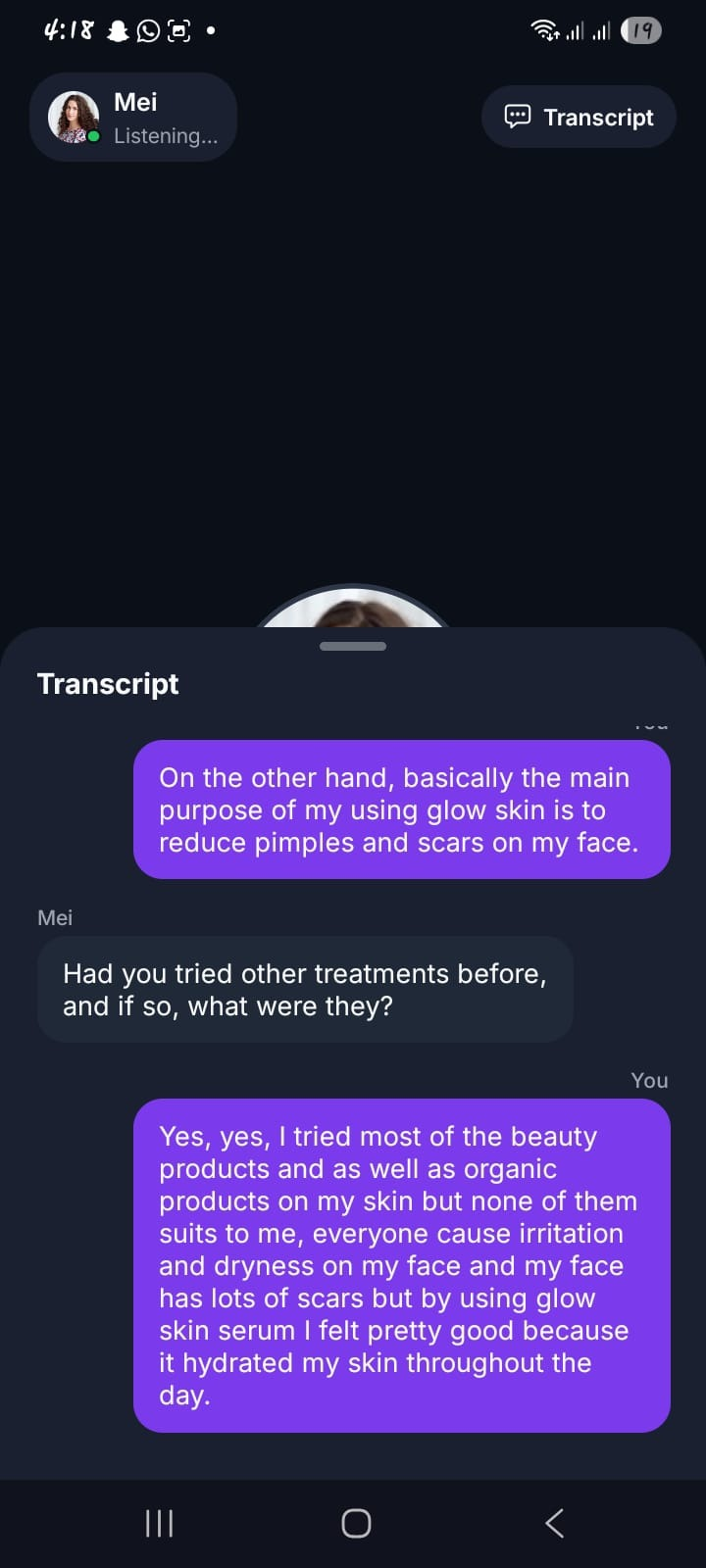
Some questions need a live conversation. Researchers can invite selected members into an online focus group through the Focus Group Activity, share tasks during the session, and keep a real-time transcript for analysis.
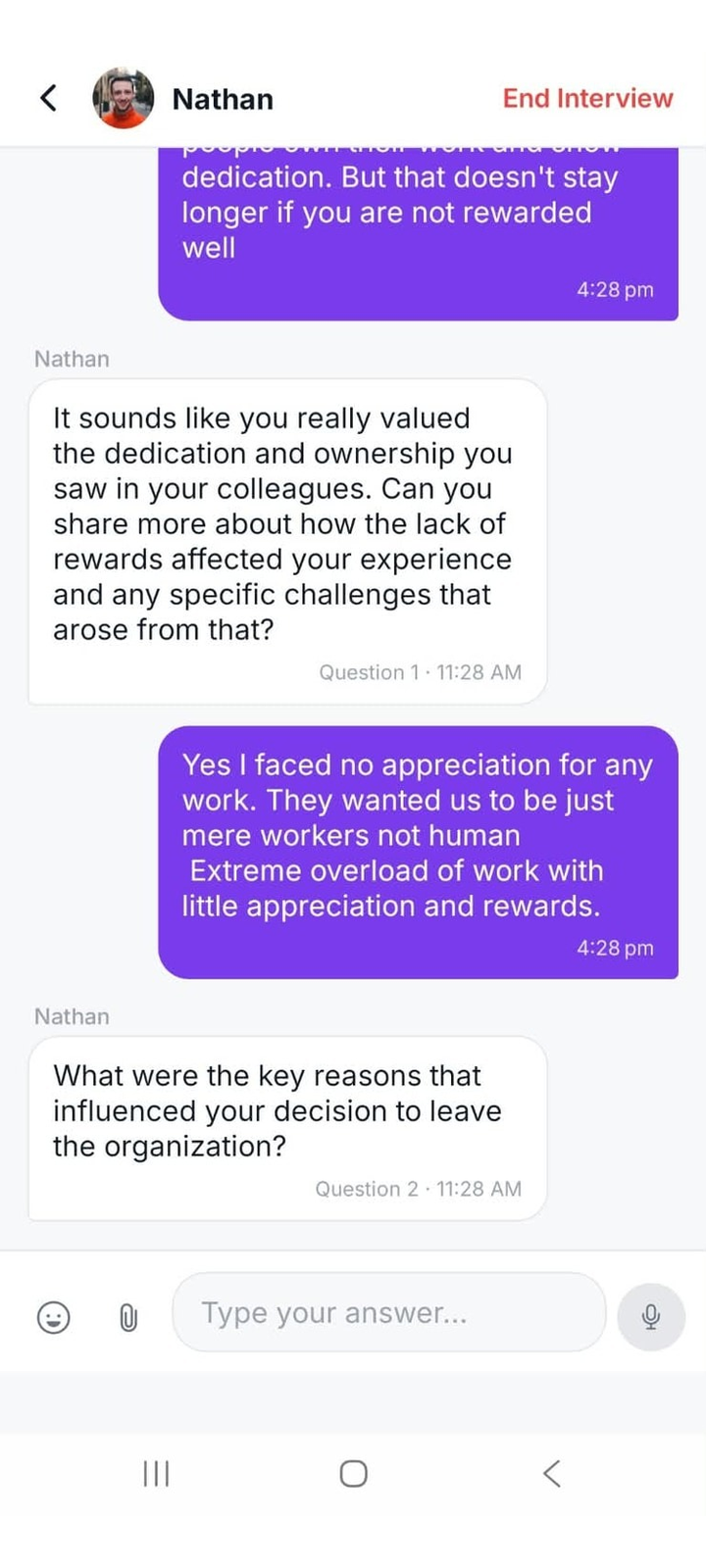
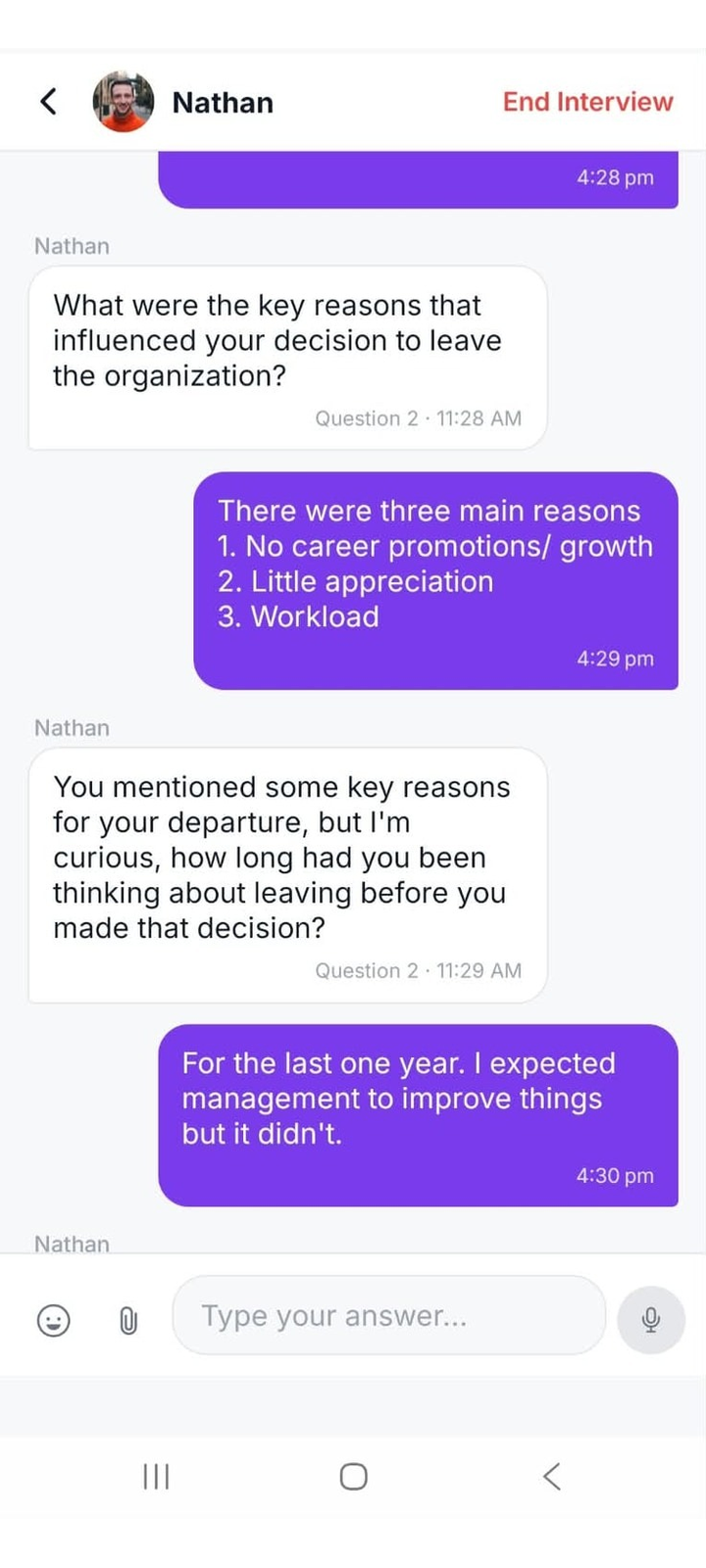
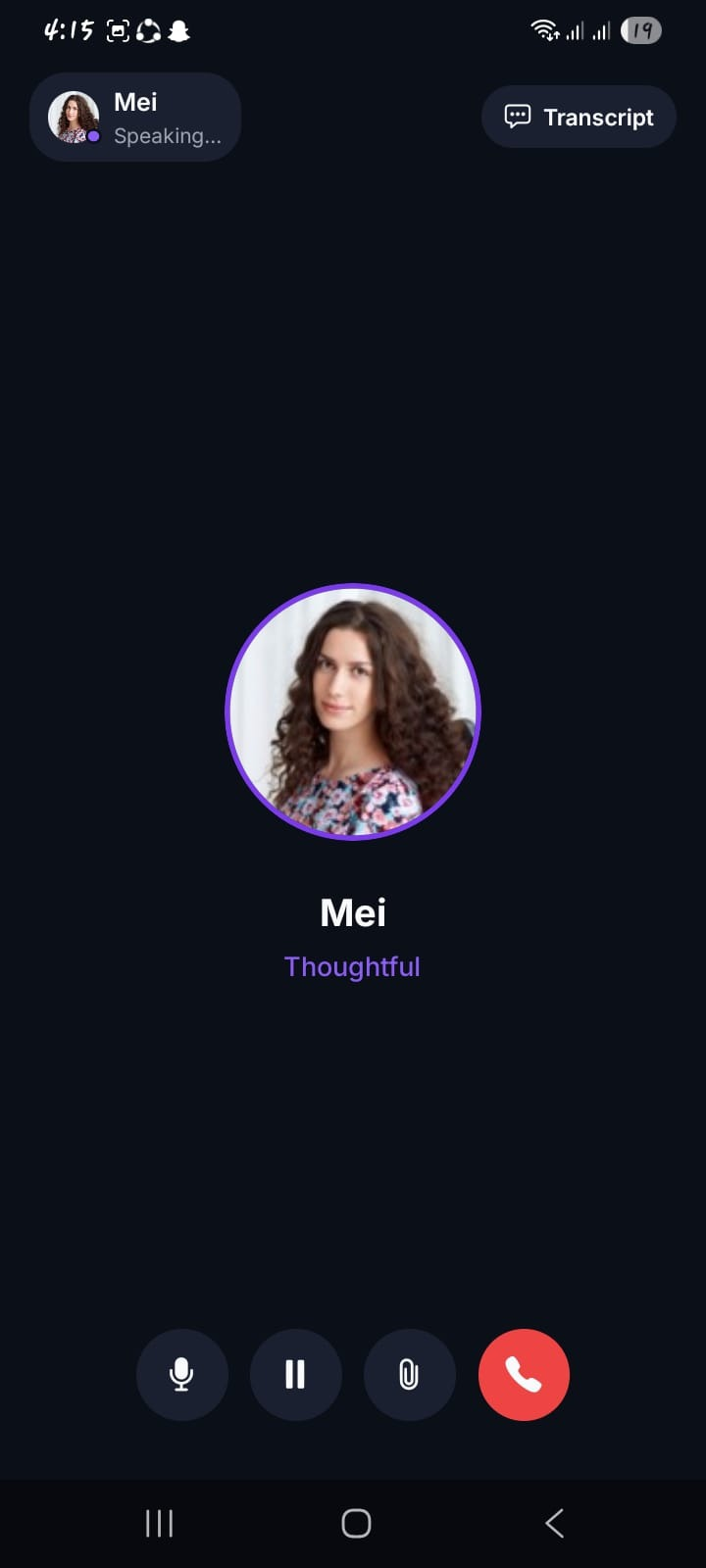
For individual follow-ups, AI-moderated chat, voice, video, and telephone interviews let researchers recontact members months later and probe deeper at scale, without scheduling one-to-one calls.
How Do Researchers Turn Community Data Into Actionable Insights?
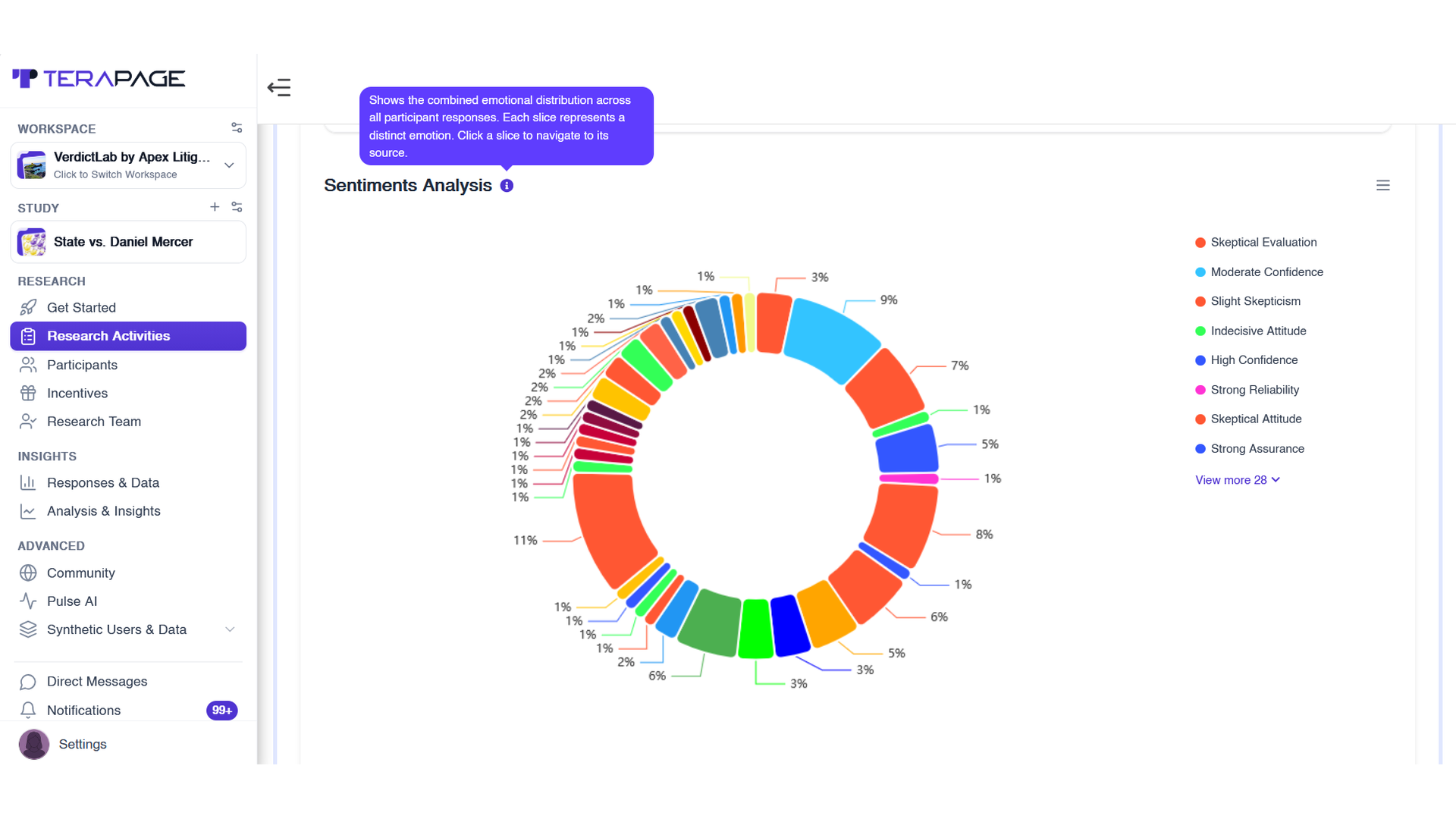
Once members start sharing journals, reviews, discussions, and interviews, the data grows quickly. Instead of waiting until the end, AI-Powered Insights analyses responses as they come in, so researchers can act while findings are still fresh.
- Sentiment analysis: shows how members feel across all responses.
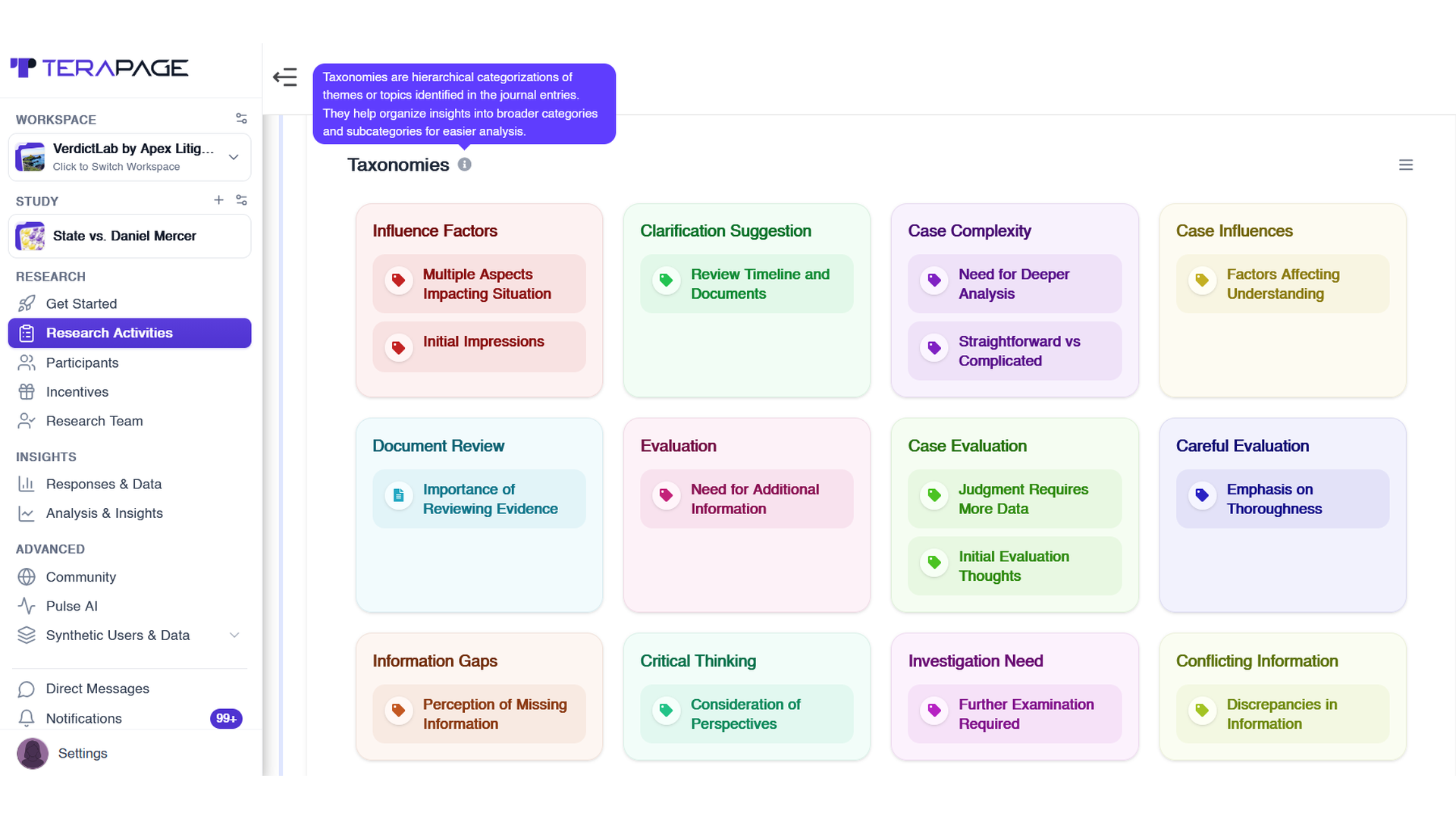
- AI taxonomies: group recurring themes into clear categories and subcategories.
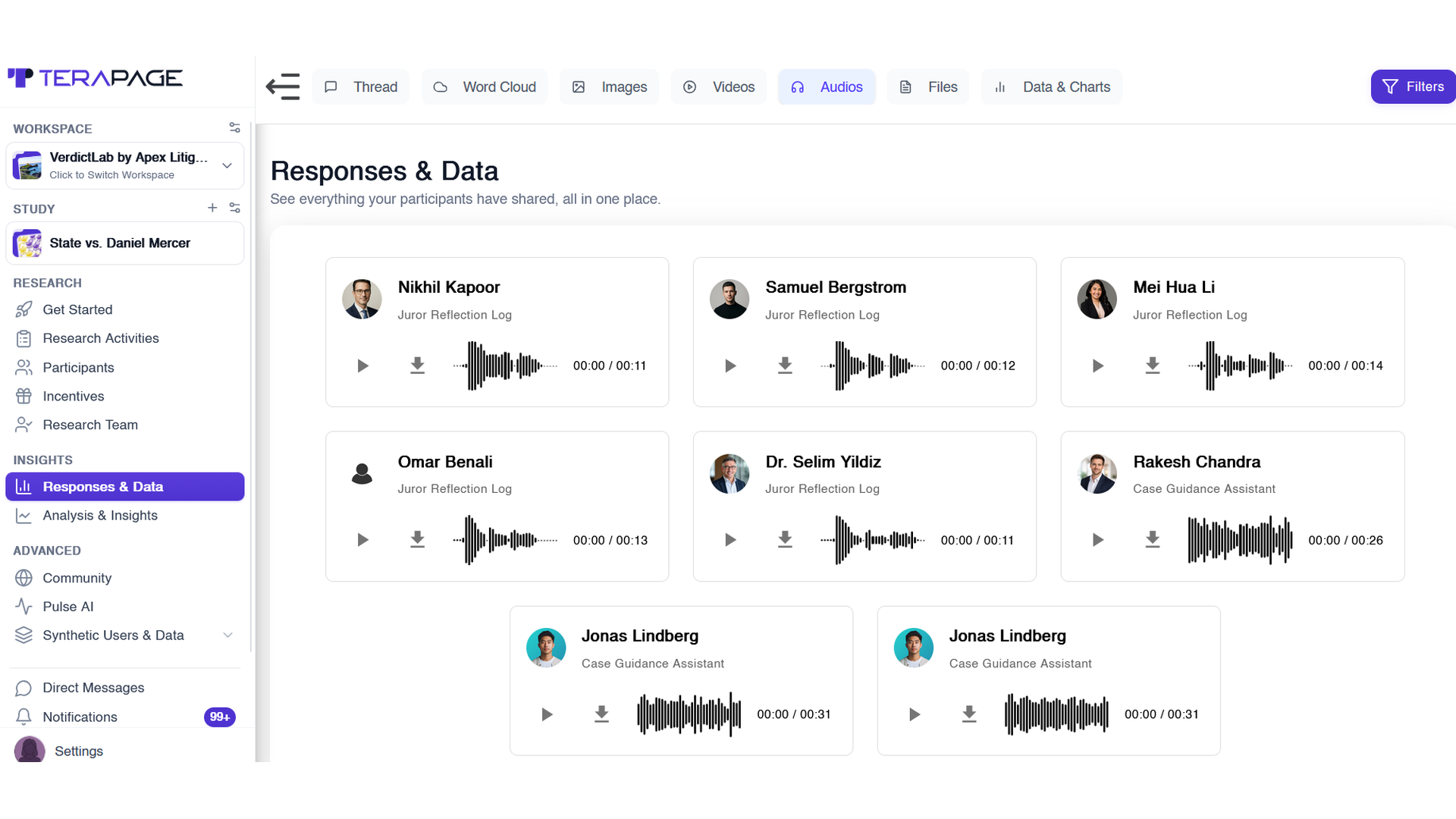
Responses and Data keeps every member's audio, video, image, and file responses in one place. The speech map shows when each member discussed key topics. Together, they help researchers trace findings back to real member voices and track how opinions change over time.

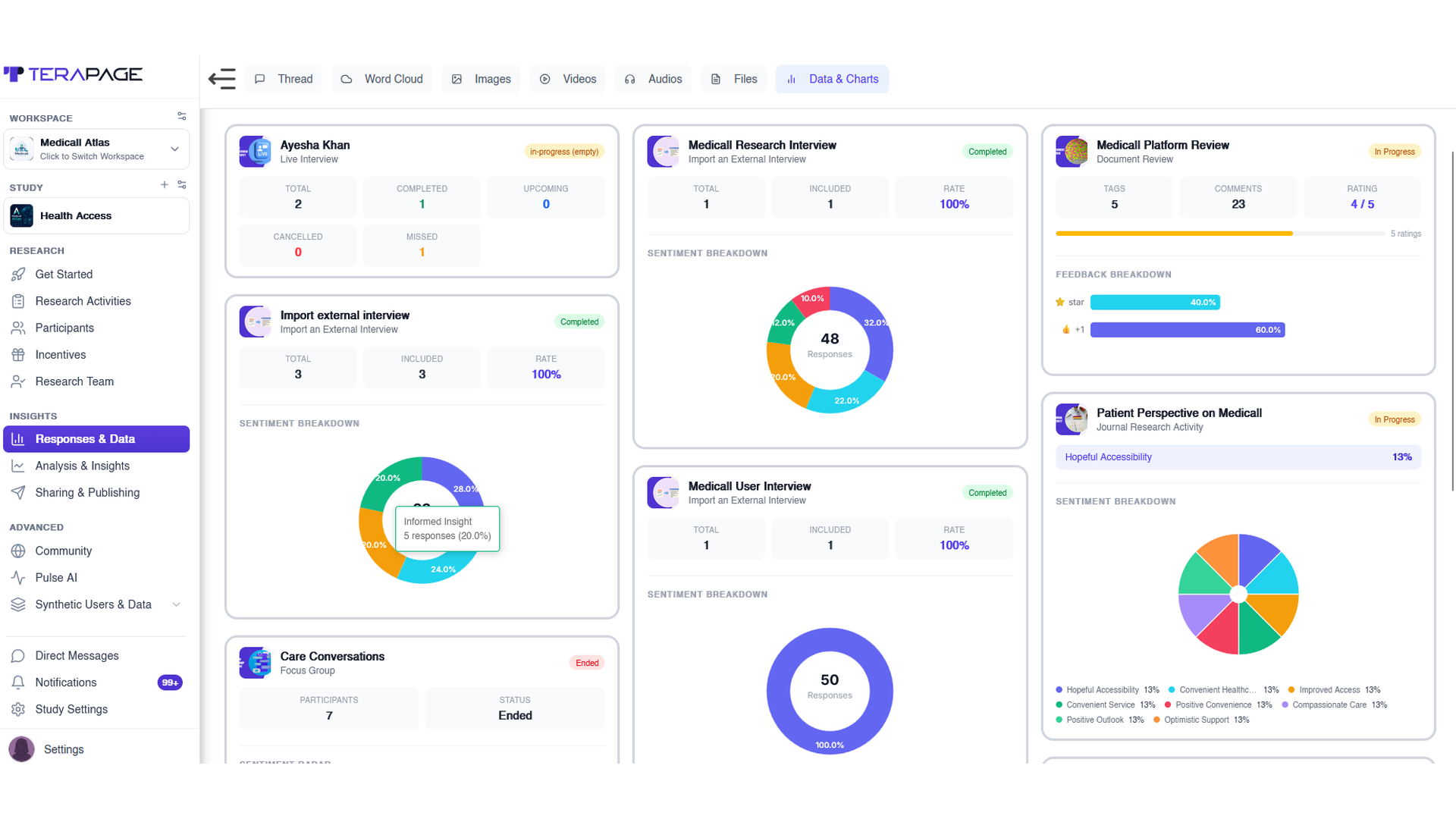
Because the community runs over months, project data comparison and Reports and Analysis let teams compare results across studies and share findings through Publish Your Insights.
What Are the Key Benefits of Insight Communities?
Some benefits appear from the first study, but the biggest value builds over months and years.
Immediate Benefits
- Faster speed-to-insight: members are already recruited and profiled, so research can start in days.
- Flexible methods: the same members move between journals, reviews, discussions, and interviews.
- Richer context: text, images, audio, and video show not just what members think, but why.
Long-Term Benefits
- Longitudinal understanding: see how routines, consumption patterns, and brand preferences change over time, which suits behavioural studies.
- Easy recontact: return to the same members months later to check whether earlier findings still hold.
- Growing knowledge base: each study builds on the last instead of starting from zero.
- Lower cost per insight: recruitment is done once and shared across many studies, improving research ROI.
- Earlier trend detection: spot emerging needs sooner, with Pulse by Terapage adding external market signals.
- Stronger relationships: members who see their input matter become loyal collaborators, co-creators, and brand advocates.
What Are the Limitations of Insight Communities?
Long-term communities also bring risks that researchers need to manage.
- Participant fatigue and attrition: too many tasks lead to drop-off. Balanced schedules and incentives help.
- Panel conditioning: long-term members may start answering like experts. Add fresh members through participant recruitment.
- Representation limits: active members may not reflect the wider market. Use careful profiling and segmentation.
- Group influence: members can sway each other in discussions. Balance group tasks with individual ones.
- Ongoing management: communities need regular planning and moderation, supported by research project management.
- Privacy and consent: ongoing research needs secure data handling and clear security practices.
Insight Community Best Practices
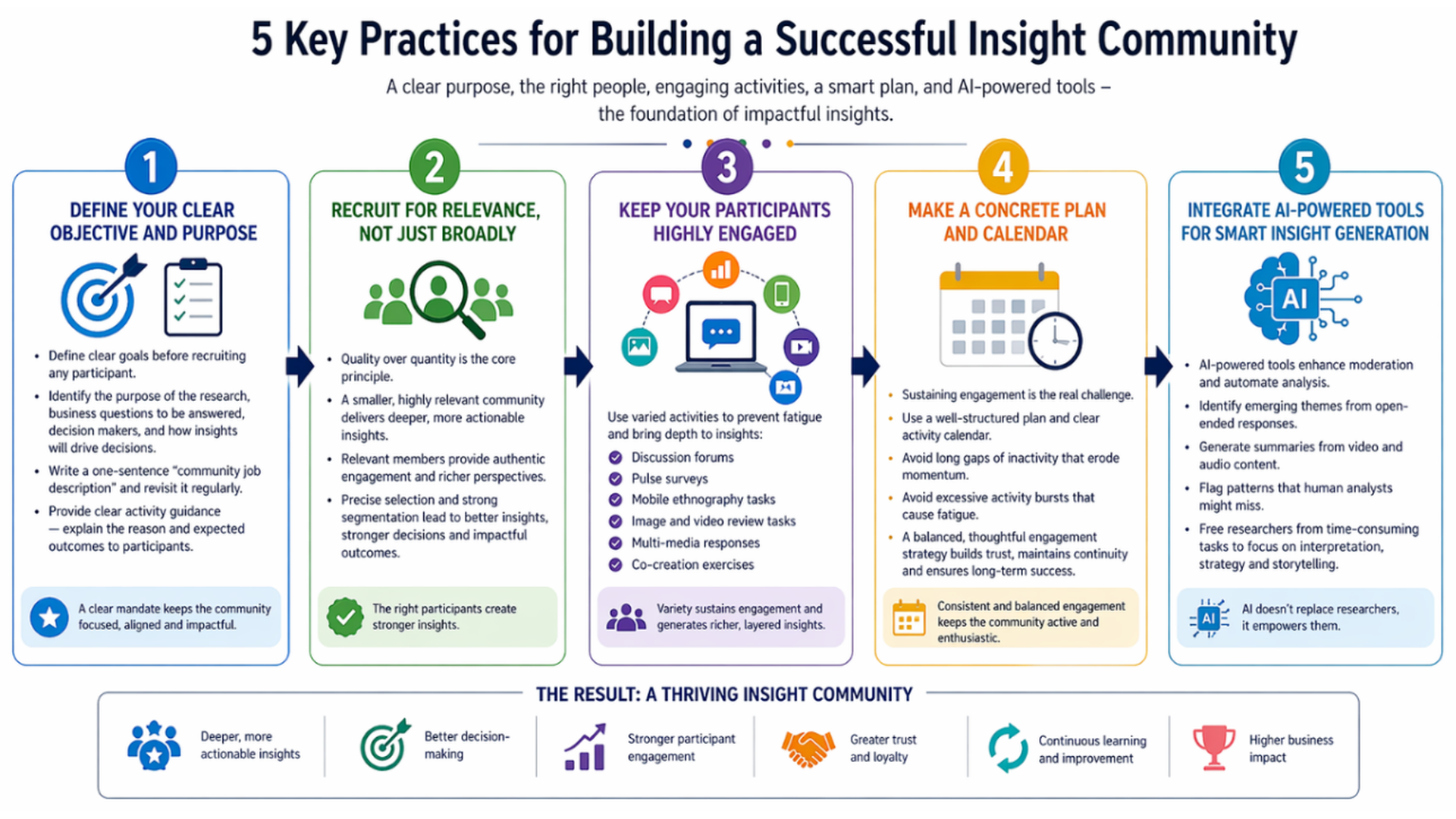
These practices help a community stay healthy and valuable over the long term.
1. Define Clear Insight Community Goals and Objectives
Before recruiting anyone, decide what the community is for, which business questions it will answer, and who will use the findings. A clear purpose keeps the community focused and stops it drifting over time.
2. Recruit the Right Members for Your Insight Community
A smaller, well-matched community often gives better insights than a large one. Use the Recruitment Calculator and participant profiling to find the right members, and protect their trust with e-consent, GDPR compliance, and ISO 27001:2022 security.
3. Keep Community Members Engaged With Varied Activities
Mix activities to avoid fatigue. Use journals, reviews, and discussion boards between studies, and add live focus groups or AI-moderated interviews when a topic needs more depth. Close the loop by showing members how their feedback made a difference.
4. Plan a Long-Term Community Engagement Calendar
Keeping a community running is the real challenge. Plan a steady activity calendar with reminders and incentives, and avoid both long silences and too many tasks at once. A balanced rhythm keeps members active for months or even years.
5. Use AI-Powered Tools for Faster Community Insights
Don't wait until the end to analyse. AI-Powered Insights tracks sentiment, themes, and patterns as responses arrive, freeing researchers to focus on strategy. AI supports researchers rather than replacing them.
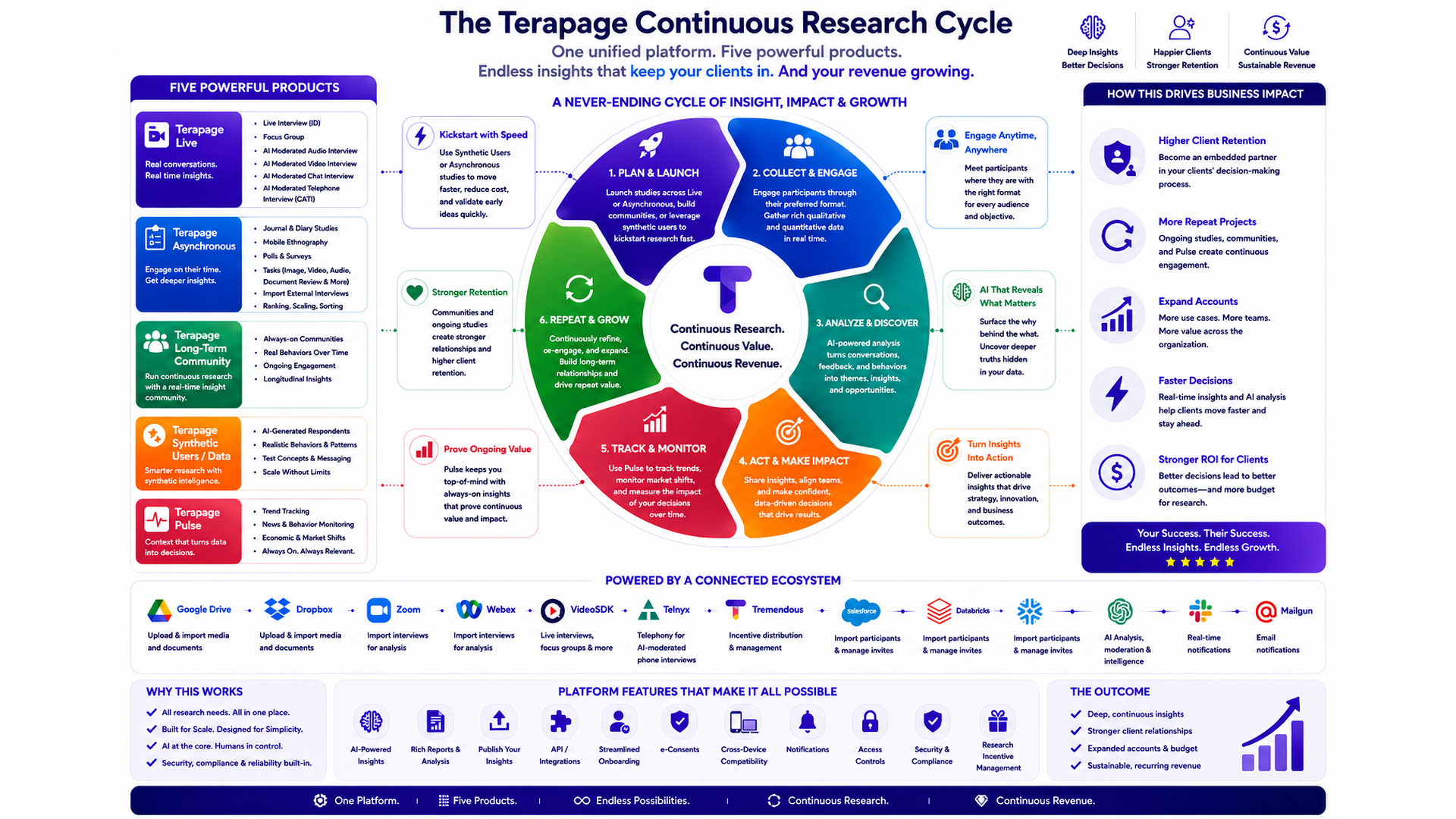
On Terapage, the Insight Community works alongside Live, Asynchronous, Synthetic Users, and Pulse. The same members can take part in interviews, diaries, reviews, and discussions, supported by mobile apps, incentives, and 30 languages.
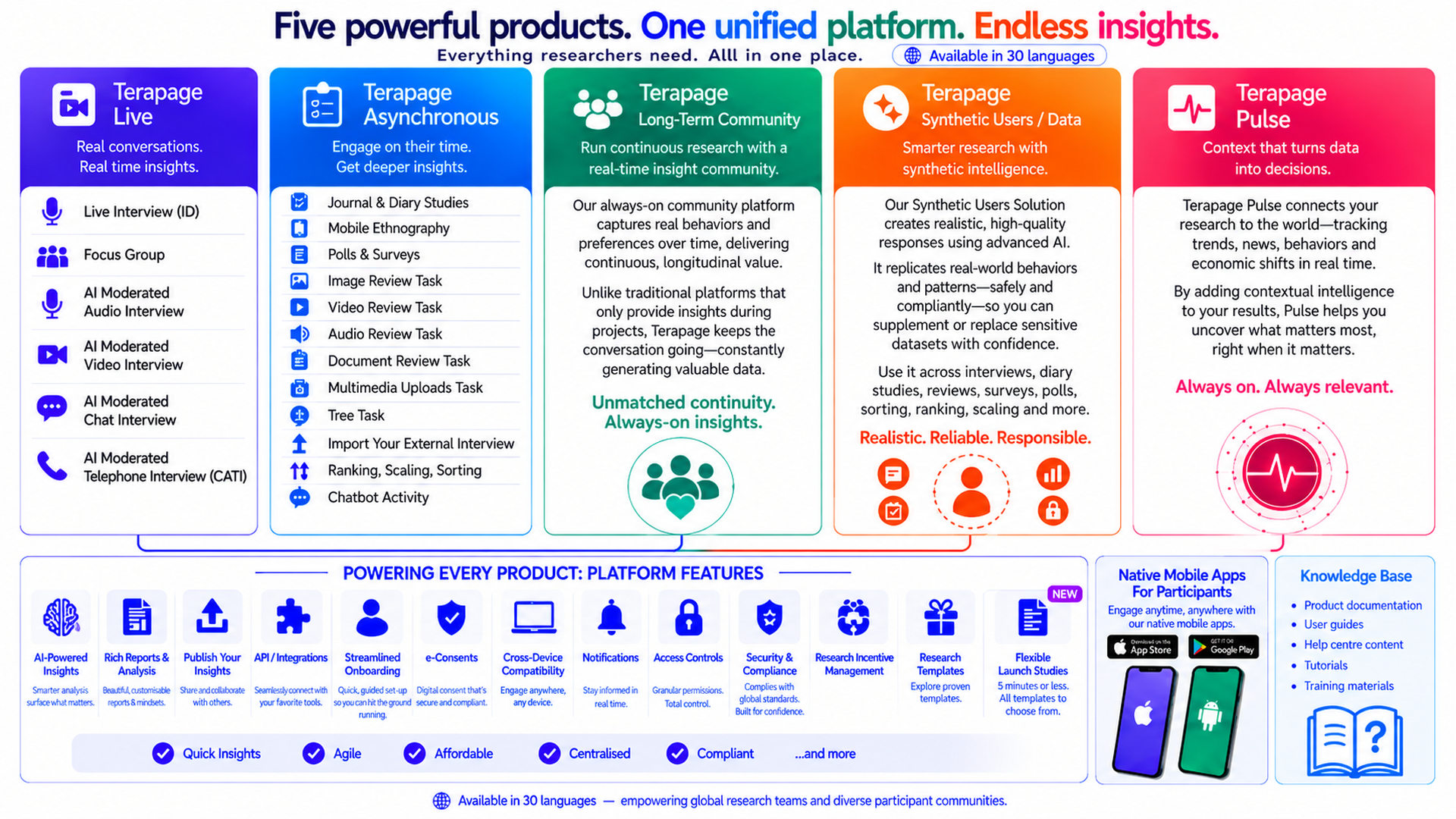
Terapage brings the full cycle together in one platform. Explore the Terapage features or start a free trial to build an always-on insight community that keeps learning long after the first report.
Ready to build your always-on insight community?
Questions about setup, consent, or security? Our support services team can help.