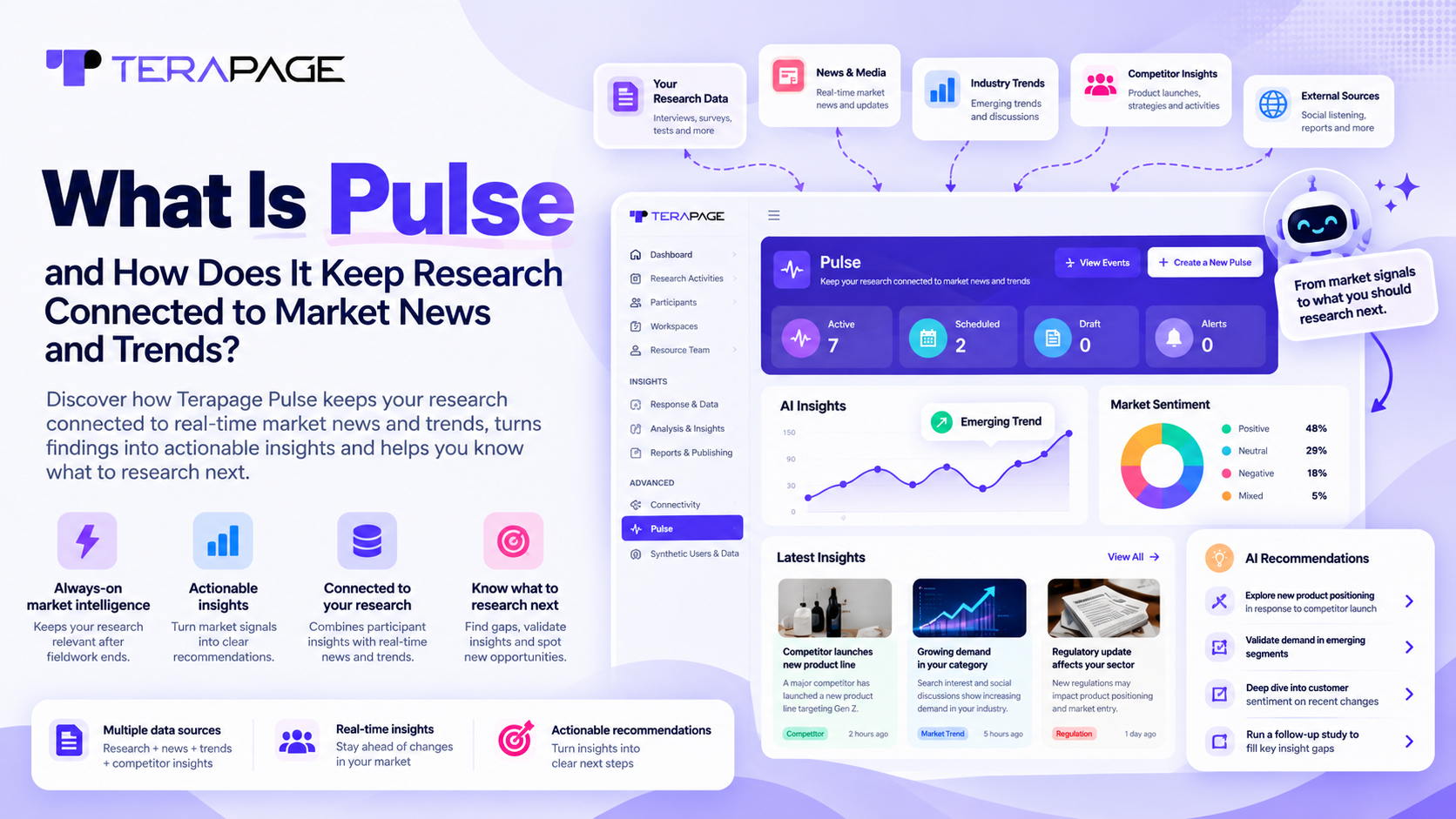
What Is Pulse and How Does It Keep Research Connected to Market News and Trends?
Key takeaways
- Terapage Pulse is an always-on market intelligence tool that checks what your participants say against what the market is saying.
- Each Pulse run collects your research data, extracts topics, gathers external market and competitor signals, generates insights and forecasts, and sends an alert.
- Setting up a Pulse takes five steps: details, research sources and weighting, markets and competitors, refresh frequency and tone, and alerts and recipients.
- Pulse helps teams decide what to research next, reveal gaps in existing research, test insights and gut feelings, spot trends early and keep stakeholders informed.
- Every finding separates internal mentions from your participants and external mentions from the market, so it can be traced back to its evidence.
Your research ends, but the market doesn’t stop. News breaks, competitors launch and opinions shift, and your findings start to age the day the report is delivered. Teams then fall back on gut feeling, even though a PwC-sponsored survey found that highly data-driven companies are three times more likely to see significant improvement in their decisions.
Terapage Pulse keeps your research connected to market news and trends. It checks what your participants say against what the market is saying, then tells you what to research next, where the gaps are, and whether your insights hold up.
What Is Terapage Pulse?
Terapage Pulse is an always-on market intelligence tool that keeps your research connected to market news and trends. Marketing intelligence is “the everyday information relevant to a company’s markets, gathered and analyzed” to support confident decisions about growth and new markets. Pulse compares what your participants say with what the market is saying, then turns both into clear, prioritised recommendations.
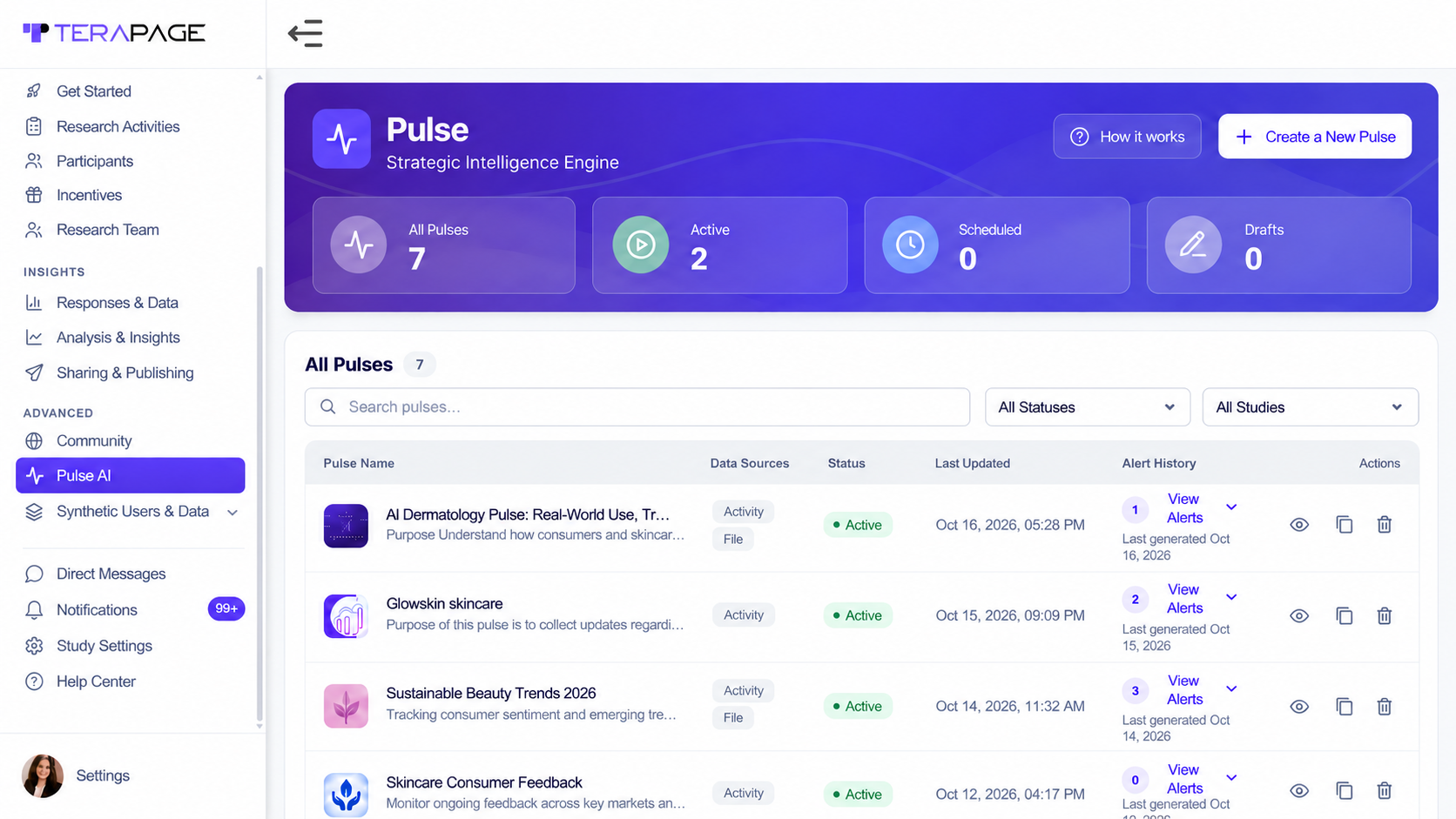
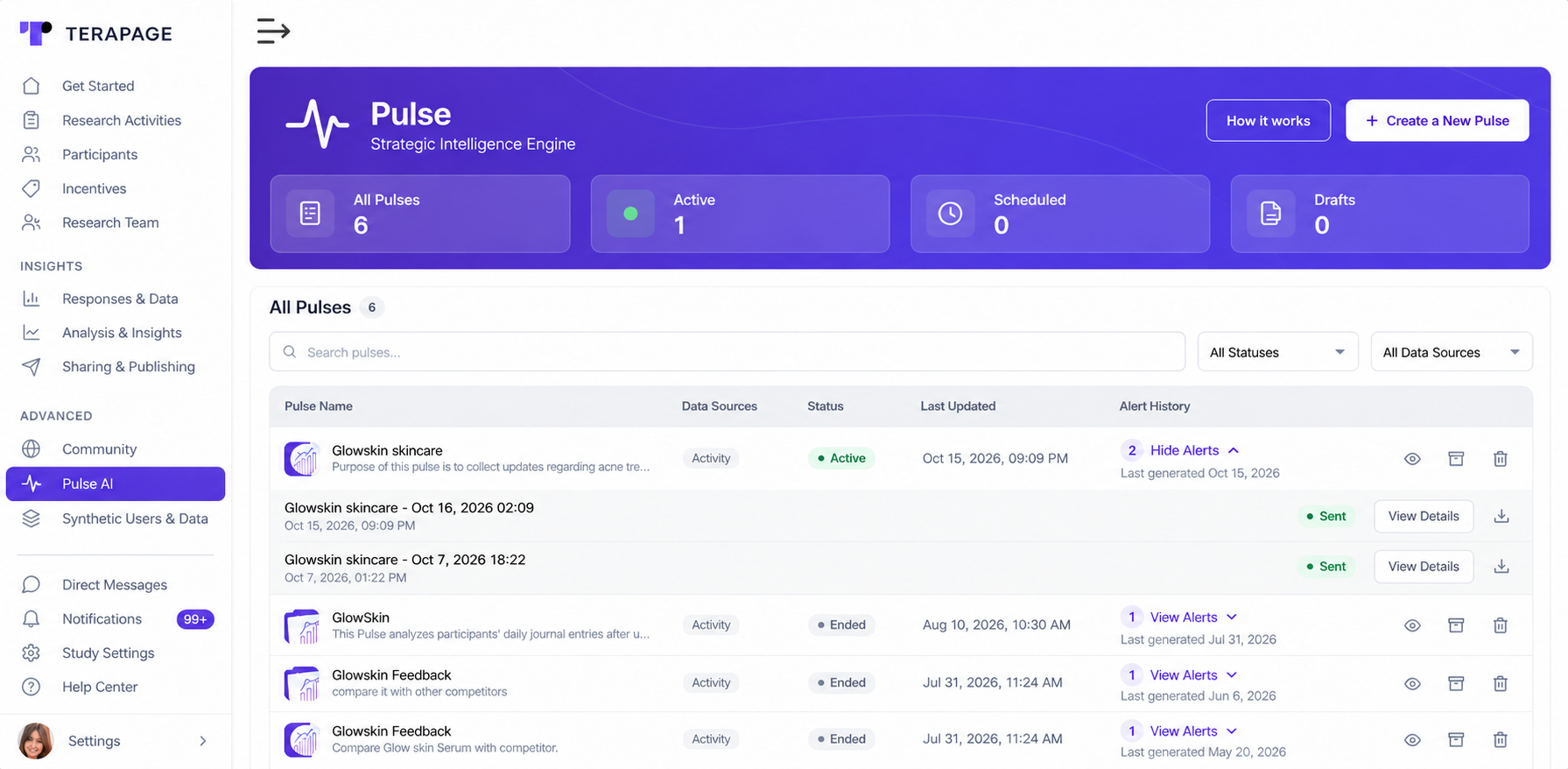
All Pulses sit in one workspace, where researchers can see which are active, scheduled or saved as drafts, along with each Pulse’s data sources and alert history. For an earlier look at the product, read how Pulse is moving market research from static reports to real-time intelligence.
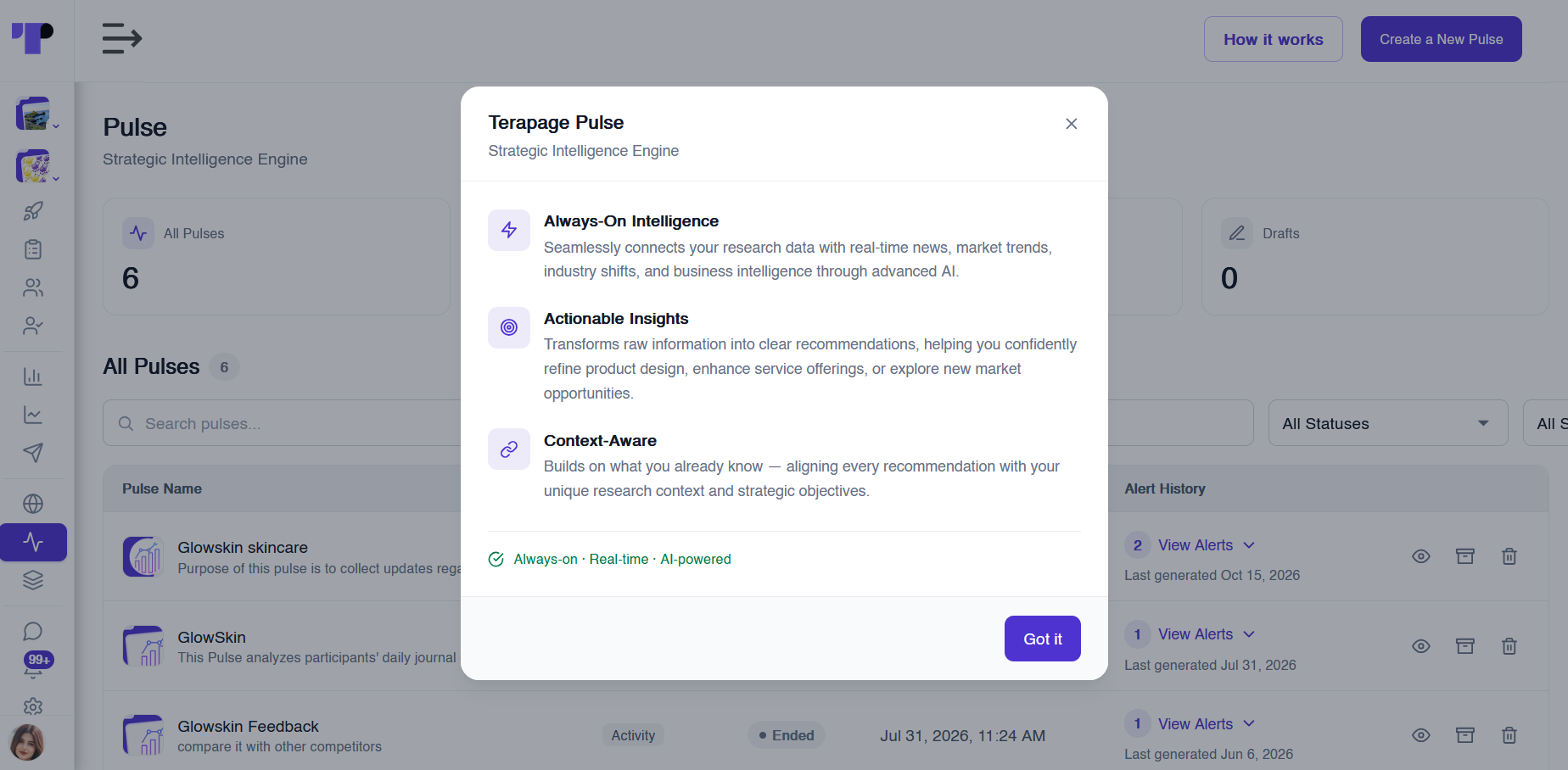
Behind every Pulse is Terapage’s Strategic Intelligence Engine, which is built on three ideas:
- Always-on intelligence: your research stays connected to the market long after fieldwork ends, as Pulse links your research data with real-time news, market trends and industry shifts.
- Actionable insights: raw information becomes clear recommendations that help teams refine products, improve services or explore new markets.
- Context-aware analysis: every recommendation builds on what you already know and matches your research objectives.
How Does Pulse Work?
Each time a Pulse runs, the AI moves through five stages:
- It collects data from your selected activities and files.
- It prepares the data by extracting topics.
- It gathers external market and competitor signals.
- It generates insights, forecasts and priorities.
- It saves the Pulse and sends an alert.
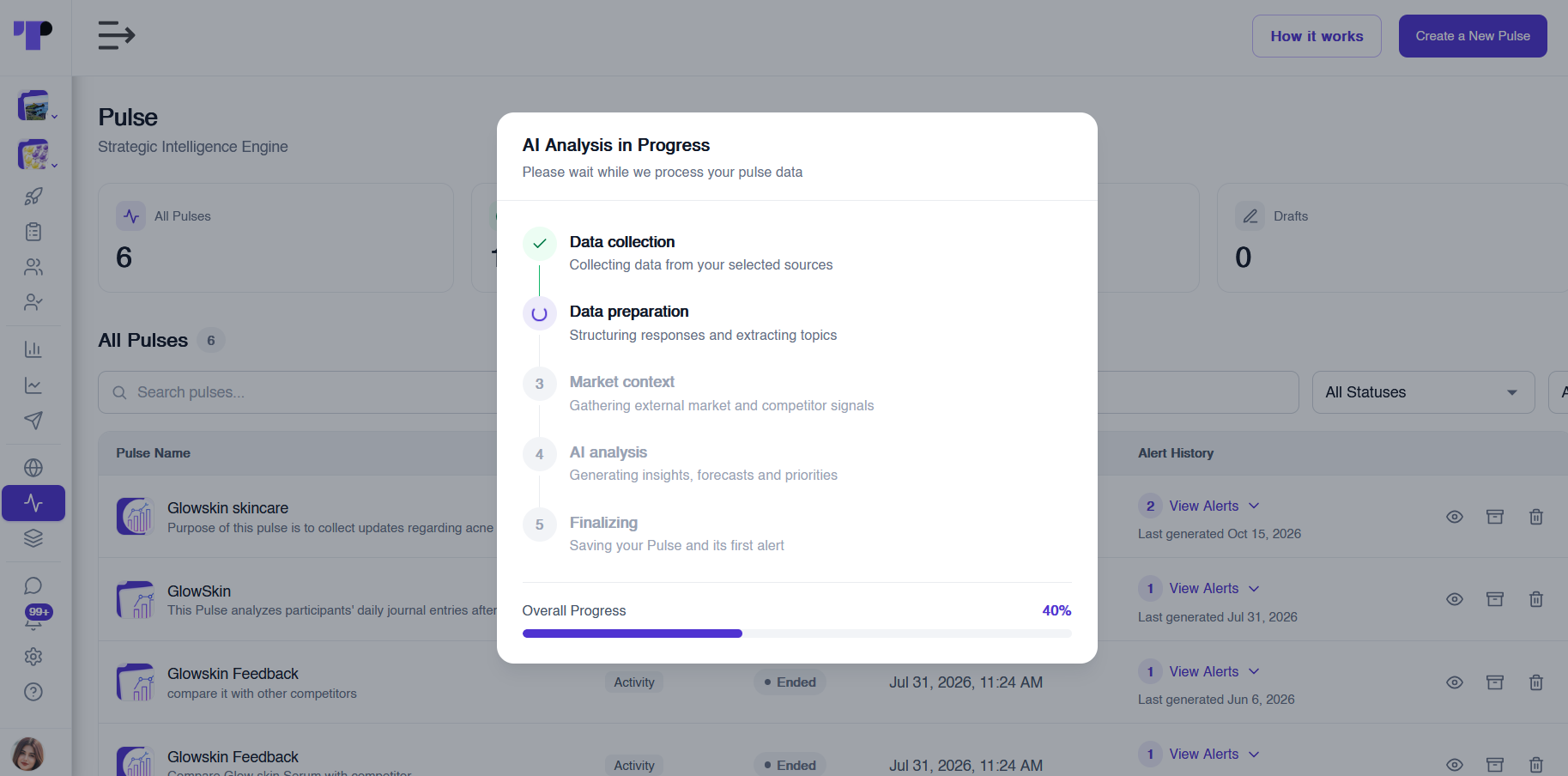
Because Pulse builds on AI-powered insights from your own studies, its external findings are always tied to real participant evidence, not general web noise.
How to Set Up a Pulse in Five Steps
1. Add the Pulse Details
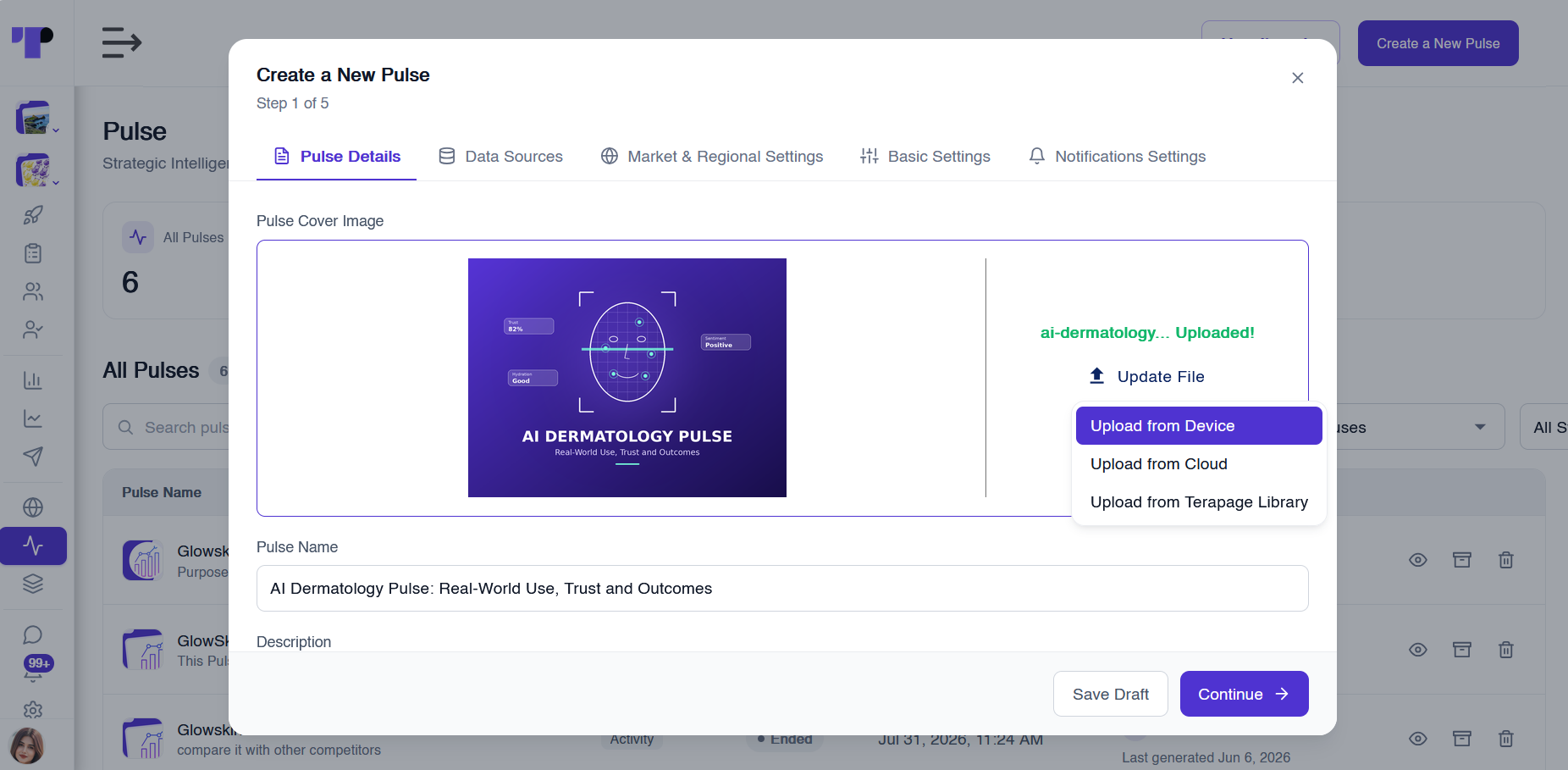
Researchers start by giving the Pulse a name, a description and a cover image. The image can come from a device, the cloud or the Terapage library.
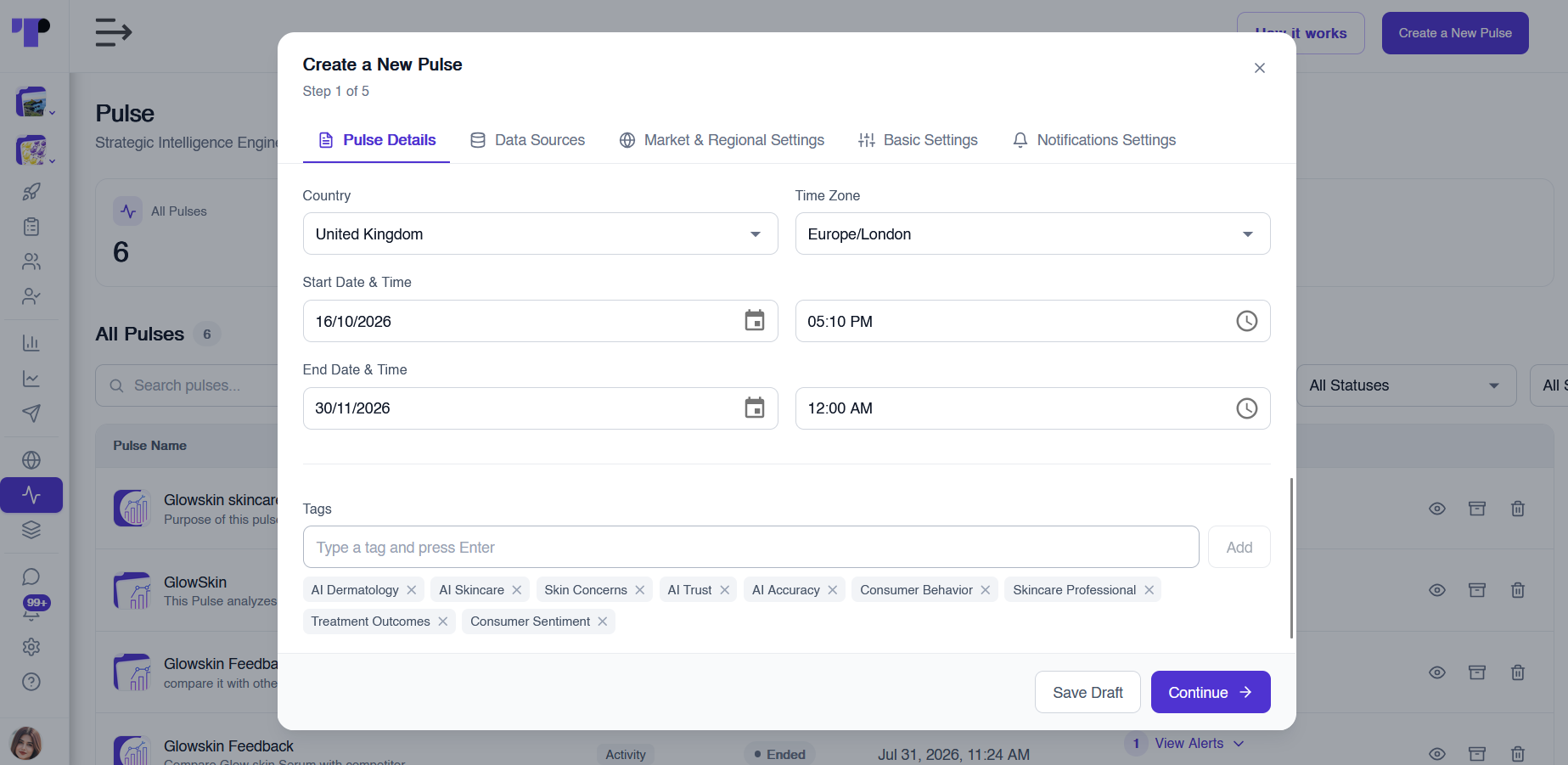
Next, they set the country, time zone, start and end dates, and tags that describe the topics the Pulse should follow.
2. Connect Your Research and Weight Your Sources
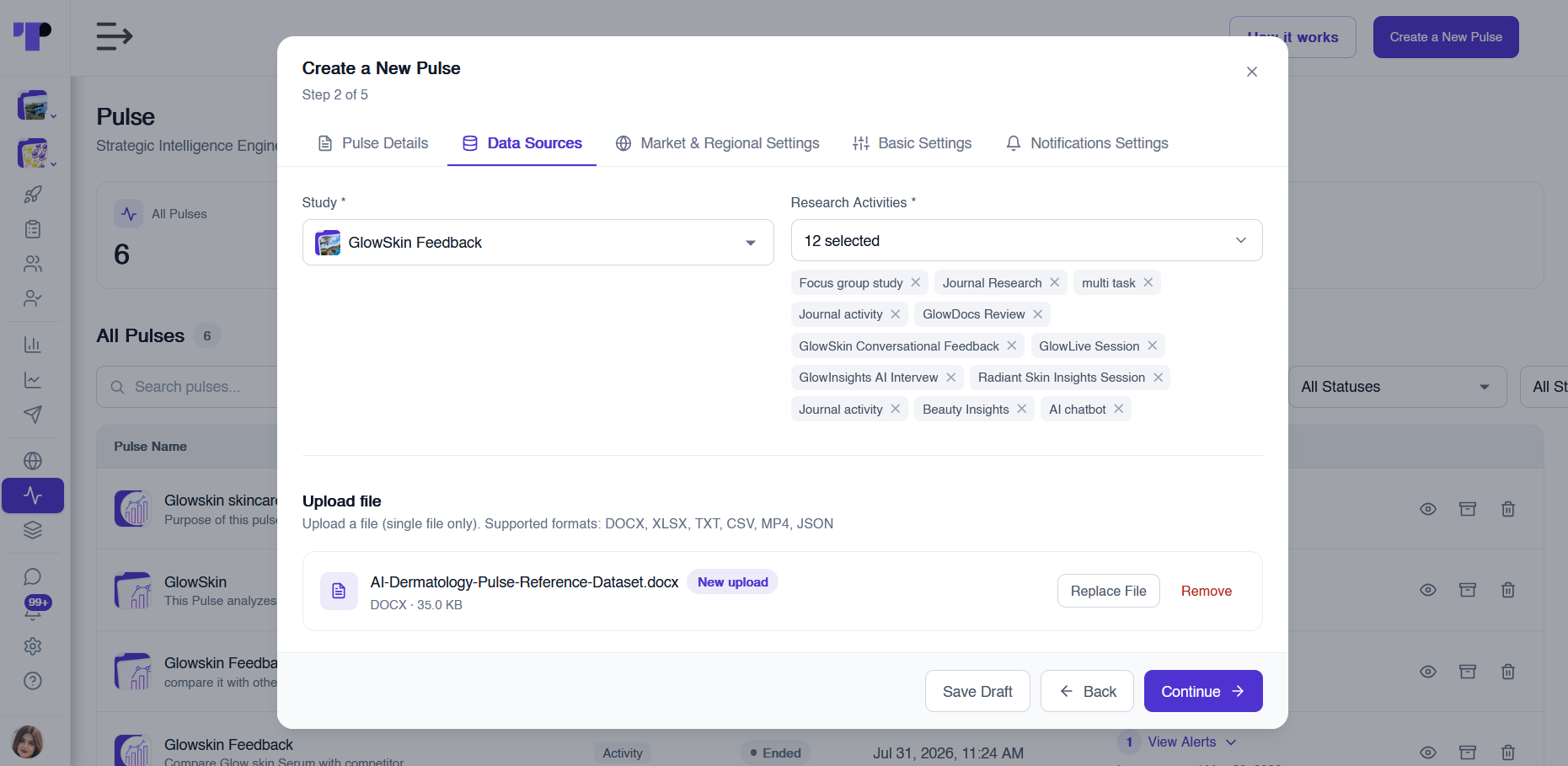
Pulse works on top of your existing studies. Researchers choose a study and select the activities to include, such as journal and diary studies, focus groups, multi-task activities, document reviews and chatbot research.
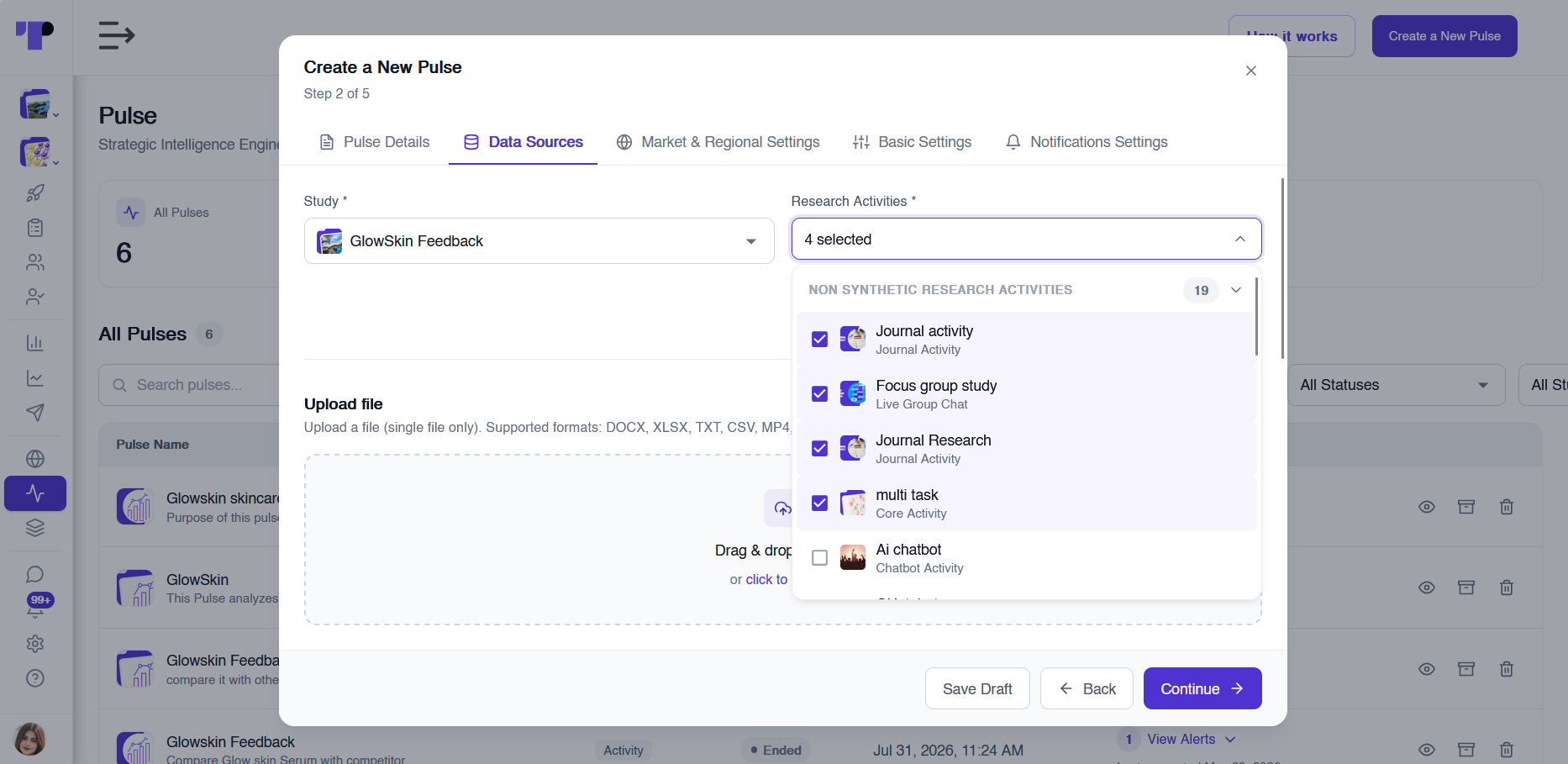
Researchers can add a supporting file in DOCX, XLSX, TXT, CSV, MP4 or JSON format for earlier research or third-party data. Larger data flows can connect through the Terapage API.
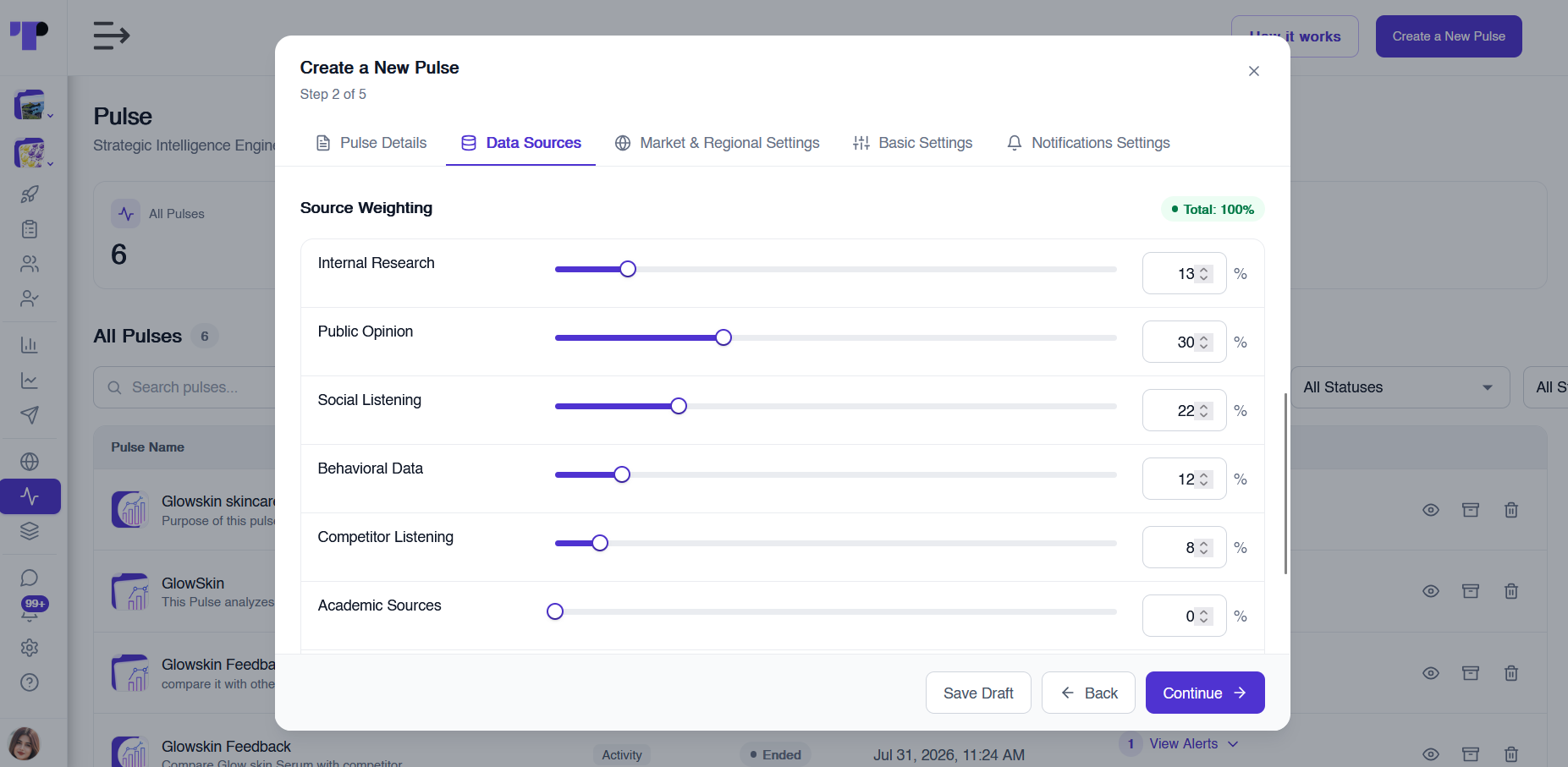
Source weighting then decides how much each signal counts, with a total of 100%. Researchers balance internal research against public opinion, social listening, behavioural data, competitor listening, academic sources and other external data.
3. Choose Markets, Industries and Competitors
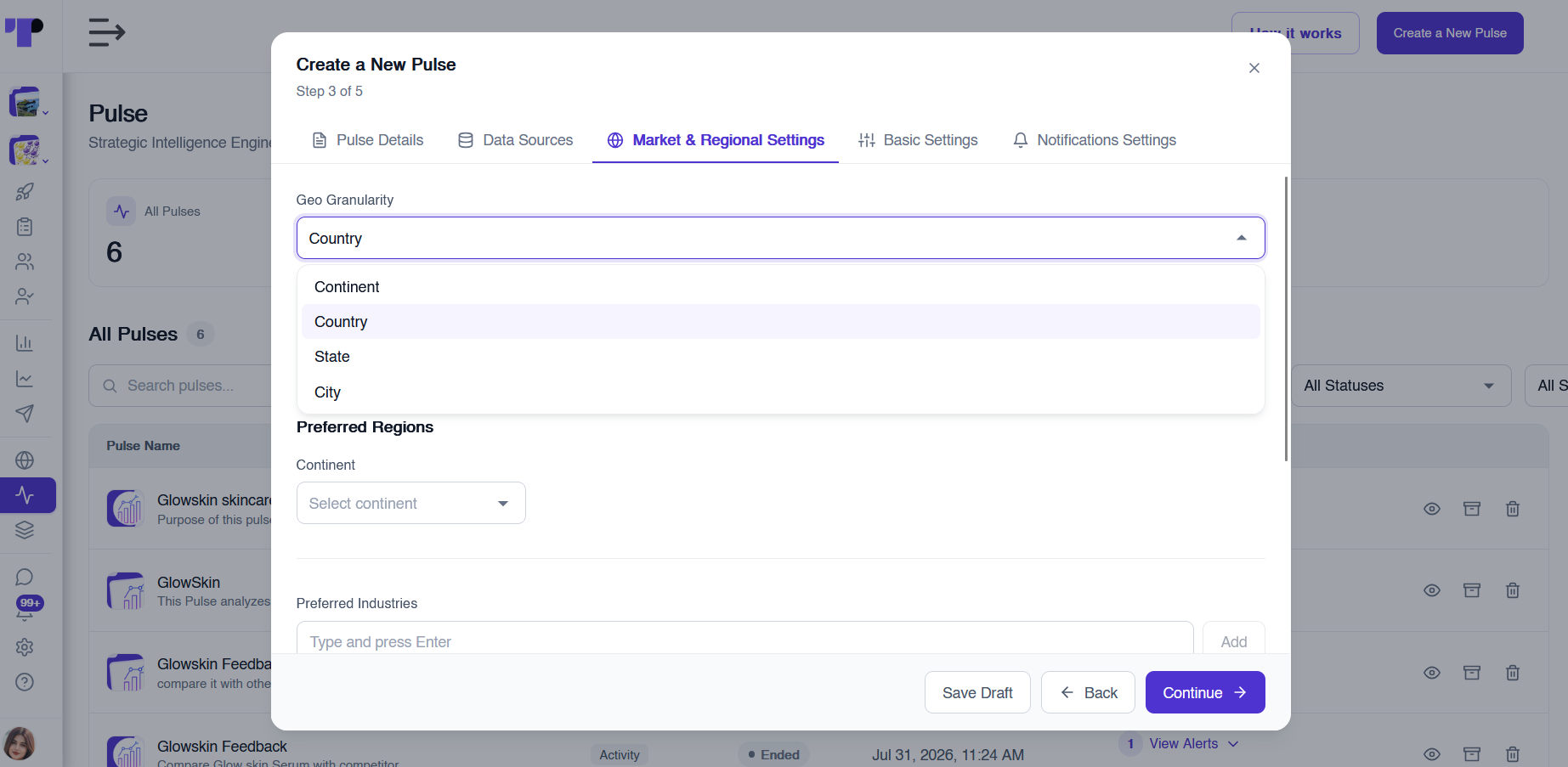
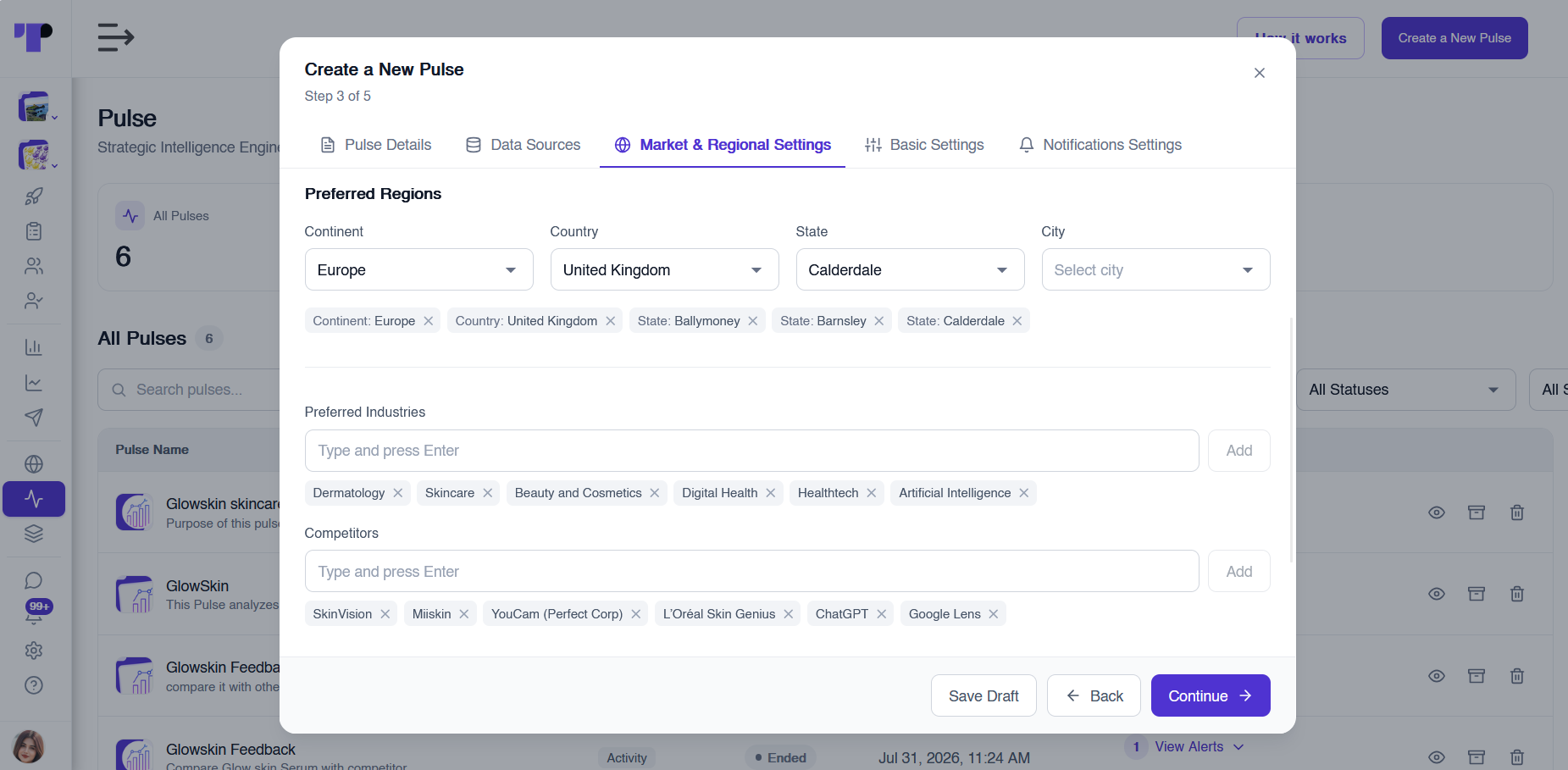
Researchers set the geographic level (continent, country, state or city) and choose the regions that matter most. They can also add preferred industries and the competitors Pulse should watch.
They then pick the regions that matter most and add the industries and competitors Pulse should watch.
4. Set the Refresh Frequency and Content Tone
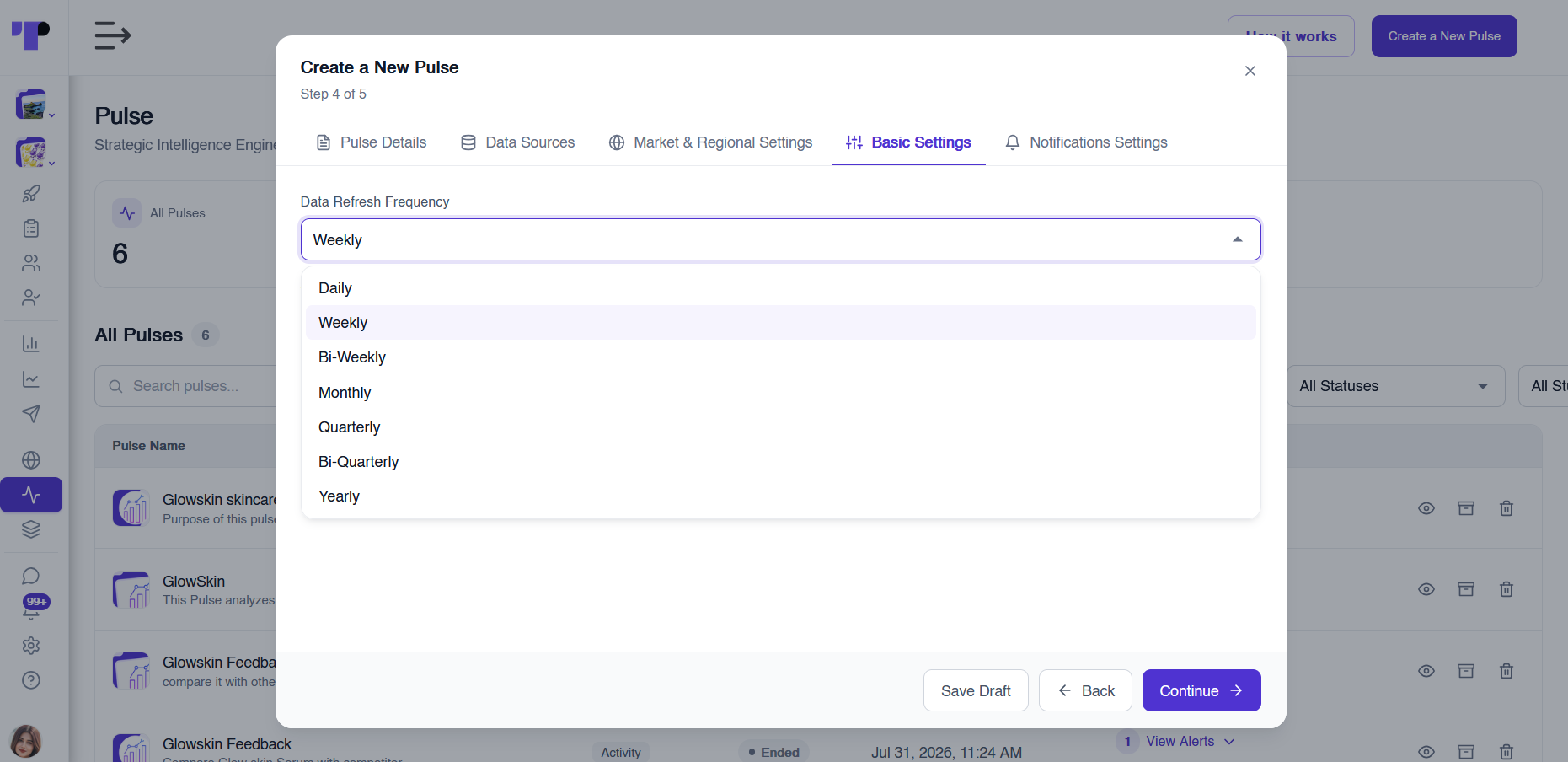
Pulse can refresh its data daily, weekly, bi-weekly, monthly, quarterly, bi-quarterly or yearly, depending on how fast the market moves.
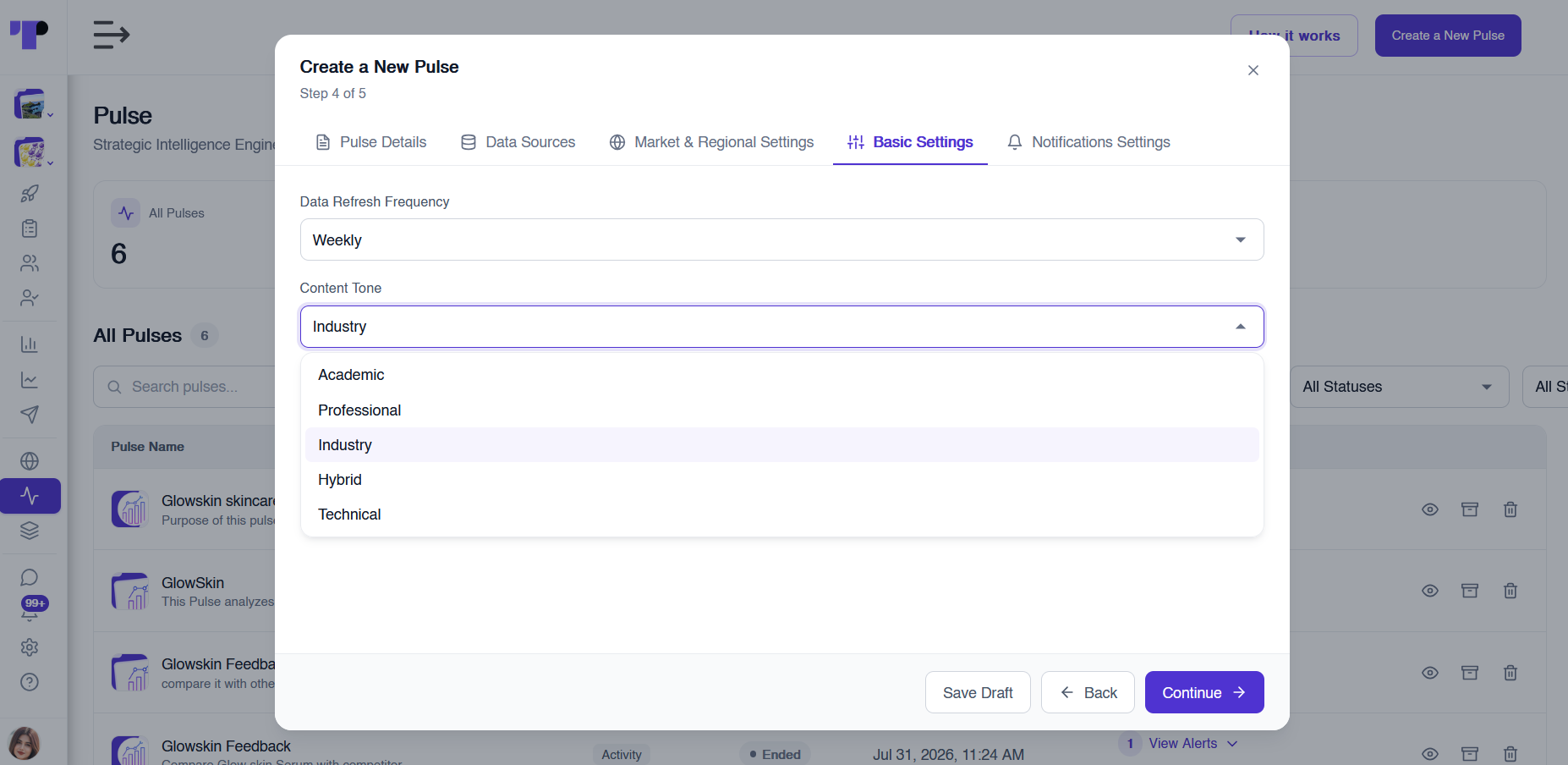
Researchers also choose a content tone to suit the people who will read the results: academic, professional, industry, hybrid or technical.
5. Choose Alerts and Recipients
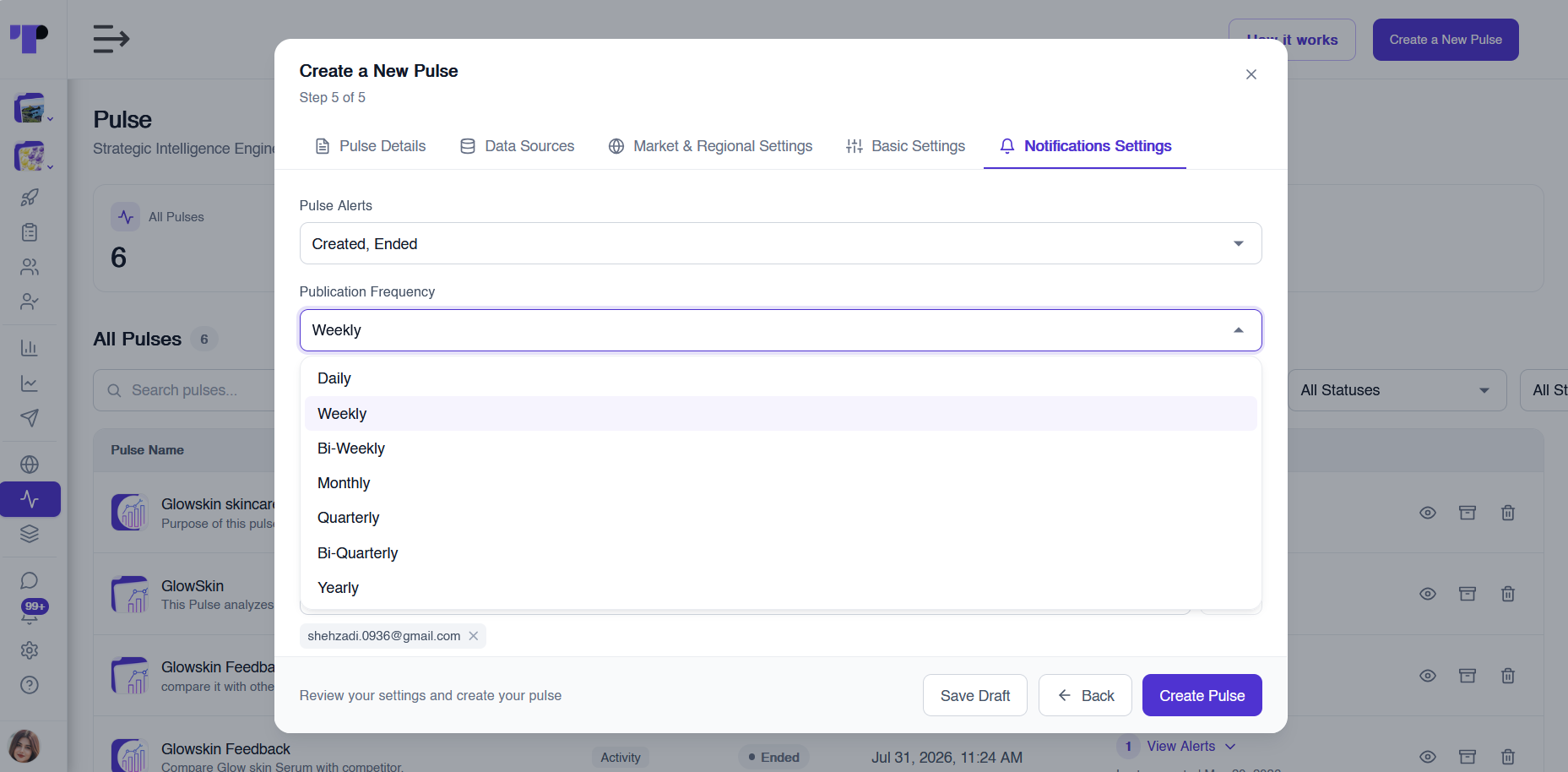
Finally, researchers choose which events trigger alerts, how often reports are published and who receives them. Recipients can include researchers, collaborators and observers.
5 Ways Pulse Keeps Research Connected to Market News and Trends
Pulse is not just a monitoring screen. It changes three of the hardest decisions in research: what to study next, what your current research is missing, and whether your insights and instincts are right. Each capability below comes with examples from the industries and use cases Terapage supports.
1. Decide What to Research Next
Pulse forecasts describe a likely market shift, its drivers, expected impact and opportunity window, and end with a recommended action and a confidence level. Instead of guessing the next study, teams get an evidence-based brief for it.
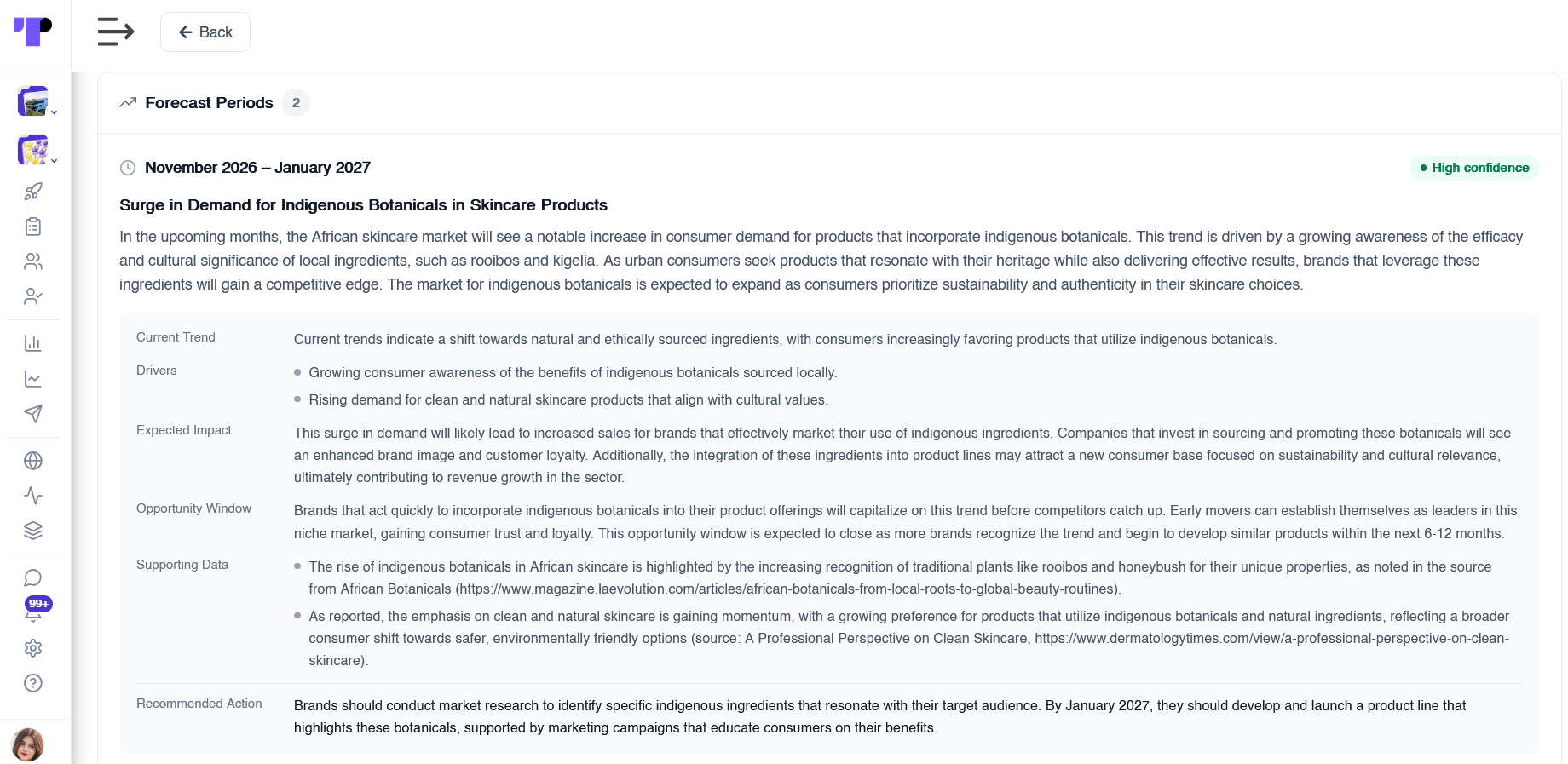
For consumer intelligence teams, a forecast about a rising ingredient or product claim can become the next concept test. Online shopping and in-store shopping studies can then show how the idea performs at the shelf. Our guide to de-risking a launch with online concept testing shows how to run that next step.
In technology and media, a forecast about how audiences are reacting to a new feature can set the brief for the next round of user experience testing.
2. Reveal Gaps in Your Existing Research
Pulse shows each topic’s internal mentions (from your participants), external mentions (from the market) and sentiment, side by side. When a topic has far more external mentions than internal ones, your study has missed something the market is talking about. For example:
- Financial services teams may find fees or fraud trending in the news but rarely raised by customers.
- Public and government organisations may spot a policy issue missing from citizen feedback.
Gaps also guide your next method. A do-it-at-home study or digital ethnography can explore real-life use, as our guide to mobile ethnography explains. A mixed-method study can add the quantitative numbers.
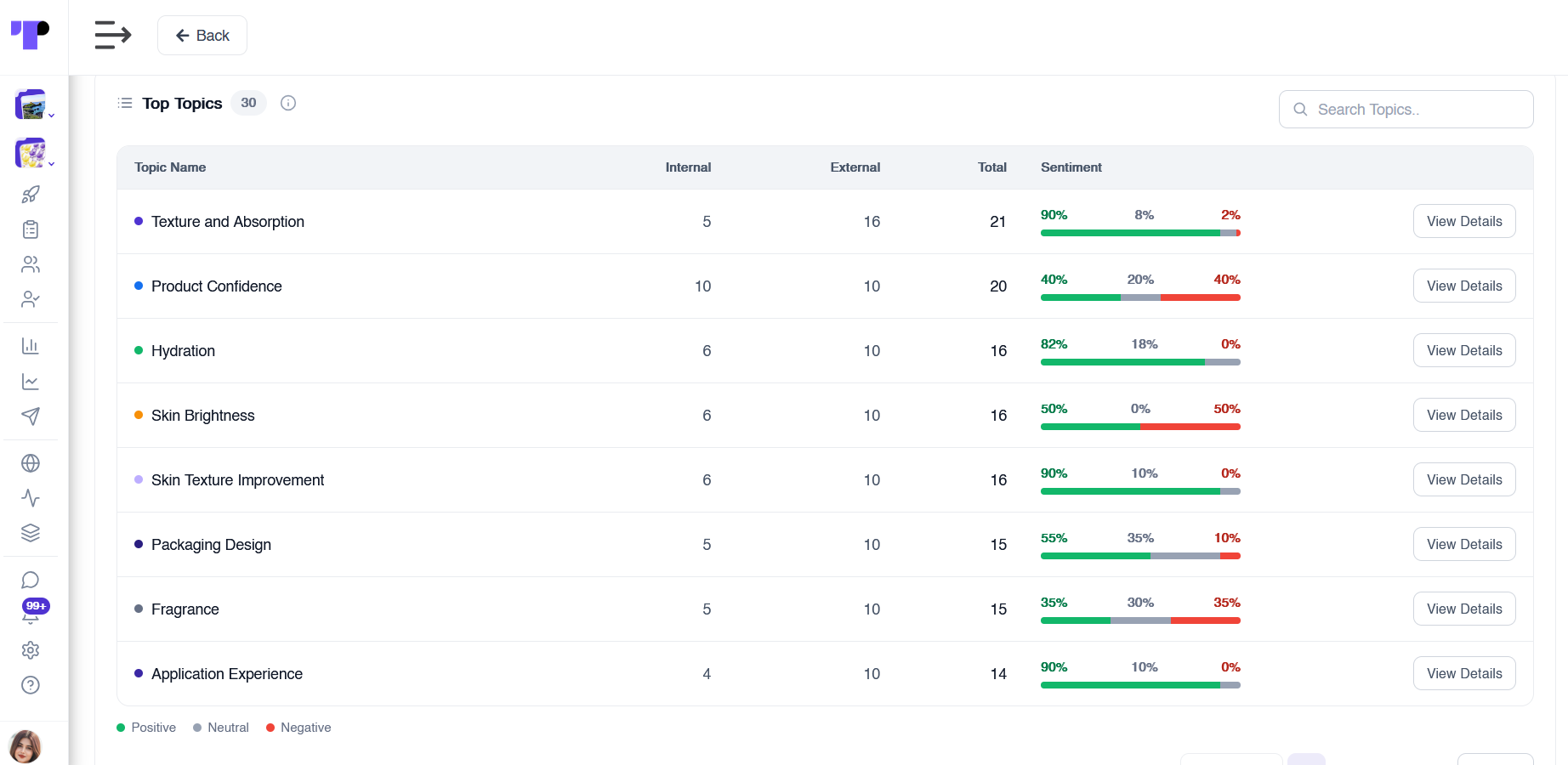
3. Back Up or Challenge Your Insights and Gut Feelings
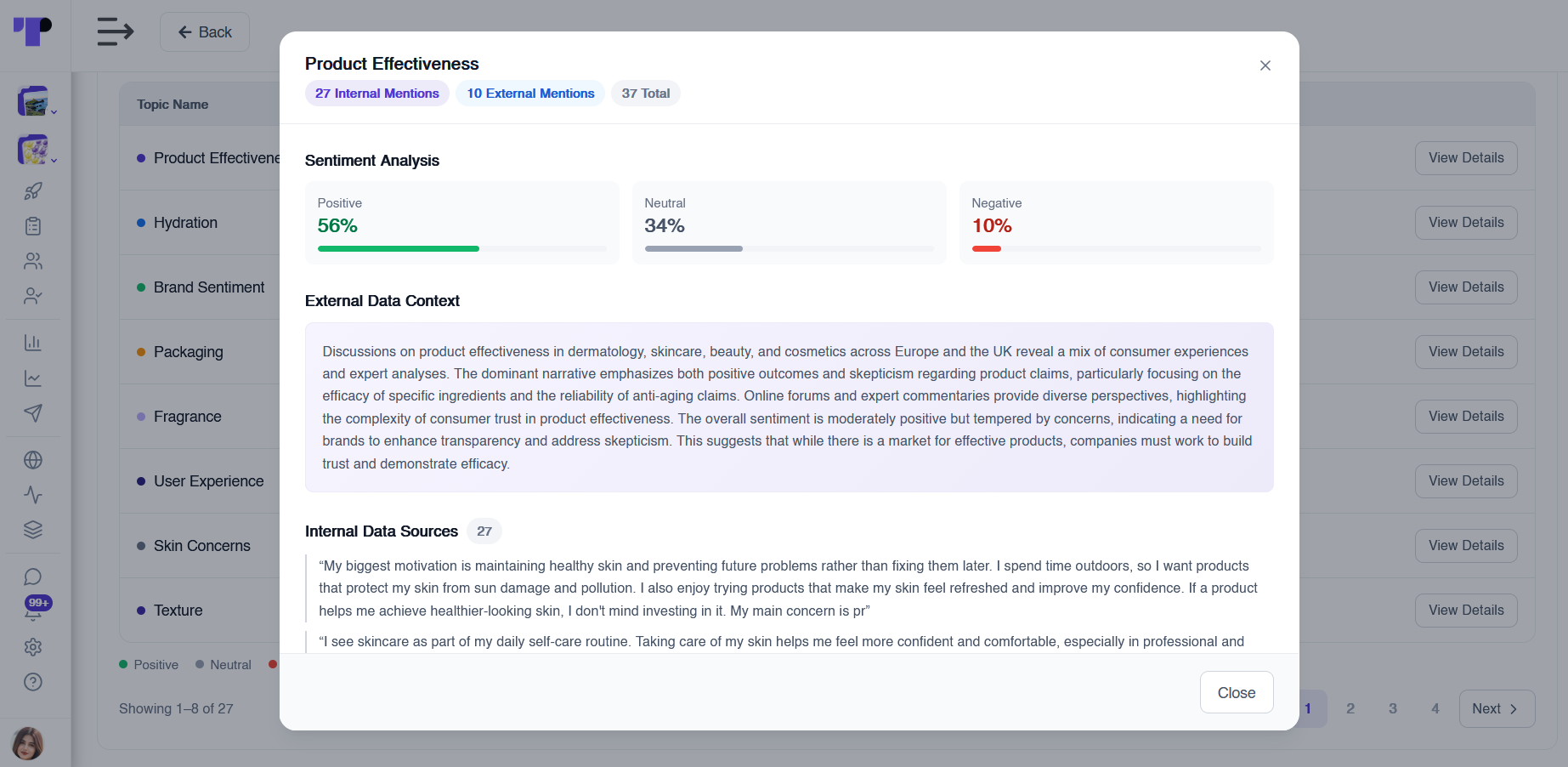
Pulse lets you test an insight against two kinds of evidence at once: what your participants said and what the market is saying. Open any topic to see how it holds up. For example, a product effectiveness topic shows:
- its internal and external mentions
- a mostly positive sentiment split
- a market summary noting that consumers are still sceptical of product claims
- the participant quotes behind the topic
This check is valuable wherever a wrong assumption is costly. Law firms can see whether a mock jury in an online focus group reflects public opinion. HR teams can test employee engagement findings against wider workplace trends.
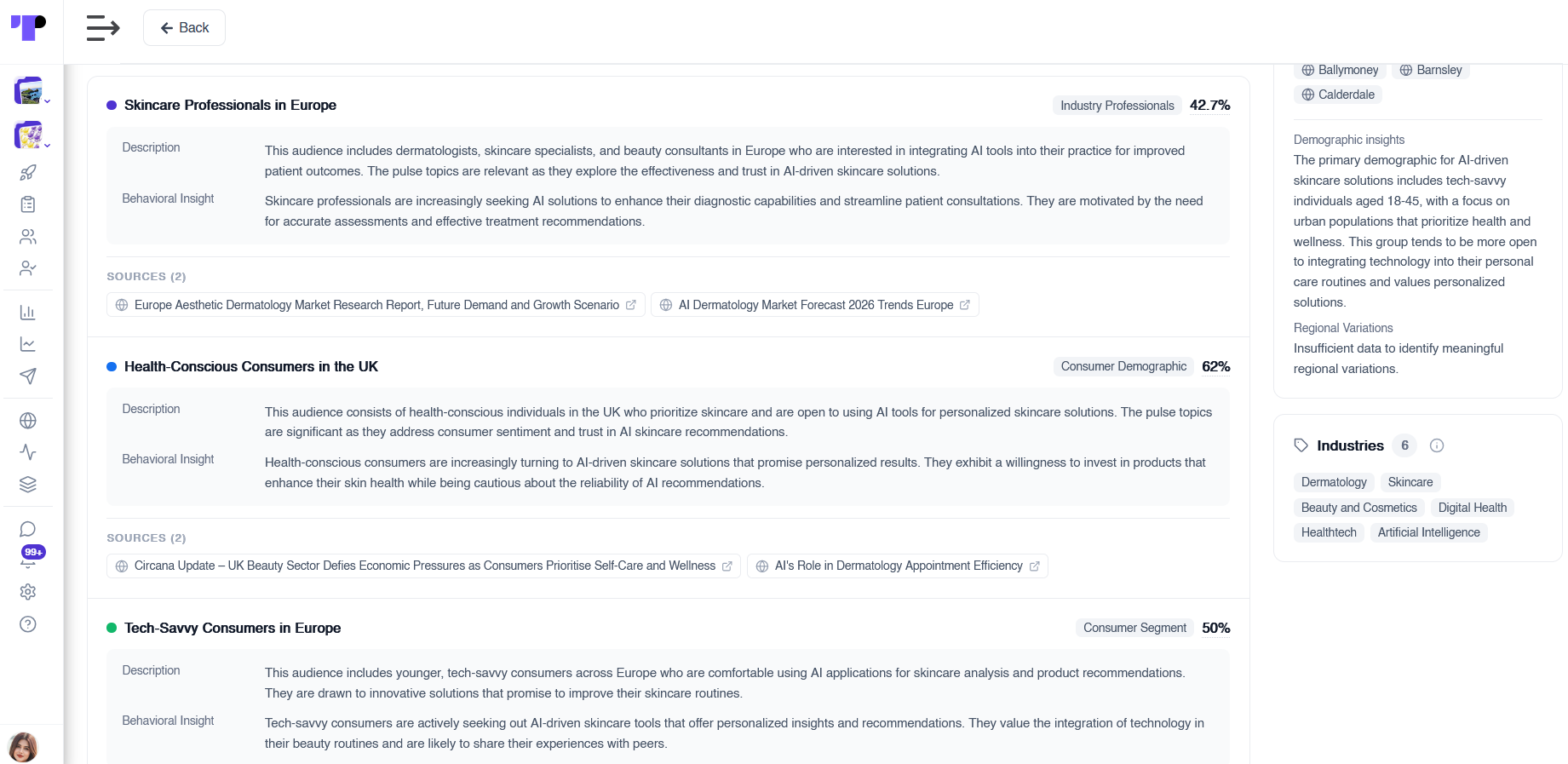
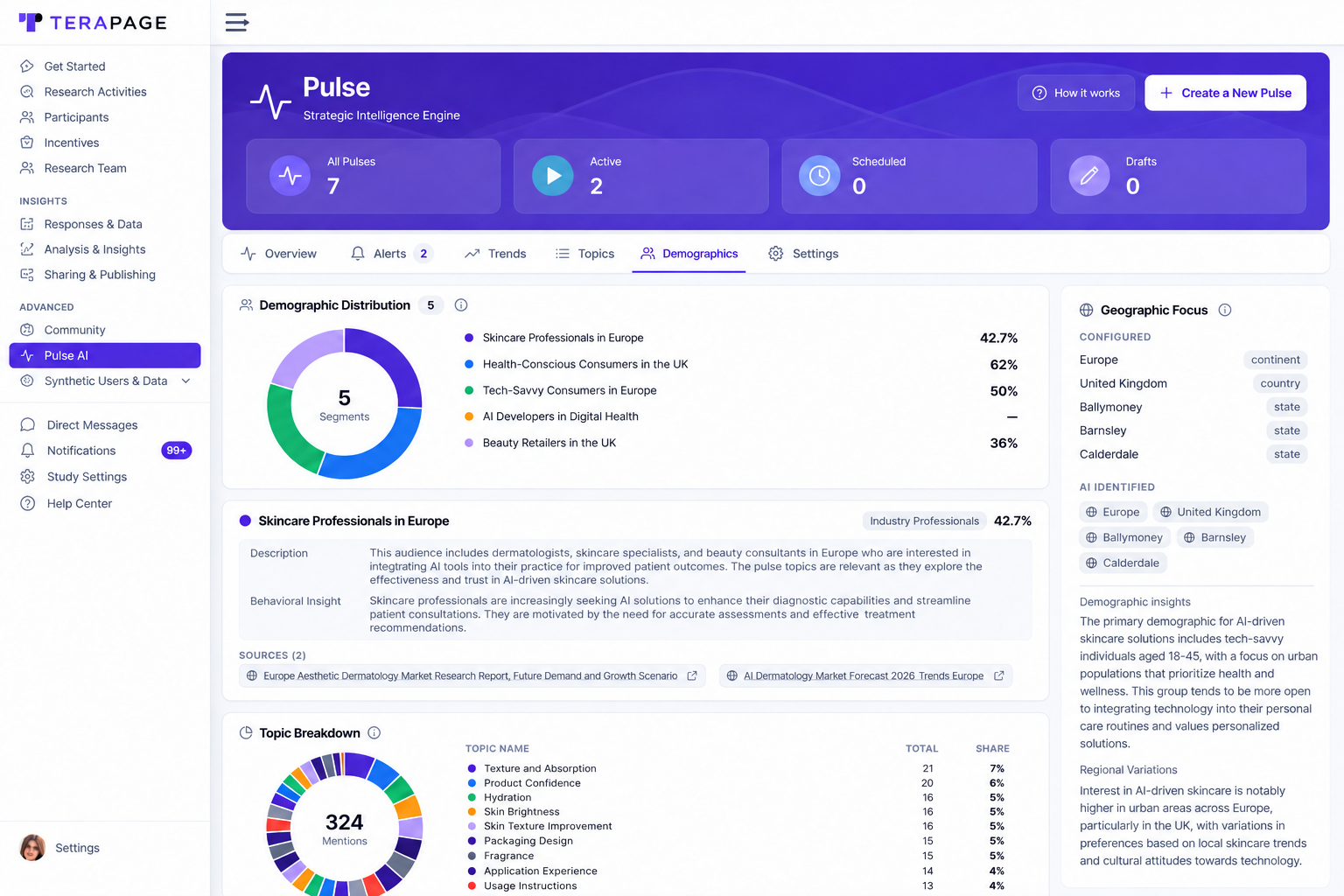
Pulse also checks your gut feeling about who your audience is. It groups the market into segments, such as skincare professionals, health-conscious consumers and tech-savvy shoppers. Each segment comes with:
- its share of the conversation
- a description and a behavioural insight
- the external reports it draws on
A demographic summary and the industries involved sit alongside. Before planning a campaign, teams can confirm who really cares about the topic. Non-profit organisations, for example, can do this for their cause.
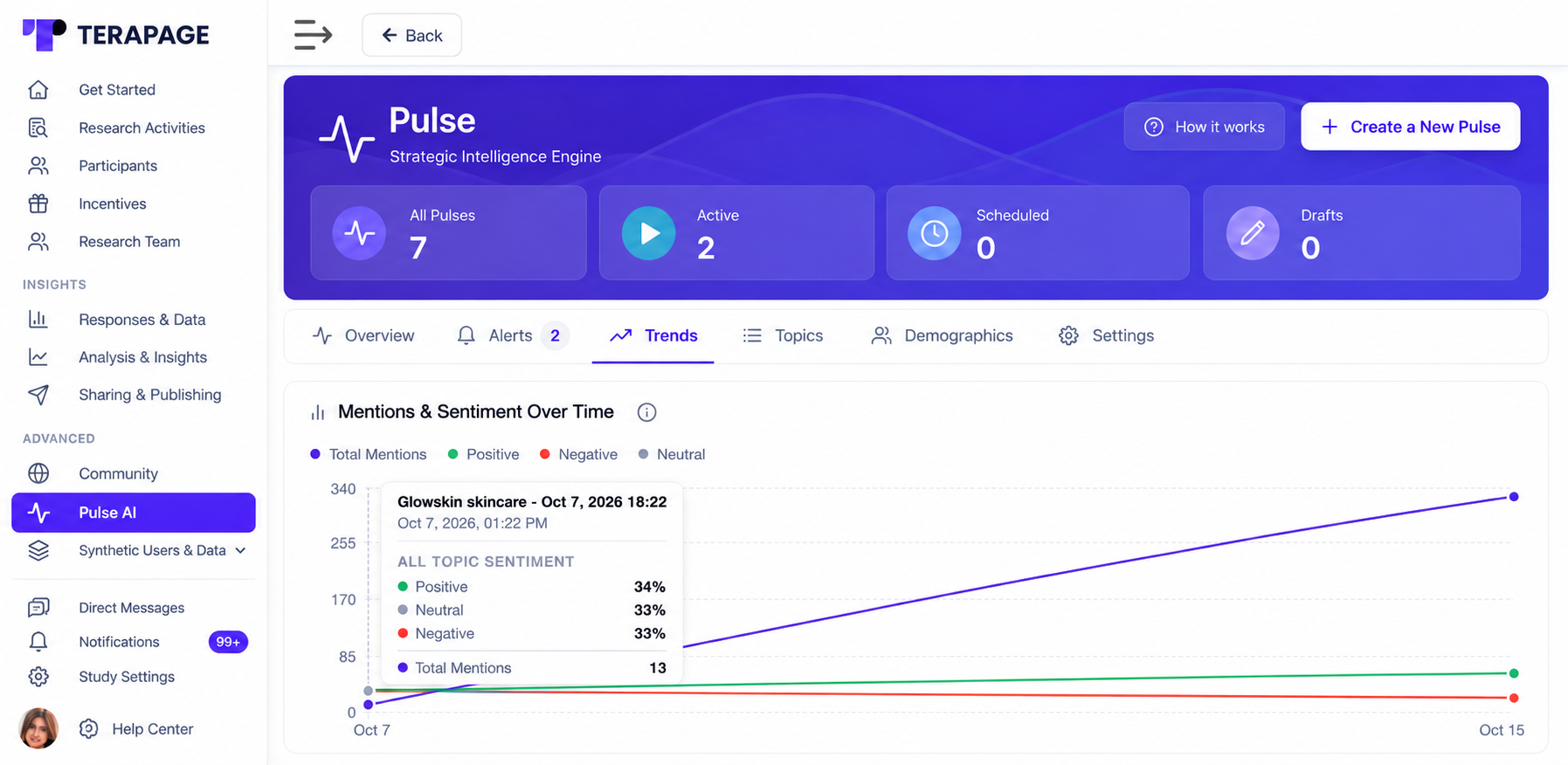
4. Spot Emerging Trends, Competitor Moves and Early Warnings
The Trends tab charts total mentions and positive, neutral and negative sentiment across every Pulse run. Hover over any point to see the breakdown, so a rising topic or a turn in sentiment is easy to spot early. For example:
- Healthcare teams can catch rising patient concerns.
- Sports and psychology professionals can track fan sentiment around big events alongside their behavioural studies.
- Insight communities get a running view of market change.
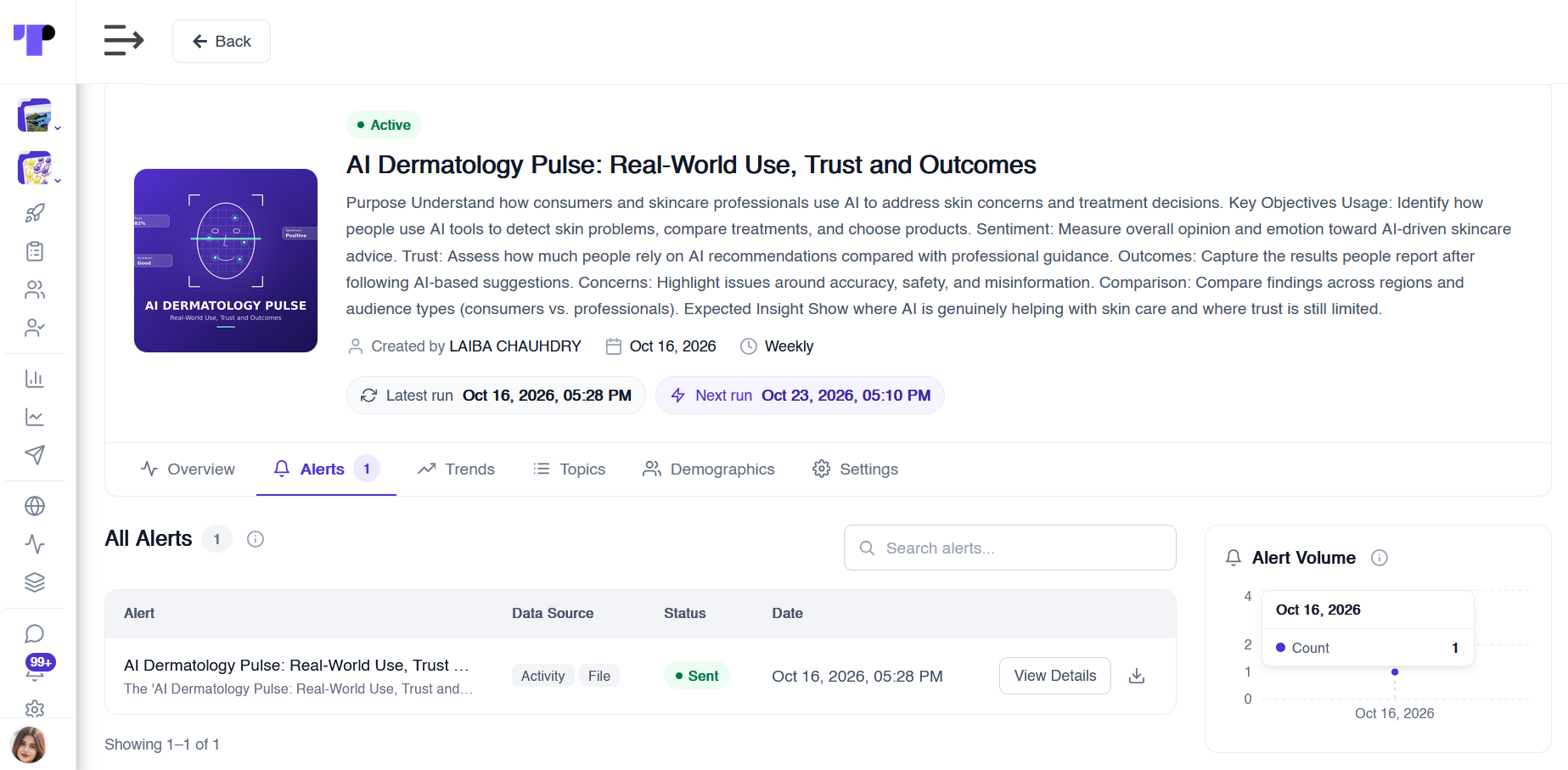
When a change needs attention, Pulse sends an alert. The Alerts tab lists each one with its data source, status and date, ready to view or download. An alert volume chart shows how often changes have been flagged.
5. Keep Stakeholders and Clients Informed
Every Pulse run produces a report that can be emailed, viewed or downloaded. Stakeholders stay updated without waiting for the next study. Findings can also feed into reports and analysis or branded insight reports.
How to Read Your Pulse Results
The Pulse Overview at a Glance
The overview sums up each Pulse run on one screen:
- Alert level: for example, Medium, which means “monitor closely”.
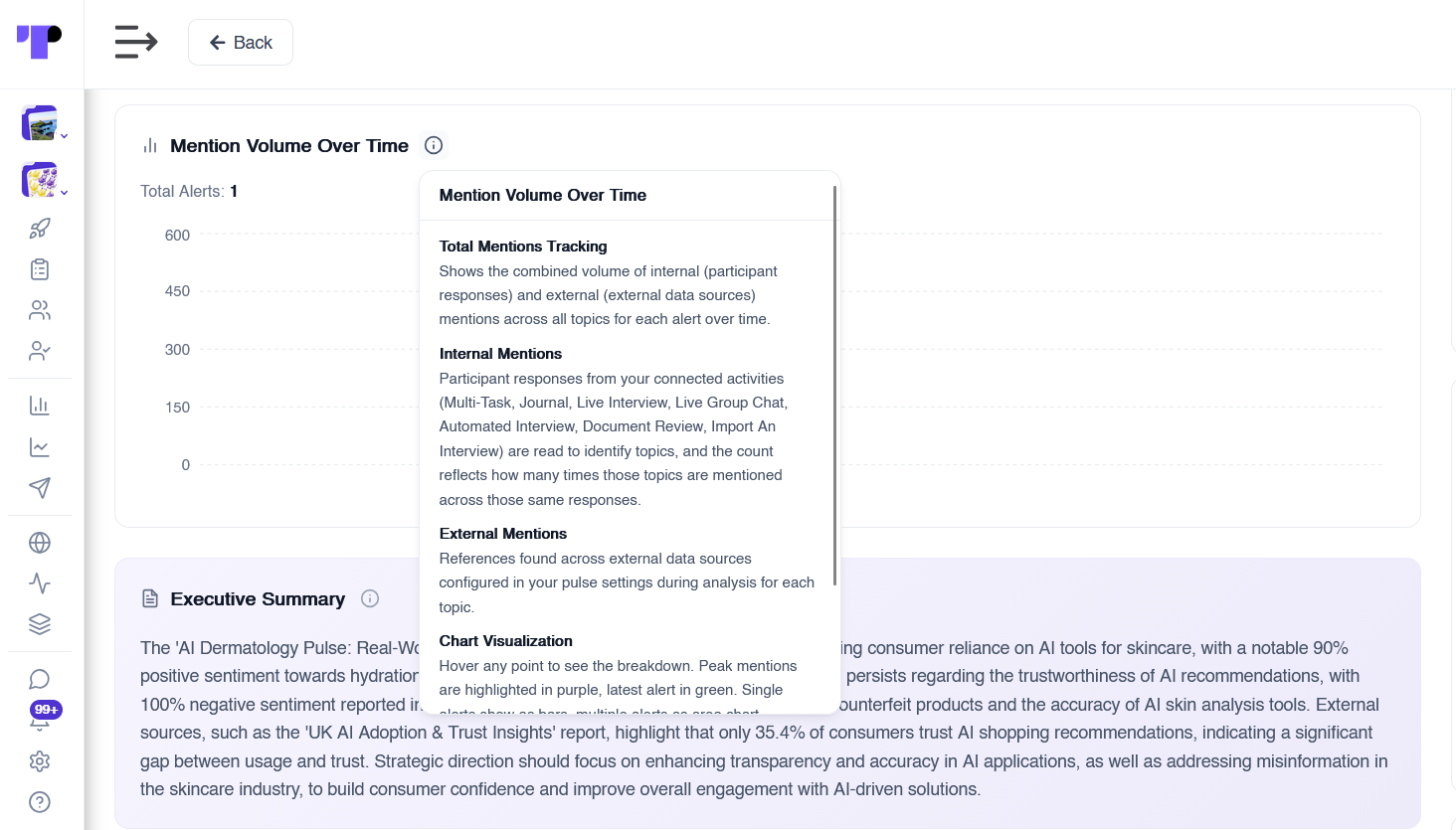
- Total mentions: split into internal mentions from your research and external mentions from the market.
- Dominant sentiment: with its positive, neutral and negative split.
- Pulse timeline: how long the Pulse has left to run, plus the latest alert.
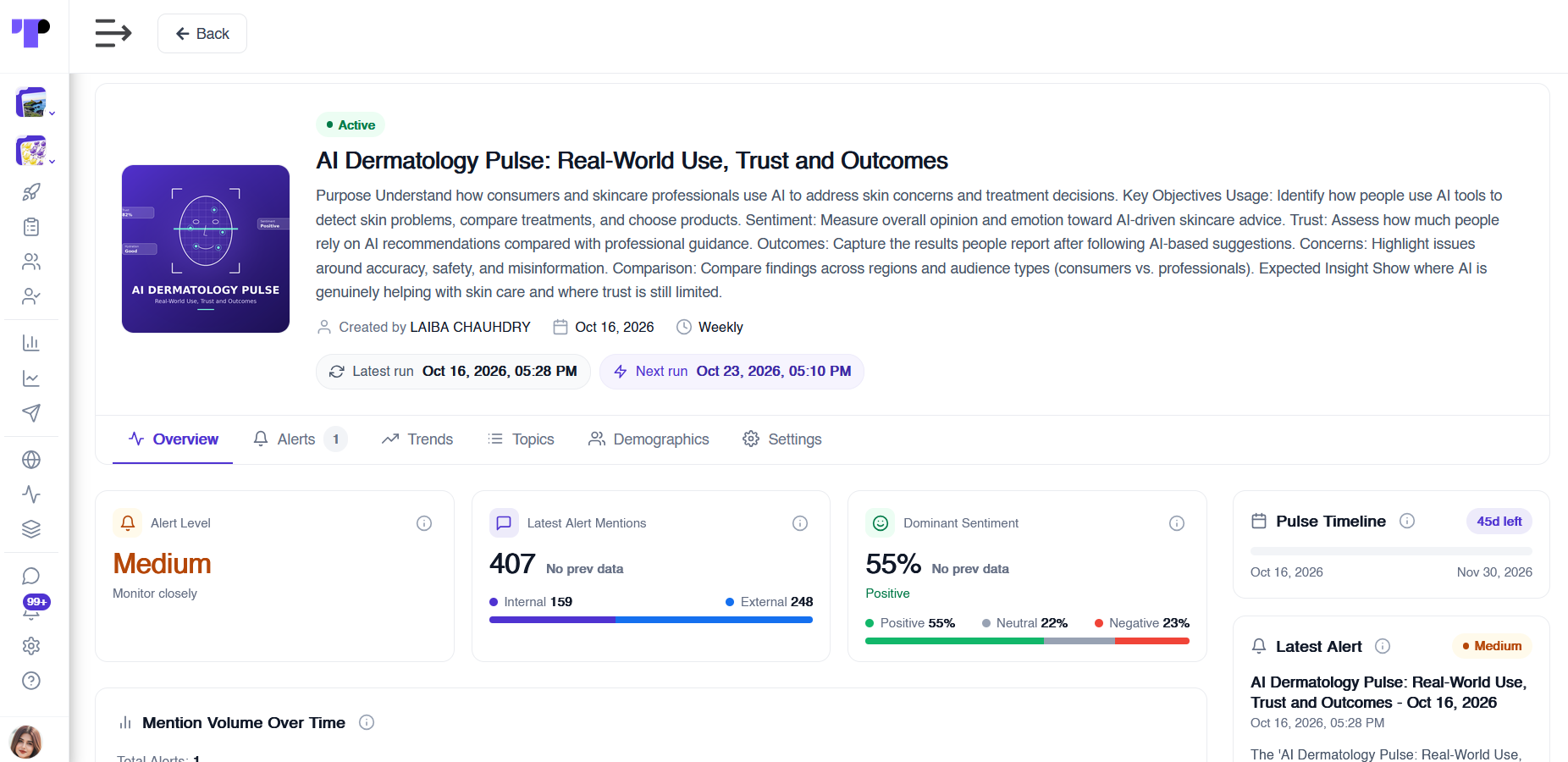
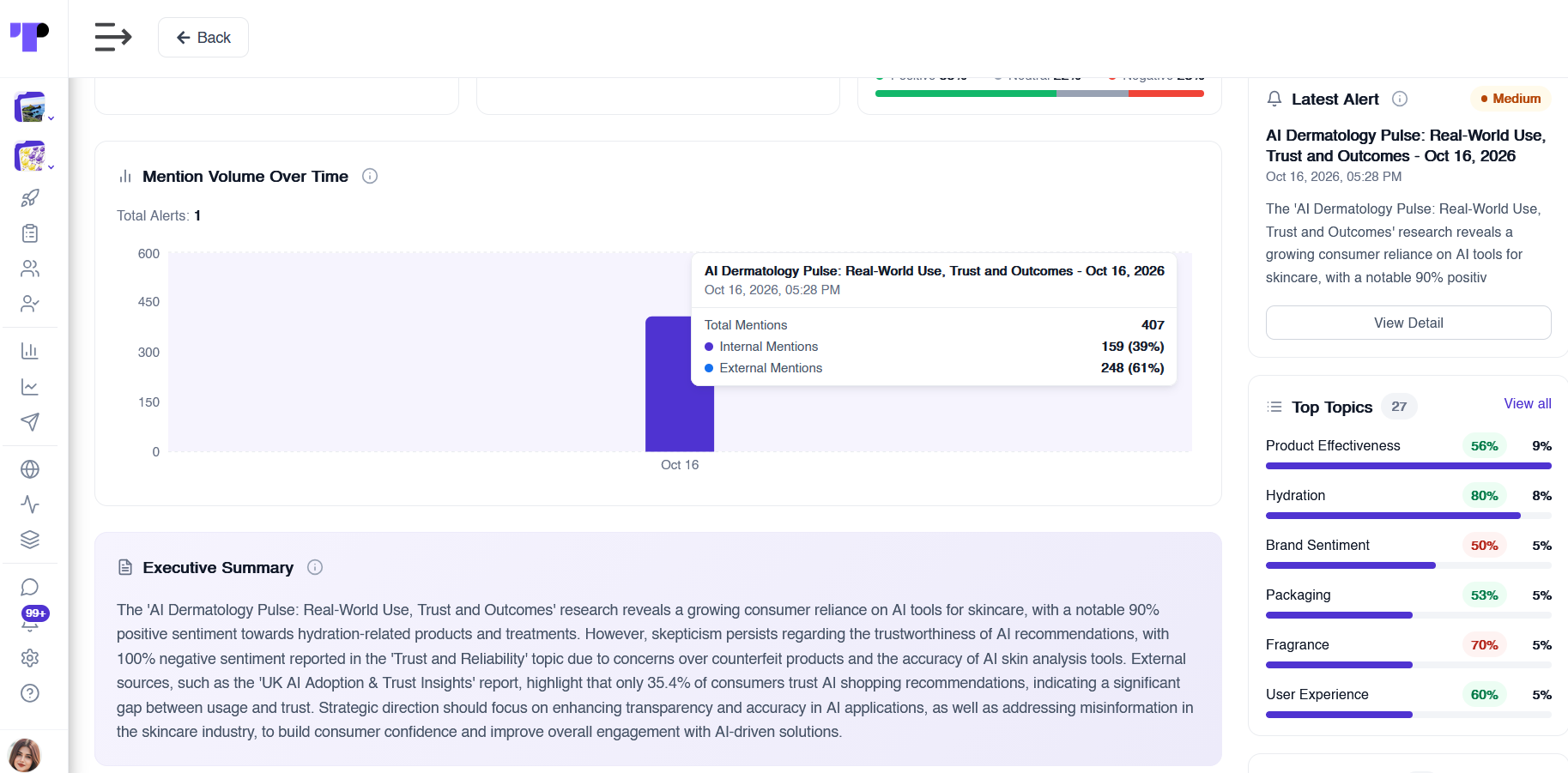
Below it, a mention volume chart and an AI-written executive summary explain what changed and where to focus. The most-discussed topics are listed alongside, with their sentiment.
Internal vs External Mentions: Where the Evidence Comes From
Pulse separates two kinds of evidence:
- Internal mentions come from participant responses in your connected activities, including live interviews, AI-moderated interviews and imported external interviews.
- External mentions come from the market sources configured in your Pulse settings.
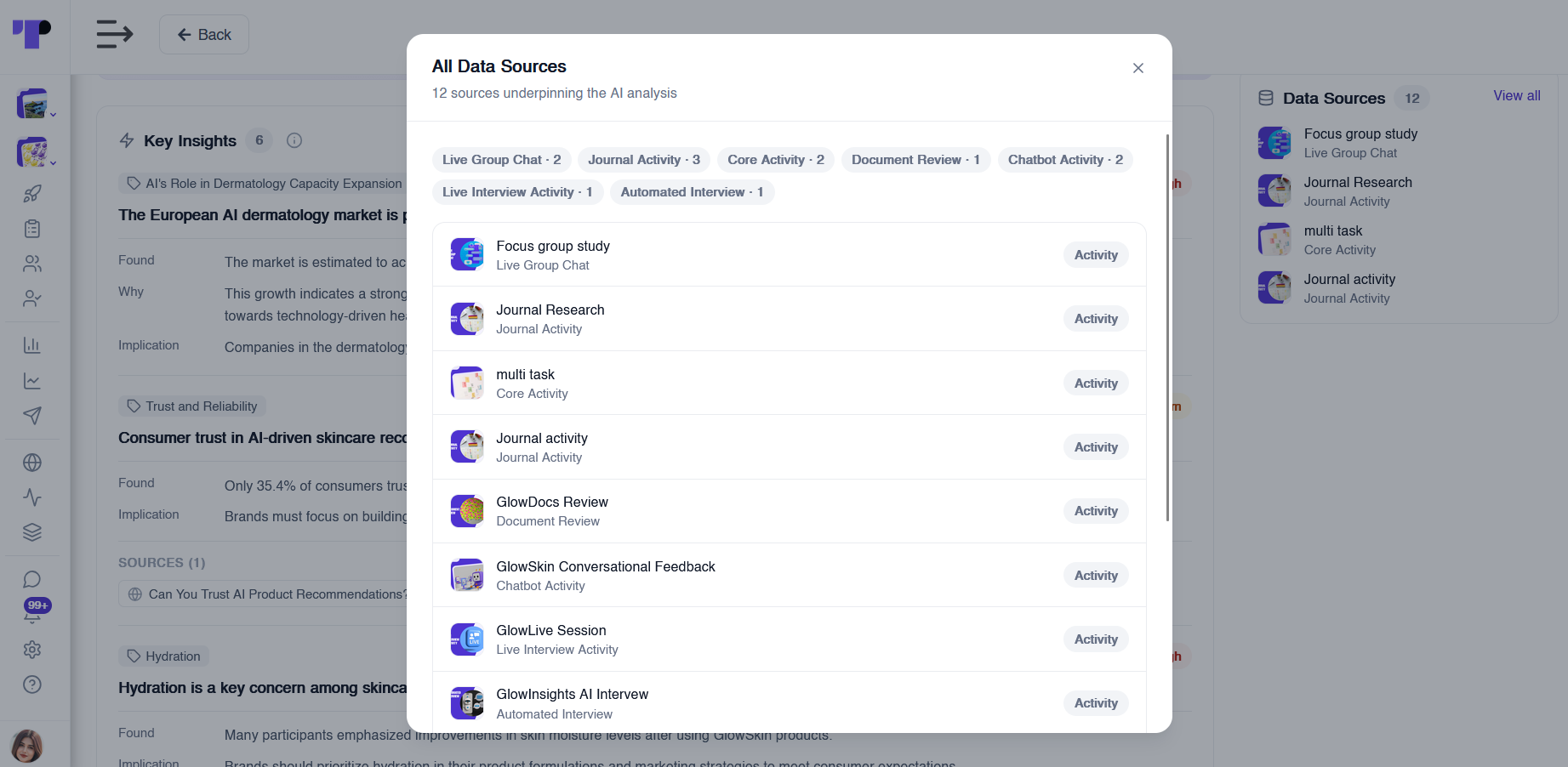
Researchers can open every source behind the analysis, so each finding can be traced back to its evidence.
Key Insights with Clear Next Steps
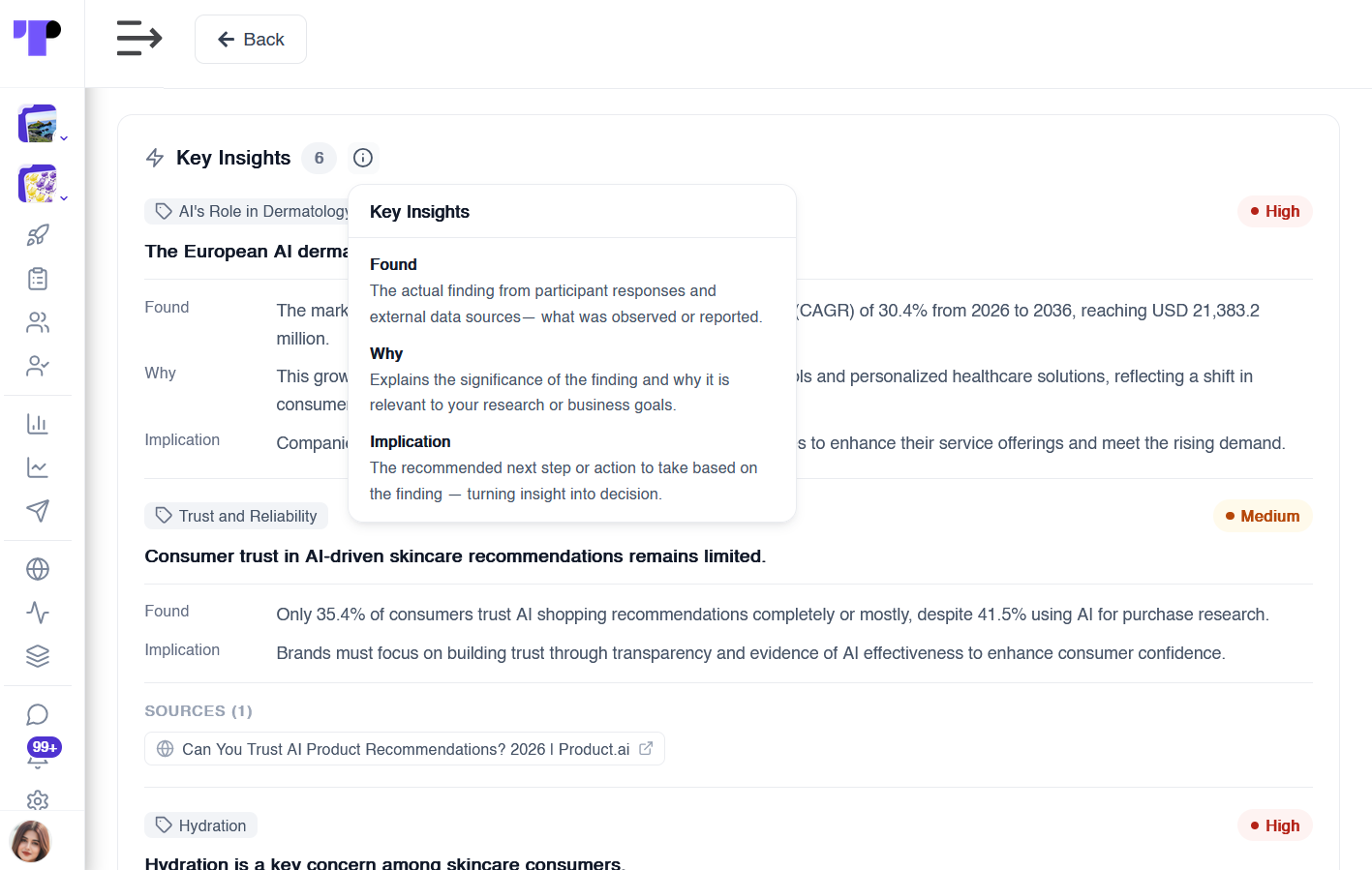
Each key insight is tagged with its topic and rated High or Medium priority. It follows a simple format:
- Found: what participants and external sources showed.
- Why: why it matters to your goals.
- Implication: what to do next.
Each insight also links to its external sources.
Topic Breakdown and Audience Demographics
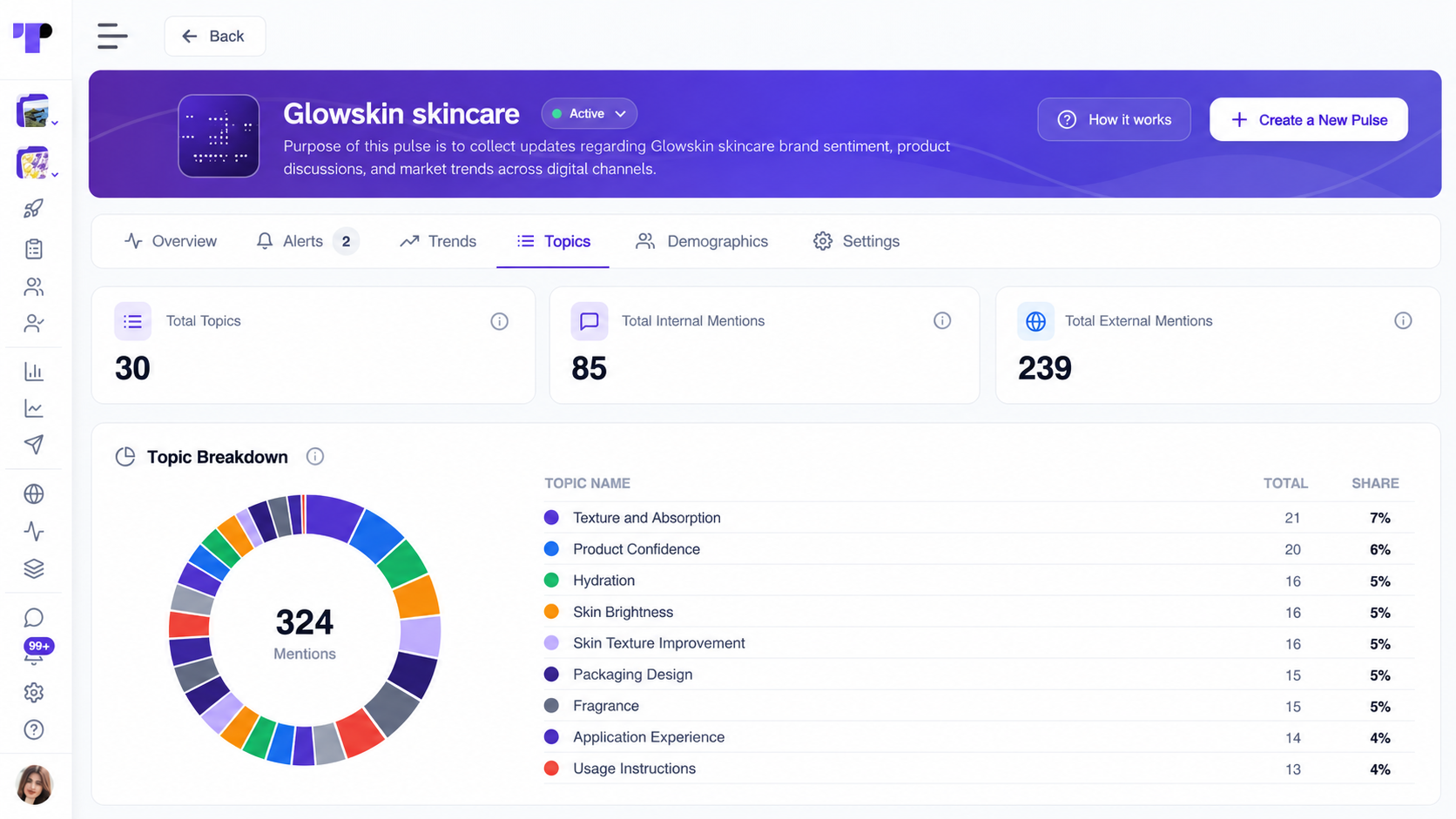
The Topics tab shows how many themes Pulse found and how many internal and external mentions sit behind them. A breakdown chart shows each topic’s share of the total conversation.
The Demographics tab splits the market into audience segments, each with its share. A geographic focus panel shows the regions you configured next to the ones the AI identified.
How Pulse Connects Your Research to Market Trends Across the Terapage Platform
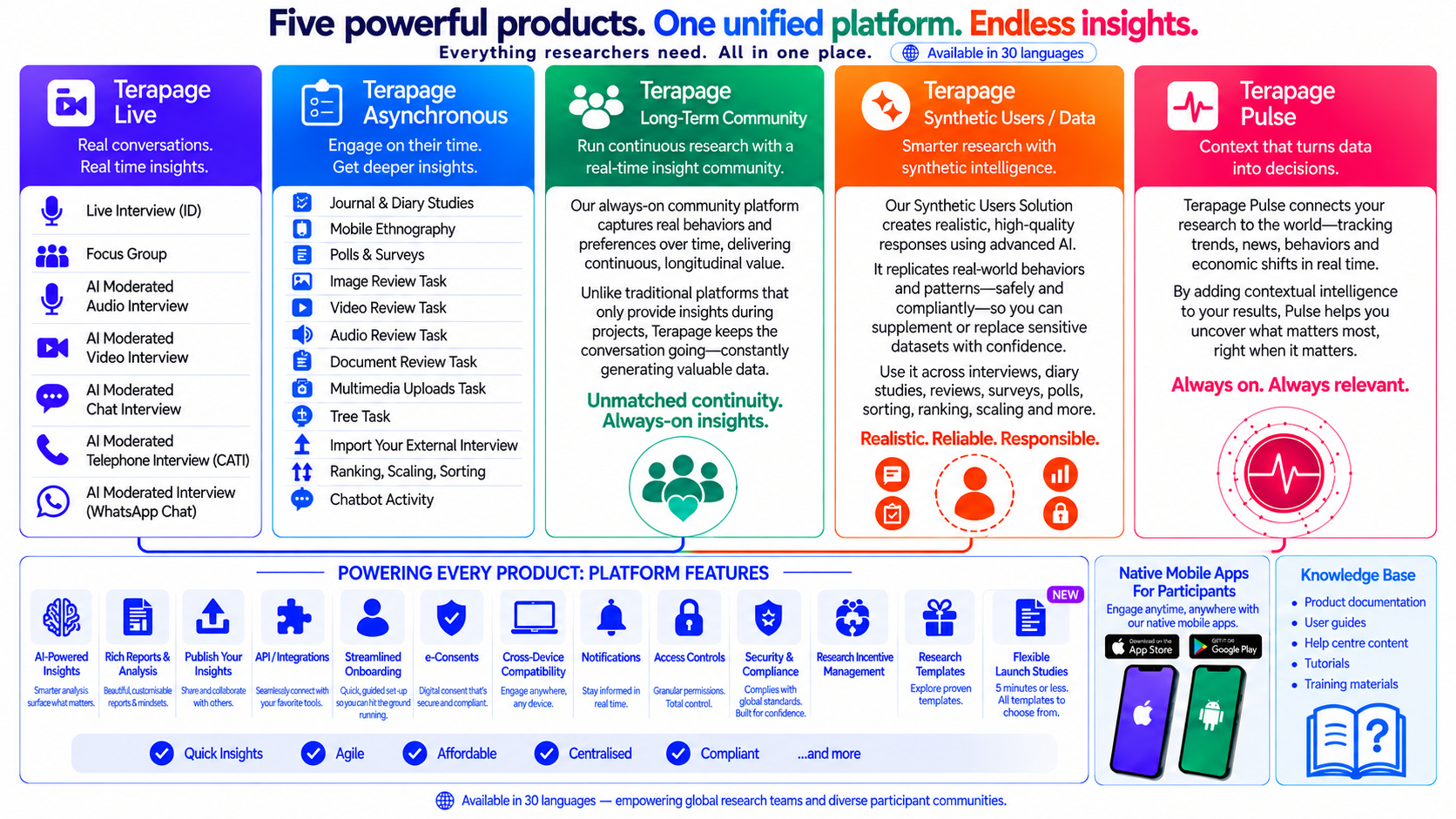
Pulse is one of five products on the Terapage platform. Terapage Live runs real-time interviews and focus groups, and Terapage Asynchronous handles self-paced tasks and diaries. The Long-Term Community supports always-on research, and Synthetic Users and Data is for early testing. Pulse brings the findings from all of them together and checks them against market news and trends.
Shared platform features run across all five products, including AI-powered insights, reporting, e-consent and API integrations. Together, they take research from fieldwork to analysis to market context in one place.
Keep Your Research Connected After Fieldwork Ends
Research no longer has to stop when fieldwork ends. With Pulse, teams know what to research next, see the gaps their studies missed, and back up or challenge their instincts with market evidence. To see Pulse working on your own research, request a demo or start a free trial.
Ready to connect your research to the market?
No credit card required. Want help setting up your first Pulse? Our Co-pilot Research Services team can help.