AI Study Assistants: How to Support Research Participants Beyond FAQs
Key takeaways
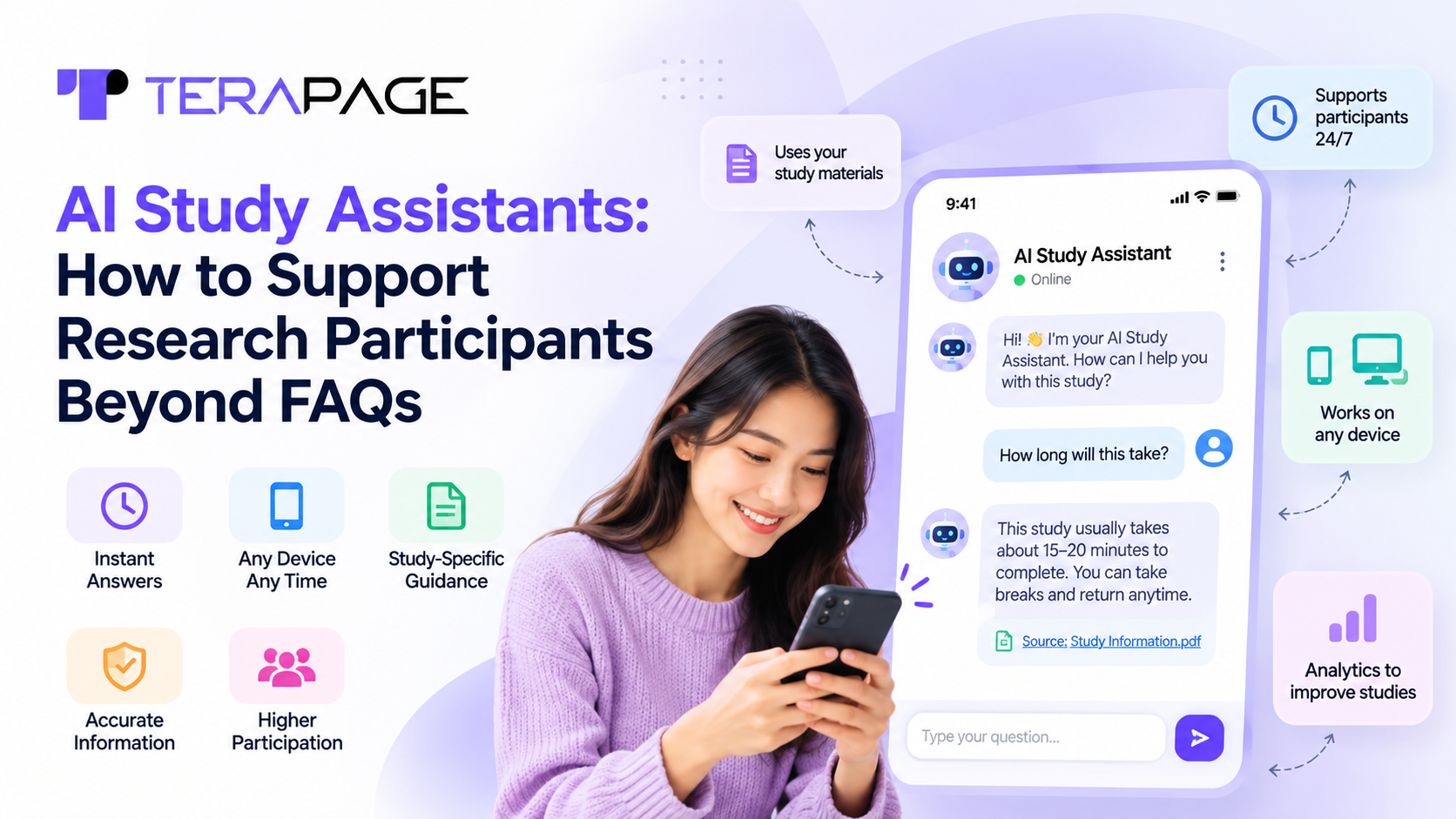
- An AI study assistant is a participant-facing AI chatbot that answers questions about a research study using the study’s own materials.
- FAQs only cover the questions researchers expect; an AI study assistant answers the ones participants actually ask, at any hour, with cited sources.
- Setting one up on Terapage takes six steps, from choosing the AI Chat Assistant activity to uploading and prioritising study resources.
- It supports participants in seven ways beyond FAQs: secure onboarding, grounded answers, verifiable citations, voice and image input, accessibility, human hand-over and transcripts.
- Assistant analytics show what participants ask, how they feel, which resources are missing and whether answers are reliable.
Research has moved onto participants’ phones. According to the Pew Research Center, 91% of U.S. adults now own a smartphone, and many take part in diary studies, surveys and interviews from wherever they are, at any hour. Research teams, however, can’t be online around the clock. When a participant gets stuck on a task late at night, the questions go unanswered, responses come in incomplete, and some participants quietly drop out.
An FAQ page only answers the questions researchers expected. An AI study assistant answers the ones participants actually ask, in seconds, using your own study materials. It cites its sources, supports participants on any device and hands over to a moderator when a person is needed.
This guide explains what an AI study assistant is, how to set one up on Terapage, seven ways it supports research participants beyond FAQs, and how its analytics help research teams improve every study.
What Is an AI Study Assistant?
An AI study assistant is a participant-facing AI chatbot that answers questions about a research study using the study’s own materials. IBM describes a chatbot as “a software application that communicates with people through text or voice.” An AI study assistant applies this to research: it guides participants, explains tasks and answers questions at any time, within limits the researcher sets.
On Terapage, it is the AI Chat Assistant research activity. It works alongside every other activity, so participants can get help whether they are in a diary study, a multi-task activity, a focus group or a live interview. Read more about how AI research chatbots create more engaging participant experiences.
Why Can’t FAQs Alone Support Research Participants?
FAQs are a good start, but research participants need more than a static list of answers:
- FAQs only cover expected questions. Participants ask in their own words, about their own situation.
- Participants take part at any hour. Self-paced studies run across time zones, often on a phone, when no researcher is online.
- Some questions need accurate, consistent answers. Questions about privacy, consent and rewards cannot be left to guesswork.
- Unanswered questions lead to drop-out. Every participant who leaves weakens the quality of the results.
Support is moving the same way in other fields. Gartner expects self-service and live chat to overtake phone and email as the most valuable customer service channels by 2027.
How to Set Up an AI Study Assistant to Support Research Participants
Setting up an AI study assistant takes a few minutes. Here is a quick overview. For a detailed walkthrough, see our 6-step guide to building an AI study assistant on Terapage.
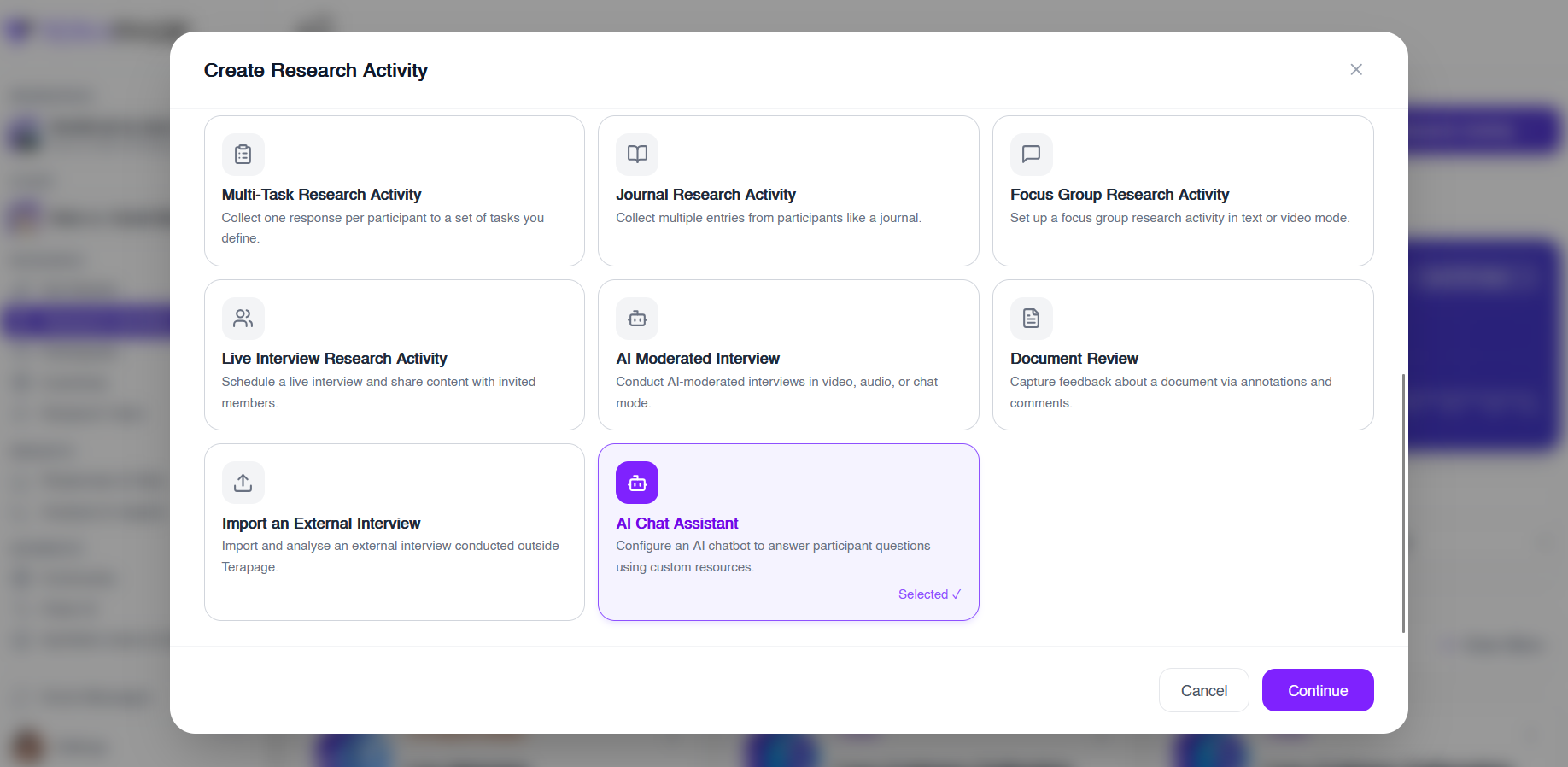
1. Choose the AI Chat Assistant Activity
Create a new research activity and select AI Chat Assistant. Participants can then start an interactive chat, ask questions and upload files, while the AI uses semantic search to find answers in your uploaded resources.
2. Name Your Assistant and Choose an Avatar
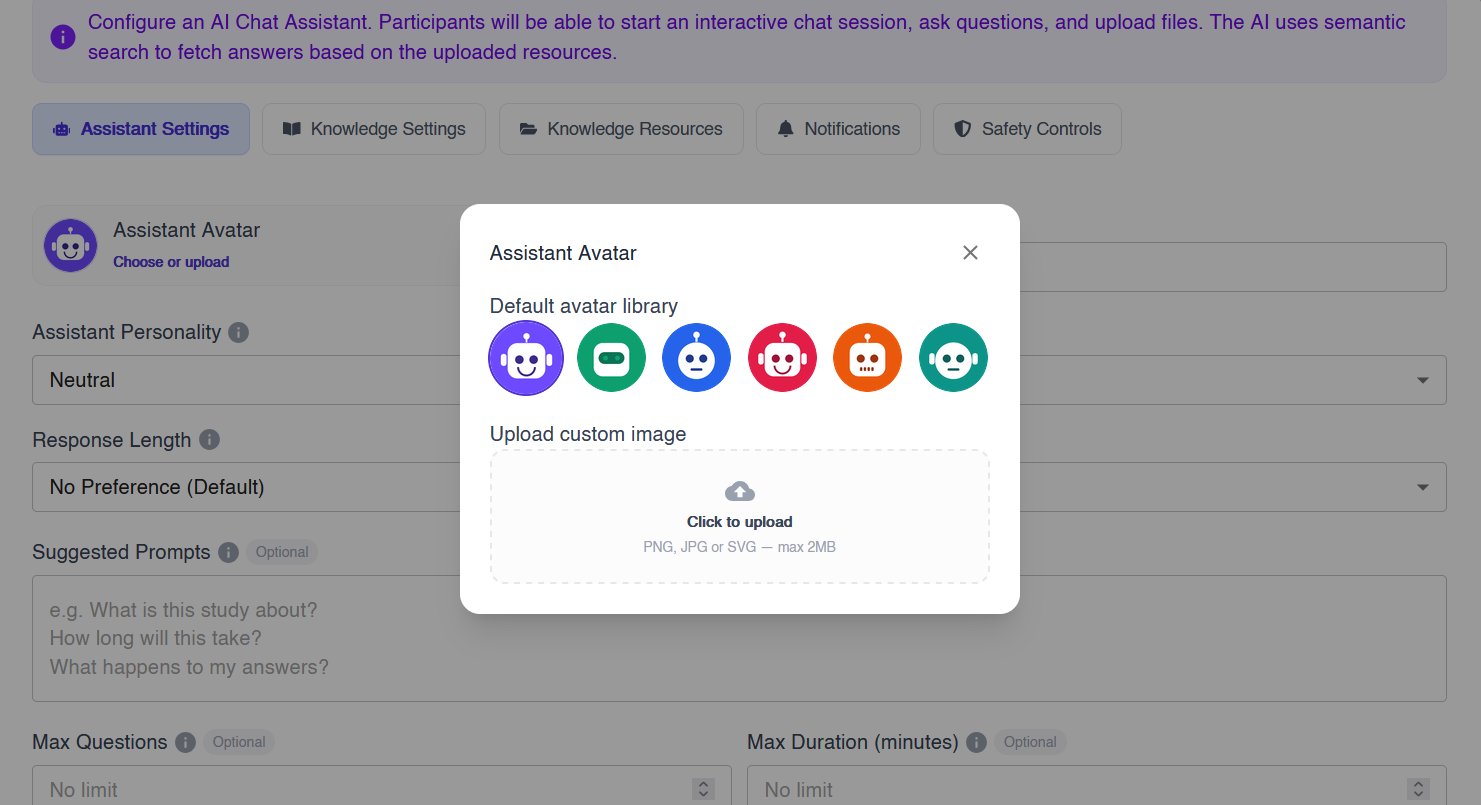
Give the assistant a name and pick an avatar, or upload your own, such as a study logo. A friendly name and face make participants comfortable asking for help.
3. Set the Personality, Tone and Response Length
Next, shape how the assistant speaks:
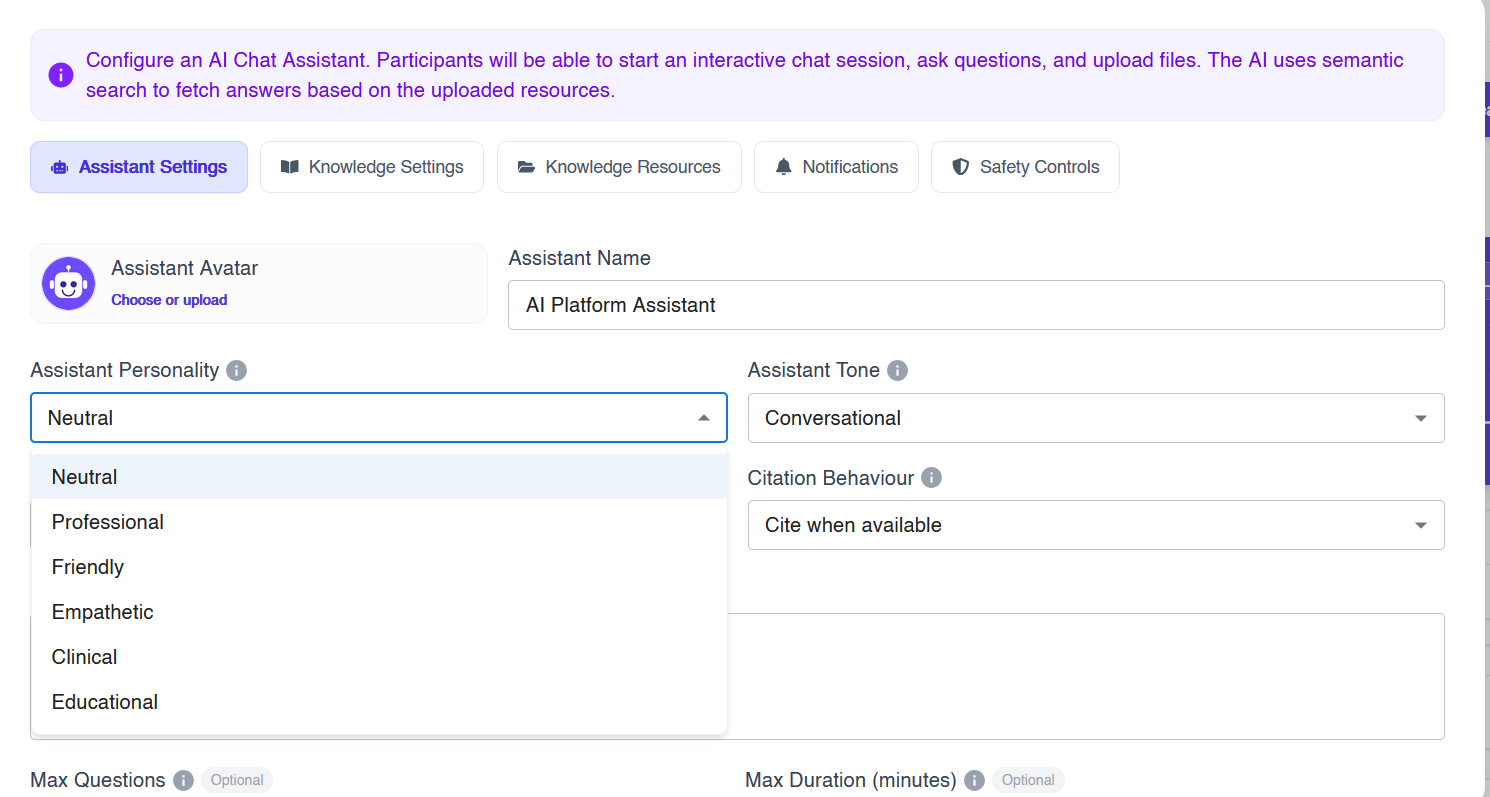
- Personality: neutral, professional, friendly, empathetic, clinical or educational.
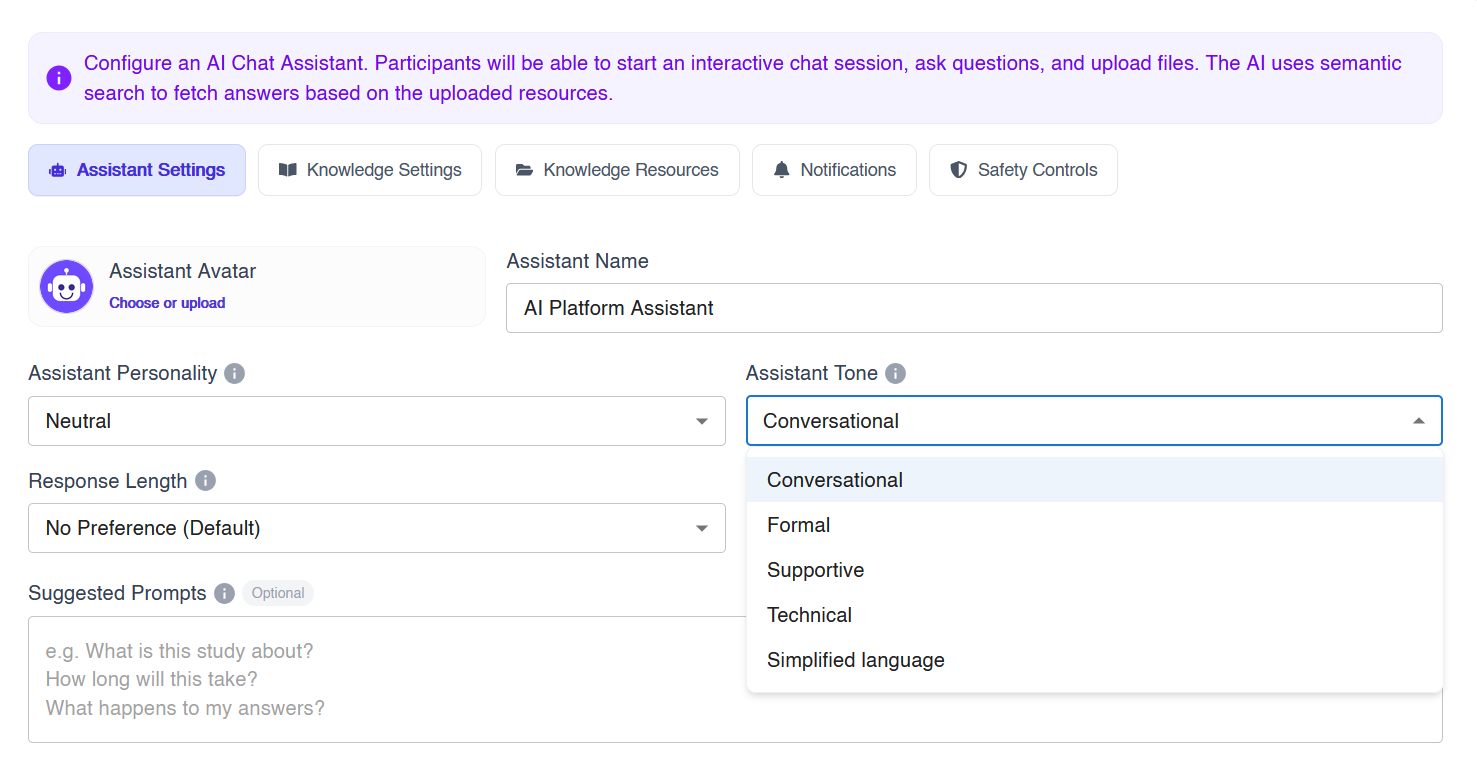
- Tone: conversational, formal, supportive, technical or simplified language.
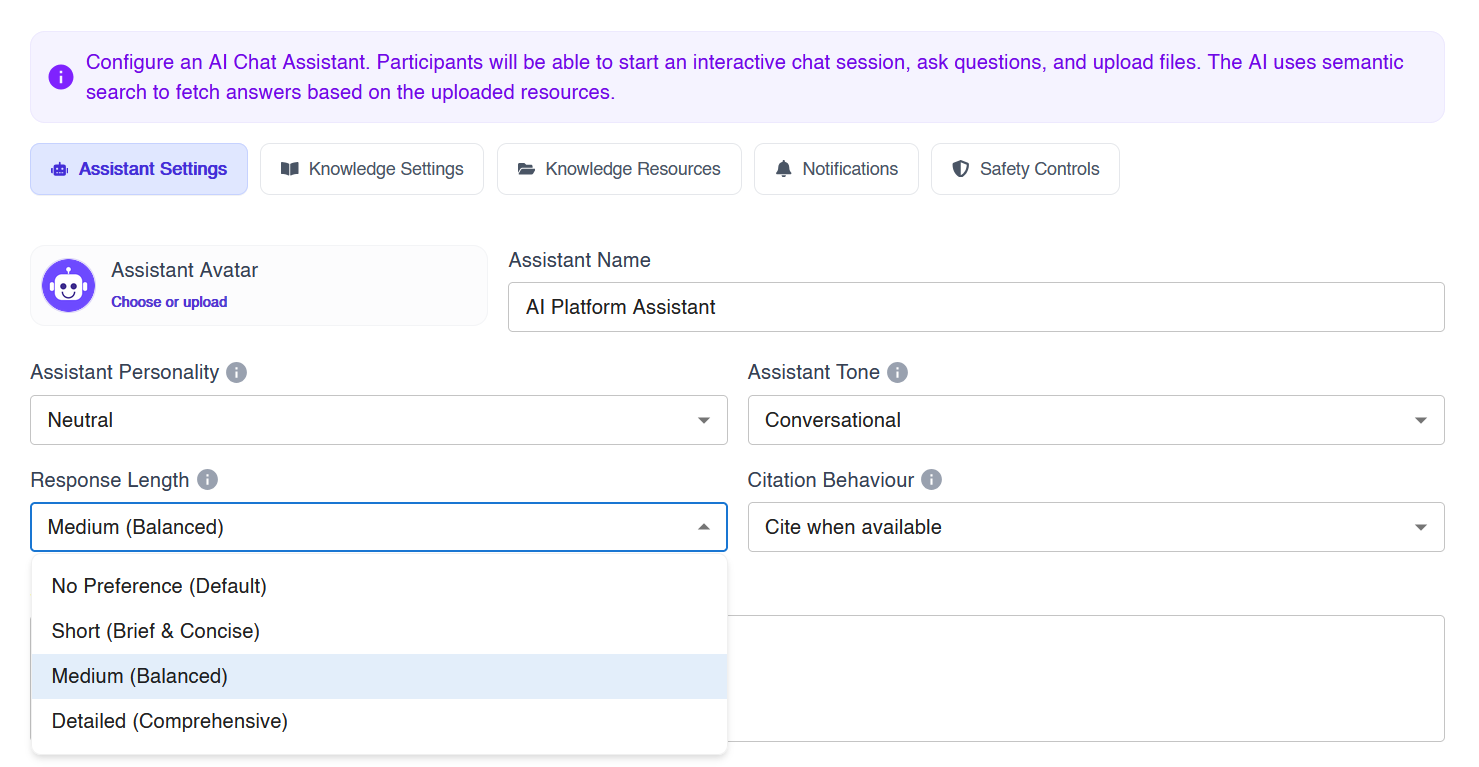
- Response length: short, medium or detailed.
An empathetic, supportive assistant suits healthcare and pharmaceutical research, while an educational tone works well for student studies in educational institutions. You can also add suggested prompts, such as “How long will this take?”, and set a limit on questions or chat duration.
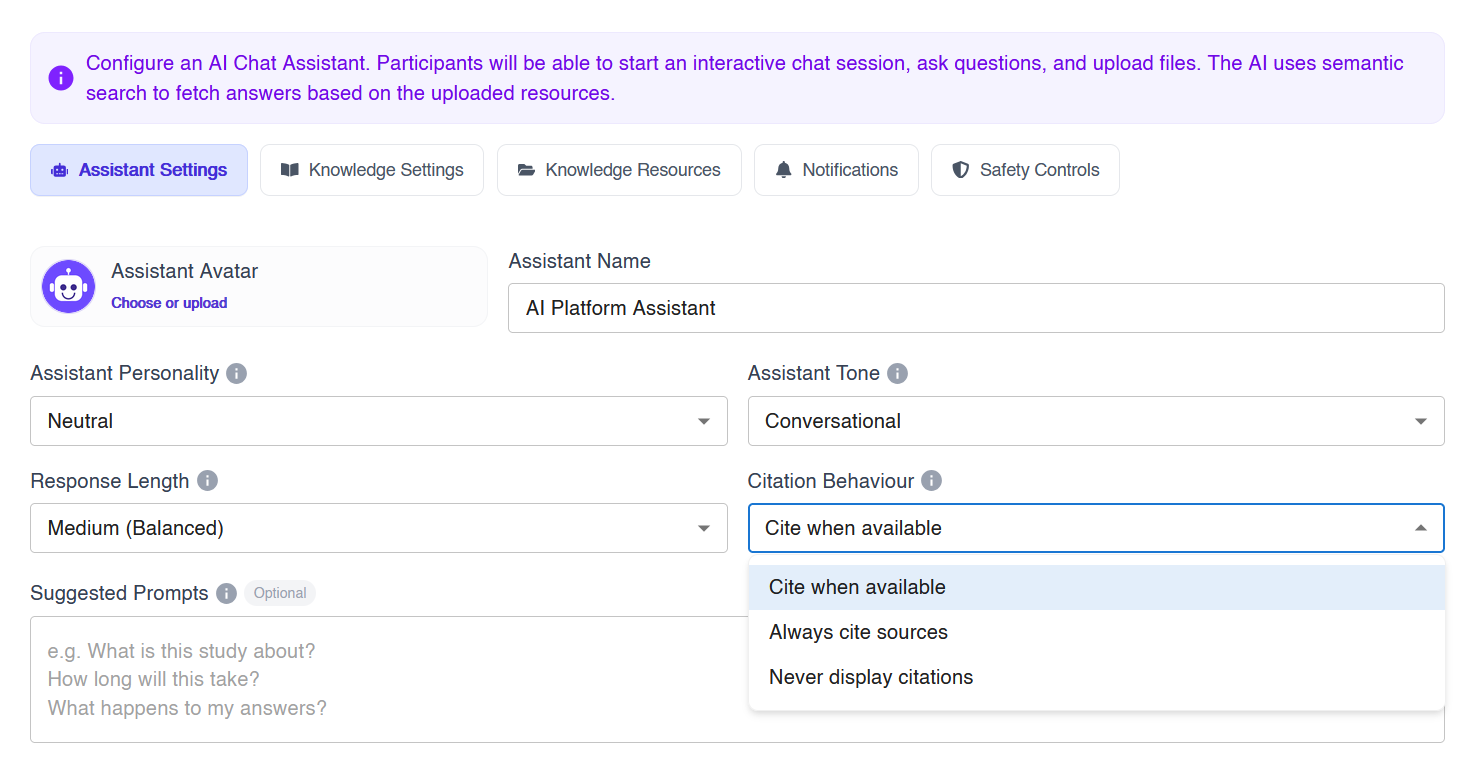
4. Decide How Answers Cite Sources
Choose whether the assistant cites sources when available, always cites them, or never shows citations. Always citing sources builds trust, especially when participants need to rely on what the assistant says.
5. Control Where Answers Come From
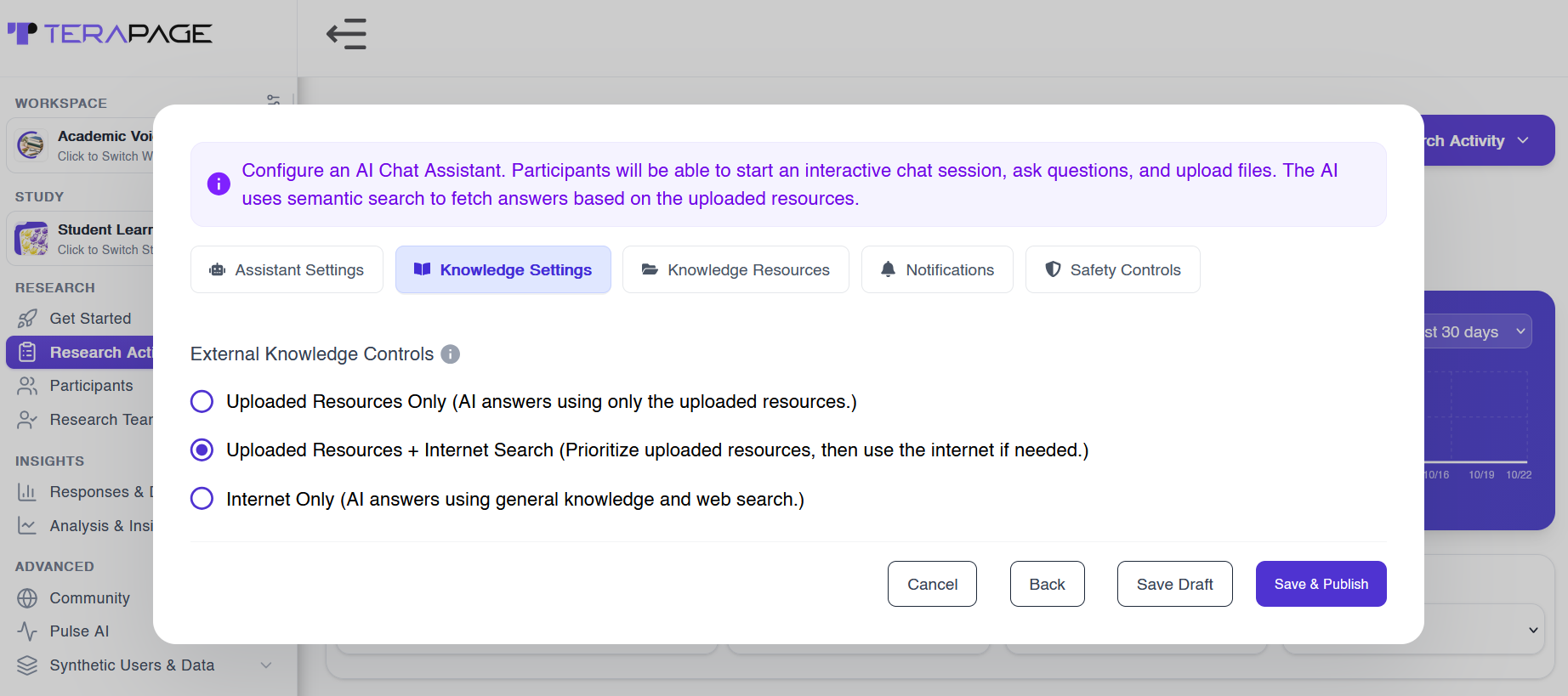
Choose whether answers come from your uploaded resources, the internet, or both. Using only uploaded resources keeps answers accurate and on-topic.
6. Upload and Prioritise Your Study Resources
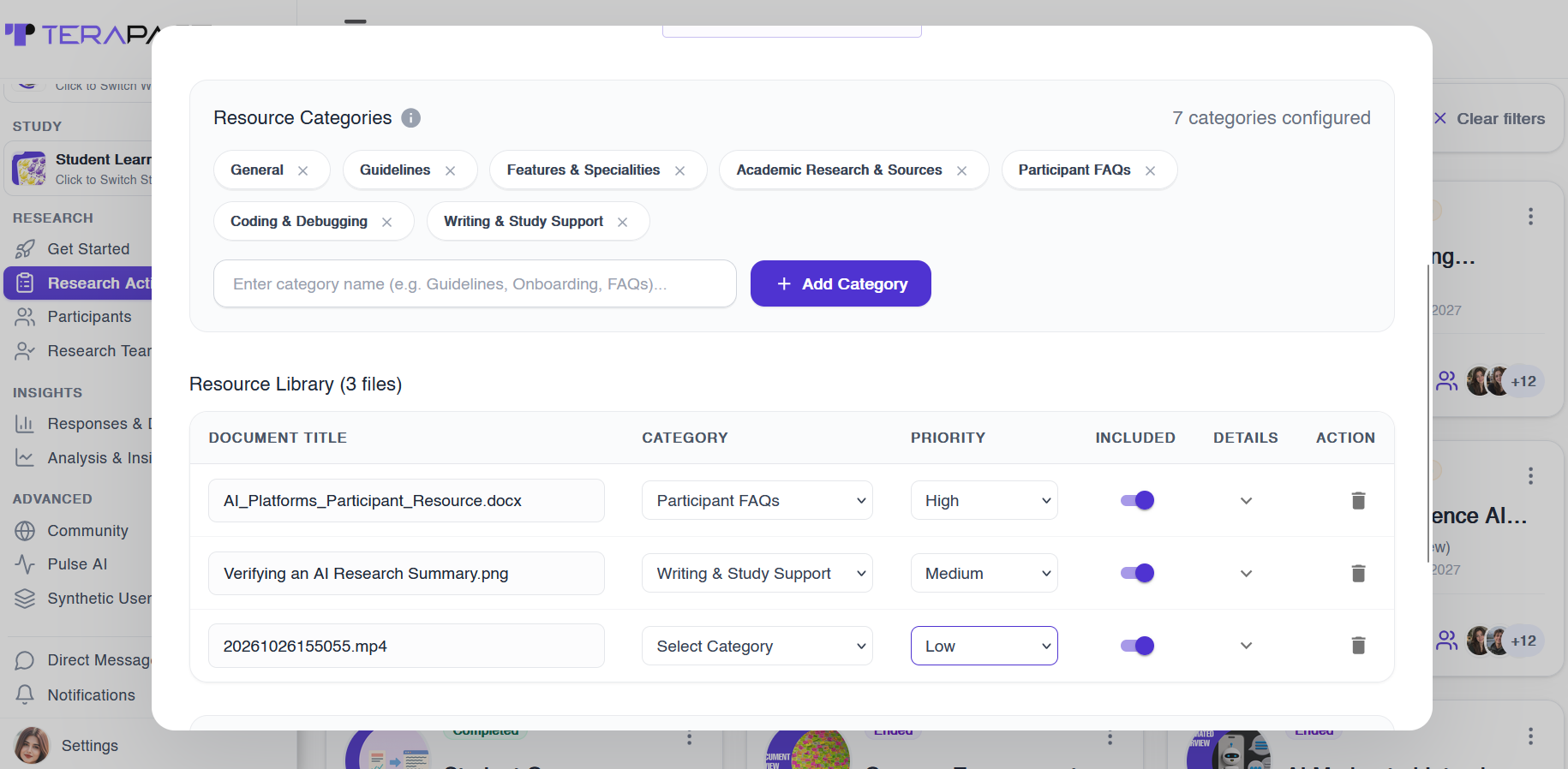
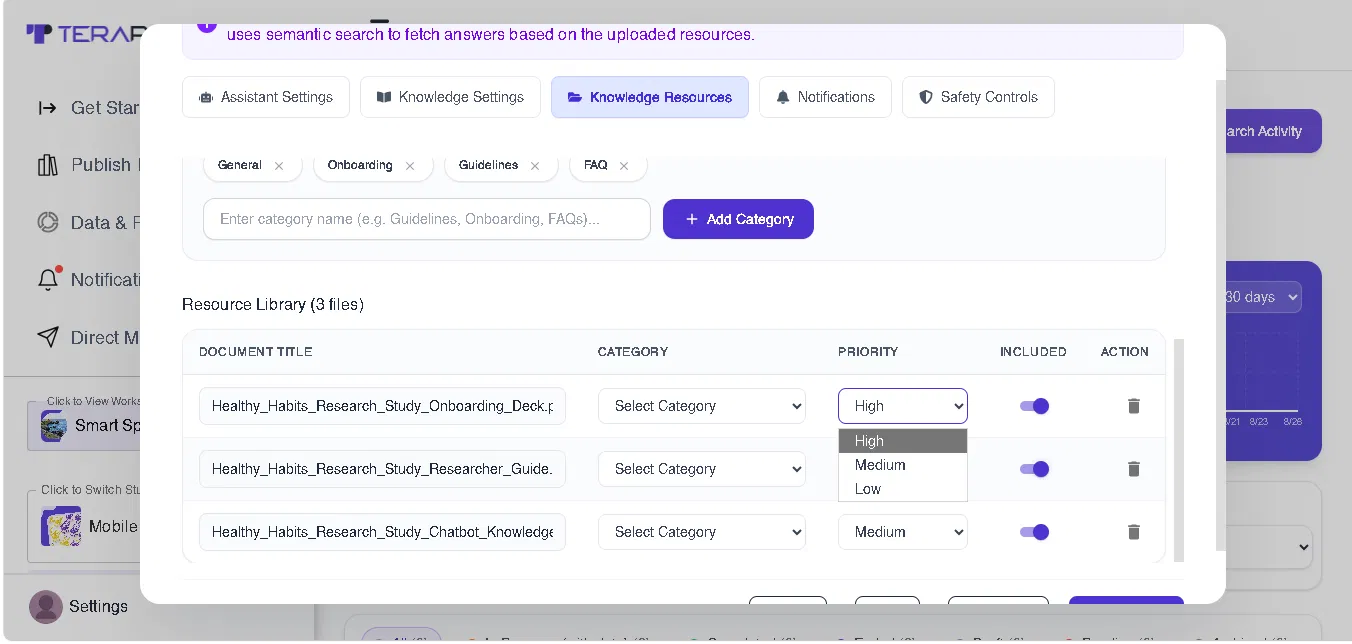
Upload PDFs, slides, spreadsheets or media (image, audio, video), or import files from the cloud. Sort them into categories such as Onboarding and FAQs, then set each file’s priority so the assistant always uses the right material.
7 Ways AI Study Assistants Support Research Participants Beyond FAQs
Once it is live, the assistant does far more than repeat FAQs. Here are seven ways it supports research participants from the first message to the last.
1. Privacy-Driven, Secure Onboarding Chats
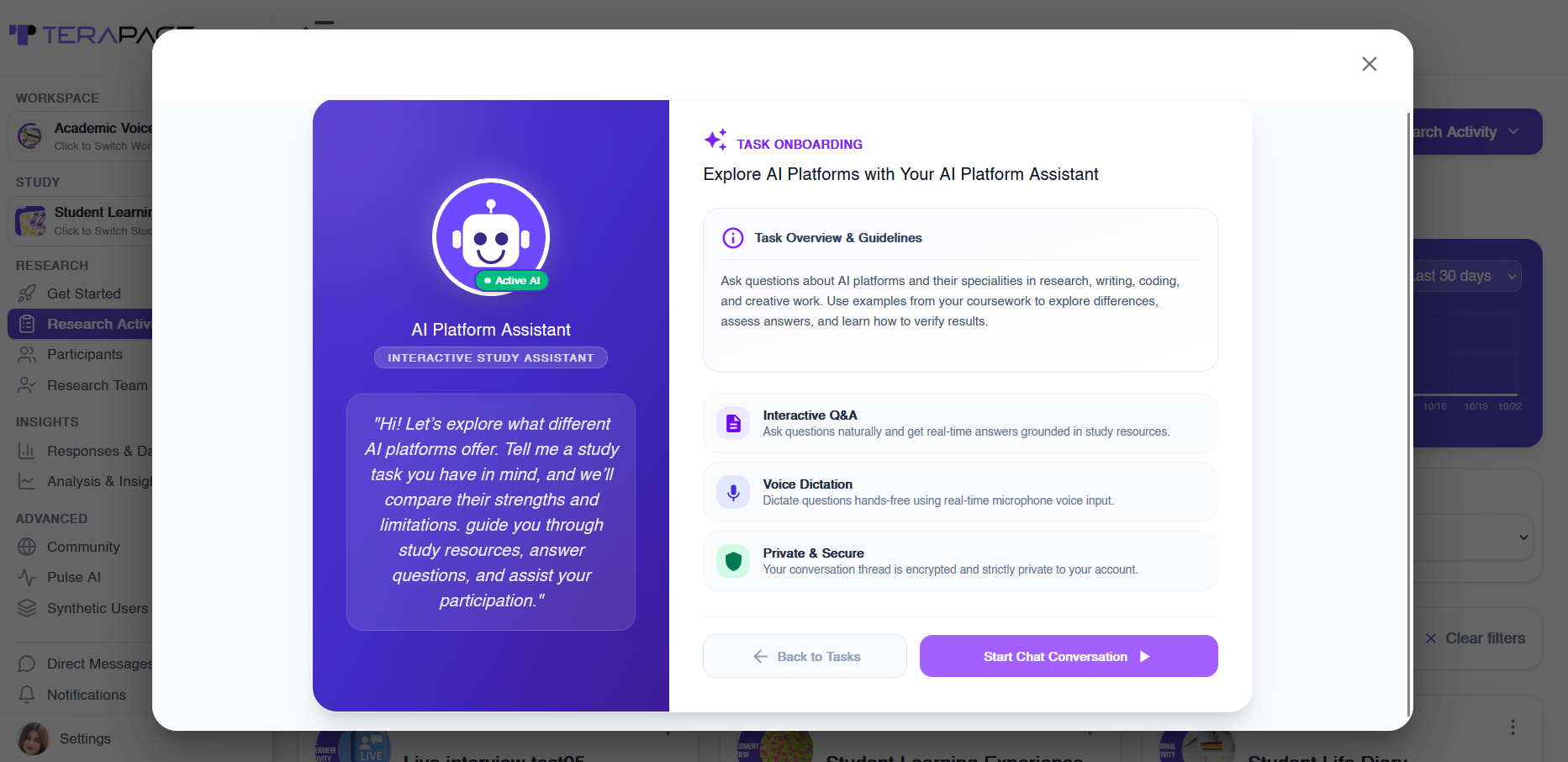
Participants are welcomed with a task onboarding screen that explains the study, what they can ask and how the chat works. It also states clearly that every conversation is encrypted and private to their account, which matters when people share personal experiences. Together with Terapage’s streamlined onboarding and secure, GDPR-compliant platform, this gives participants confidence from the start.
2. Instant Answers Grounded in Study Resources
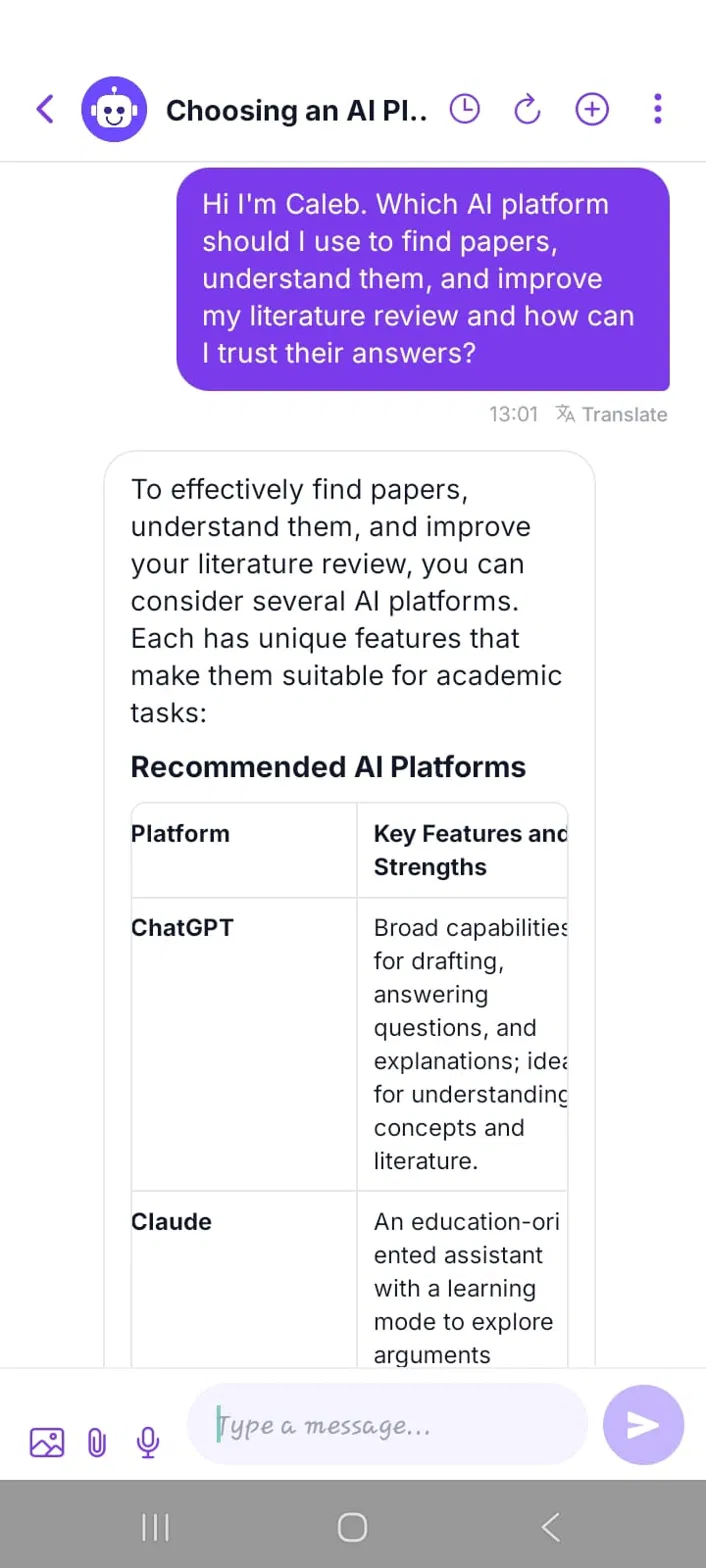
Participants ask questions in their own words and receive structured, real-time answers grounded in the study’s resources. This is especially useful in self-paced studies, such as do-it-at-home research or product trials for consumer goods brands, where questions often come up outside office hours.
3. Cited Sources Participants Can Verify
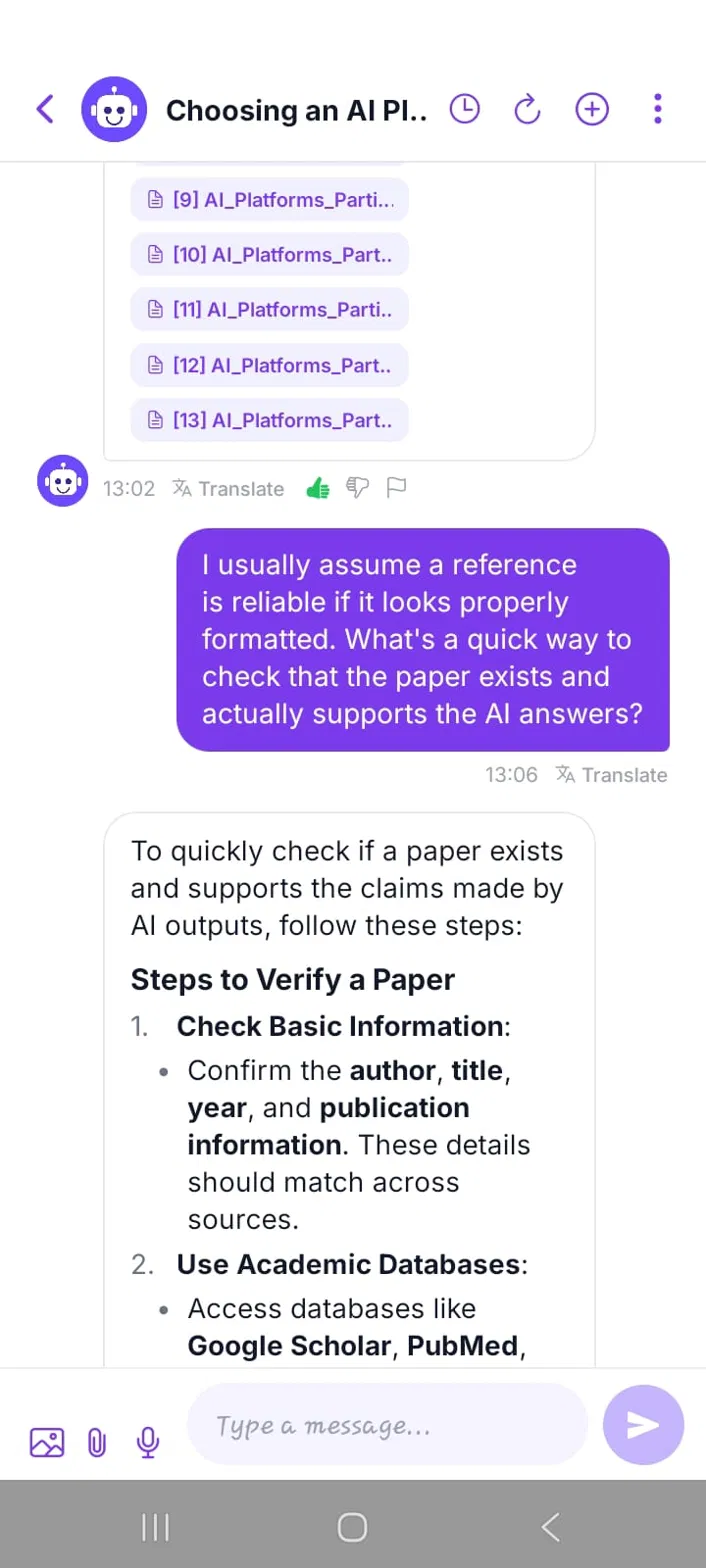
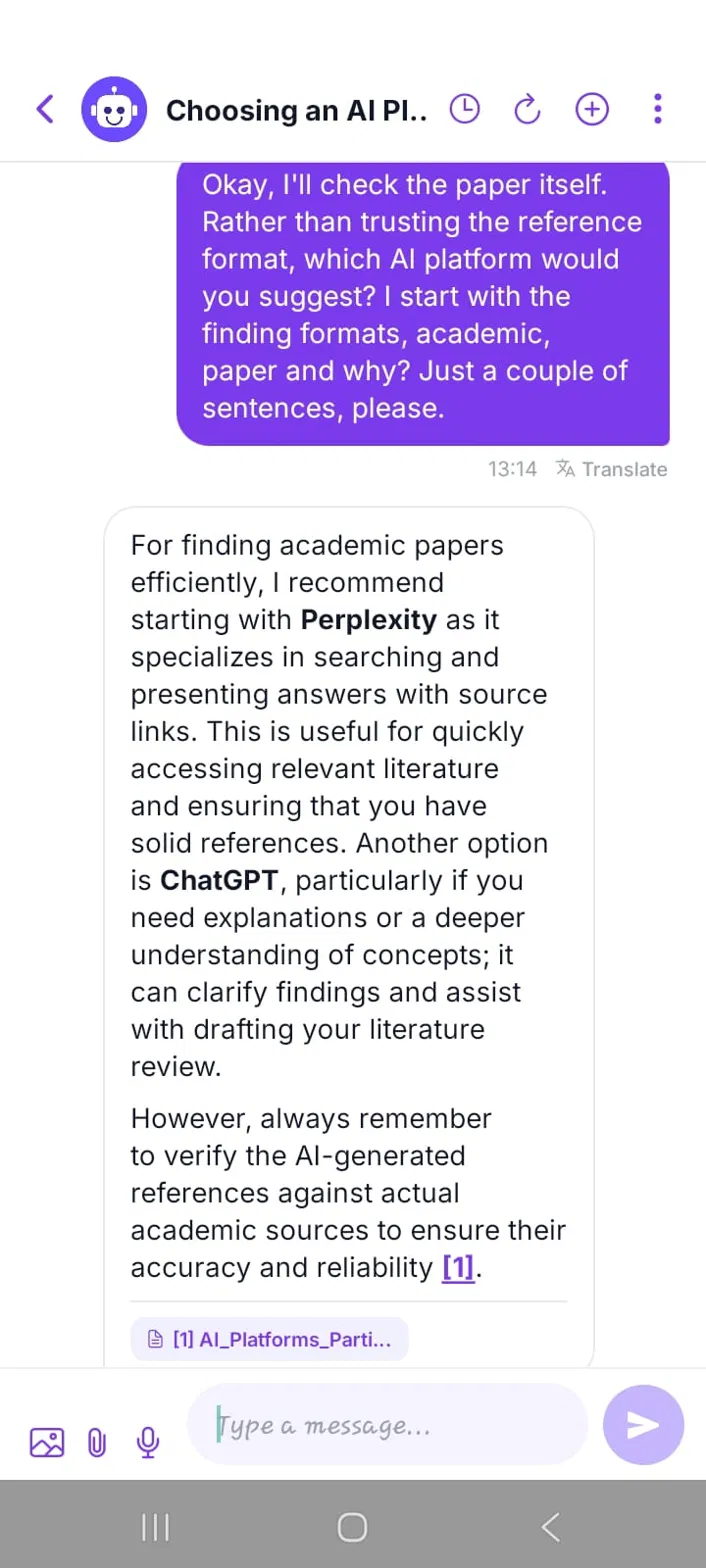
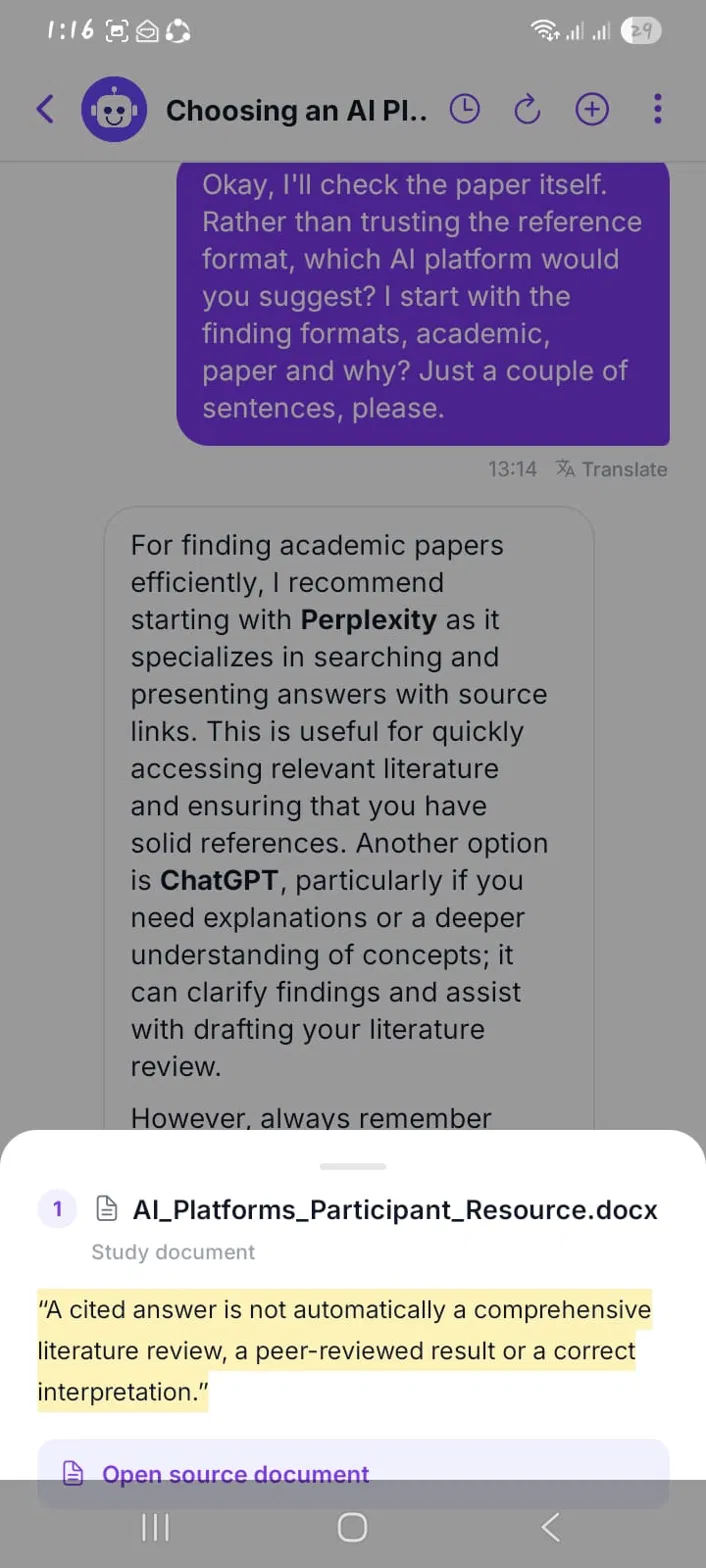
Answers include numbered citations. Tapping a citation opens the source with the exact quote highlighted, so participants can check it themselves. Participants can also rate or flag each answer.
4. Ask by Voice or Share an Image
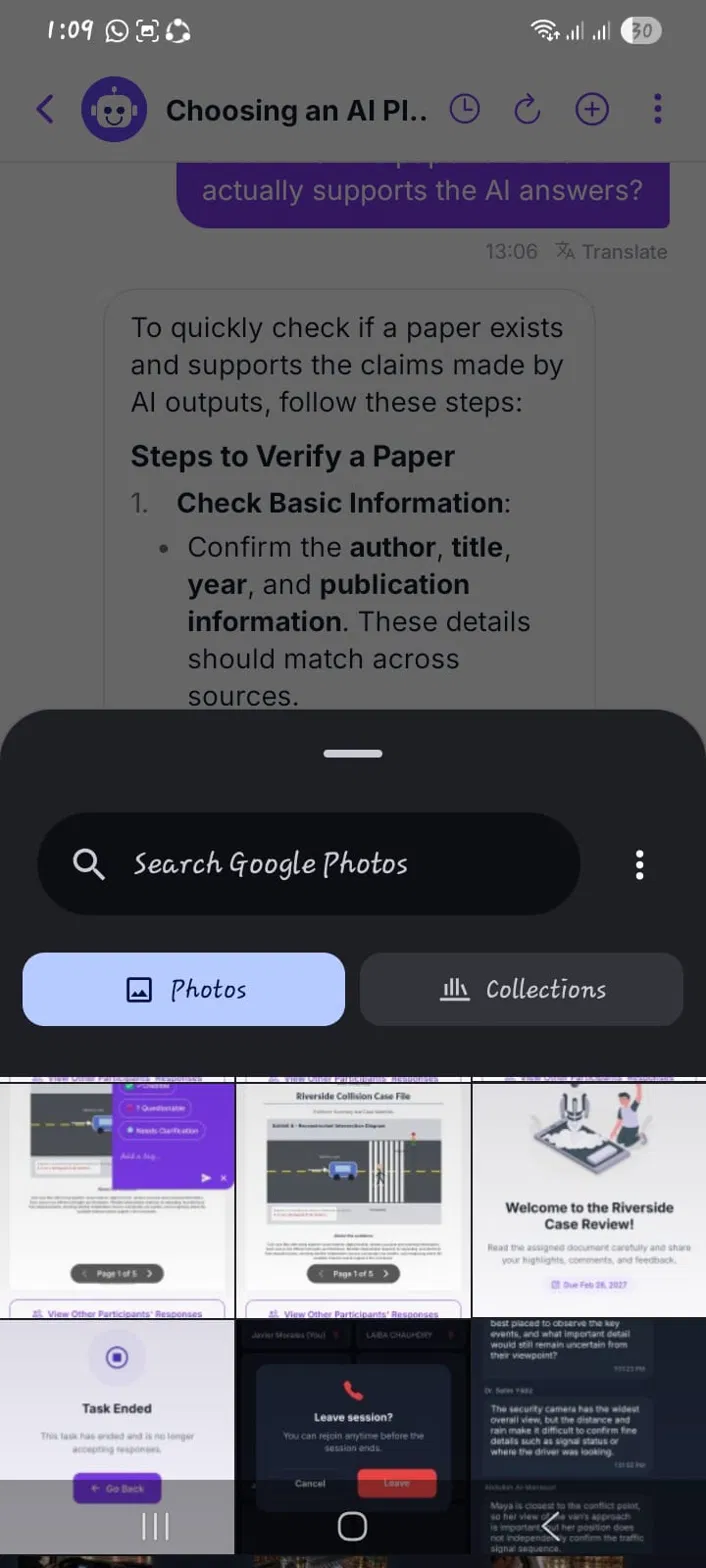
Participants don’t have to type. They can dictate questions by voice, or attach images and files, such as a screenshot of an error or a photo of a product. This makes support easier on the go and suits digital ethnography and mobile ethnography studies, where participants are often away from a computer.

5. Accessible Support for Every Participant
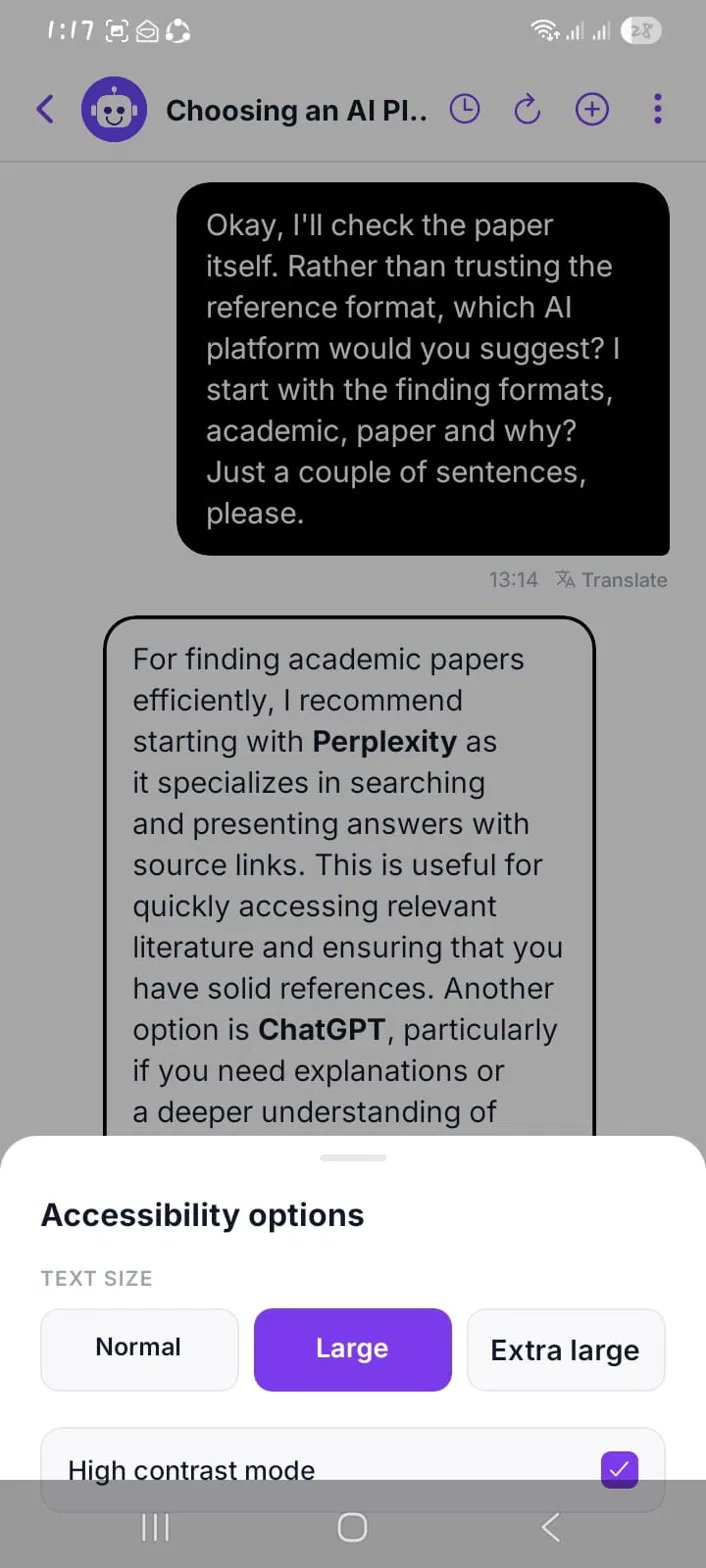
From the chat menu, participants can enlarge the text, switch to high contrast mode and translate messages into their own language. Inclusive support like this helps ensure every participant’s voice is heard, on any device.
6. A Human Moderator When It Matters
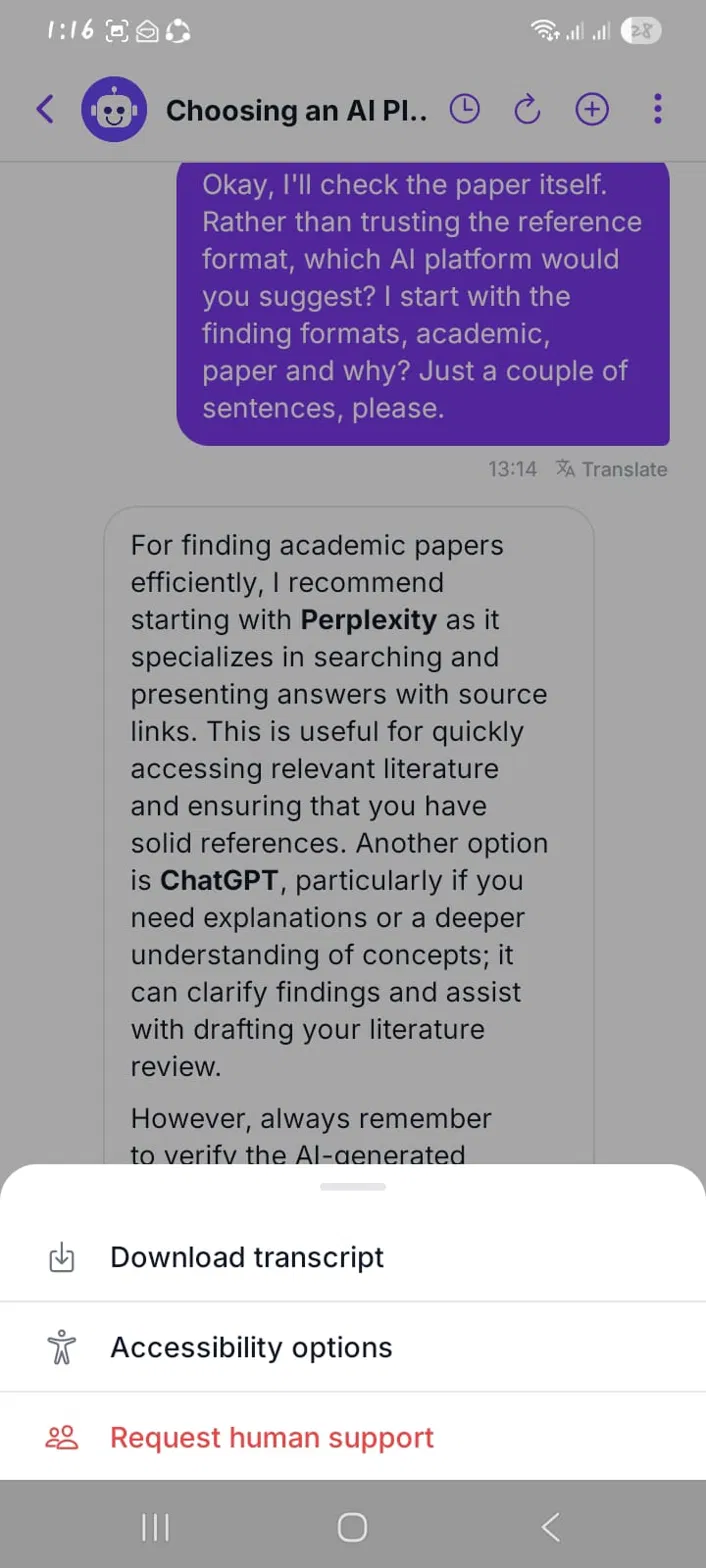
Participants can ask for a human moderator at any time. This matters in sensitive studies, such as employee engagement research for HR teams or case reviews for law firms.

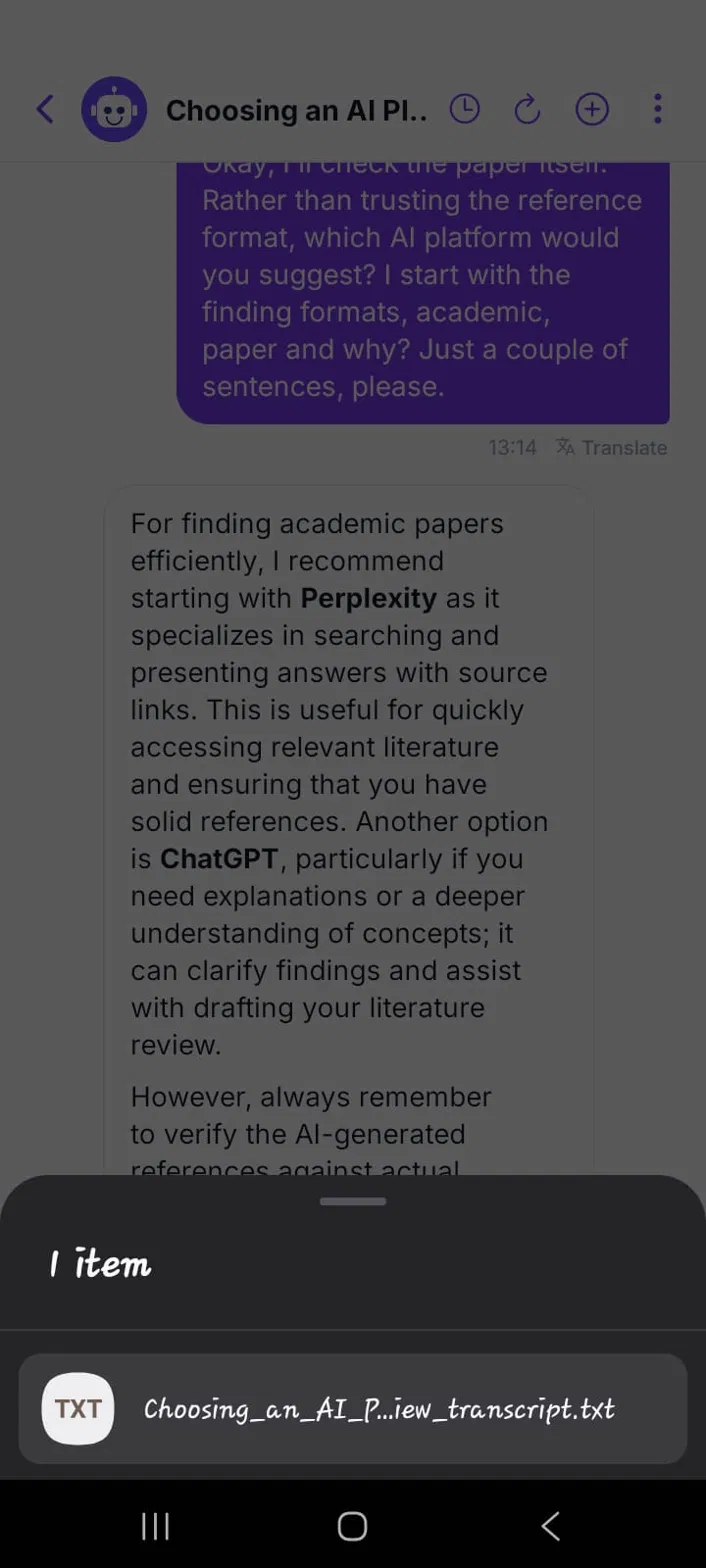
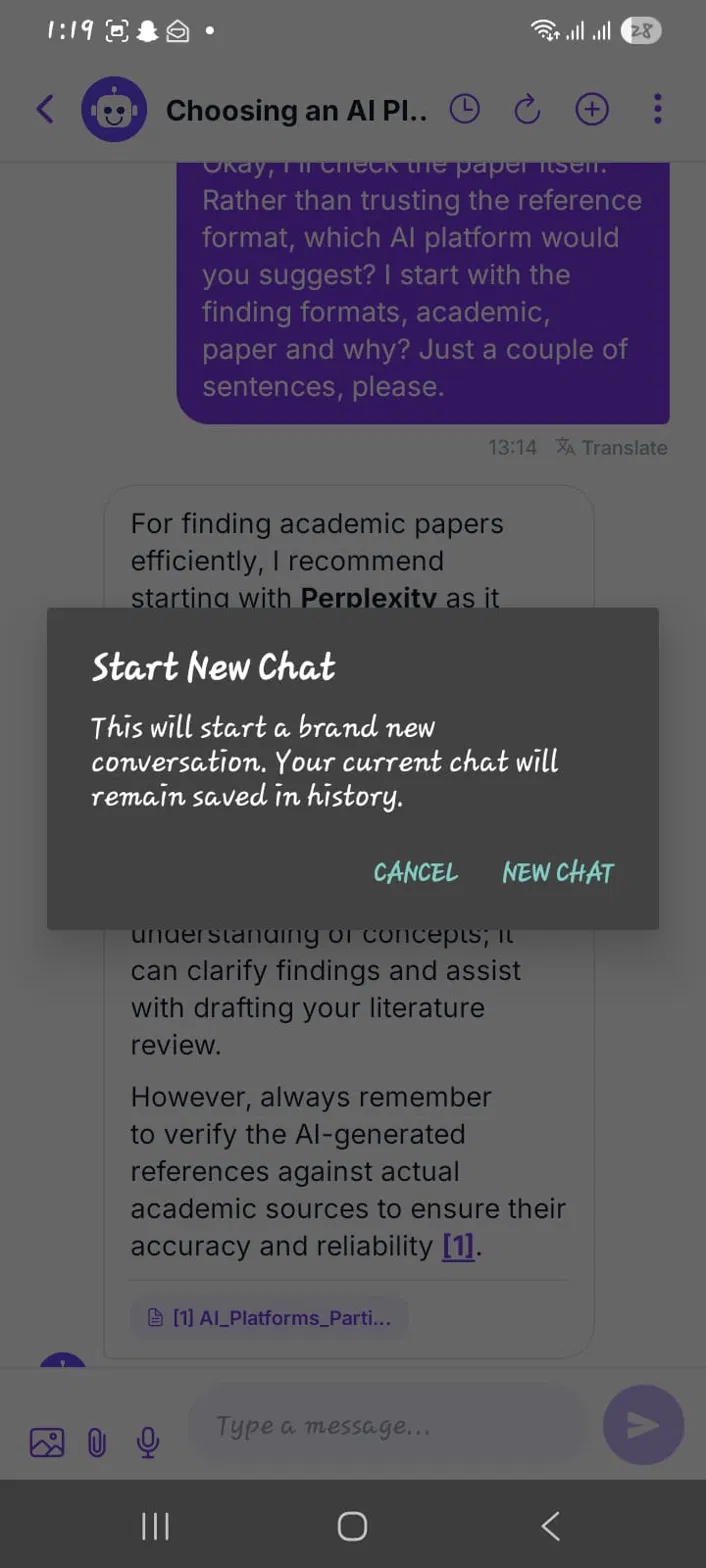
7. Transcripts and Chat History Participants Control
Participants can download their chat transcript or start a new chat, and earlier chats stay saved in history. This keeps long studies, such as insight communities, easy to follow.
How Do AI Study Assistant Analytics Help Research Teams Support Participants Better?
Every conversation also tells research teams something useful. Terapage’s AI-powered insights turn assistant chats into analytics across question analysis, resource gaps, resource utilisation, and quality and safety.
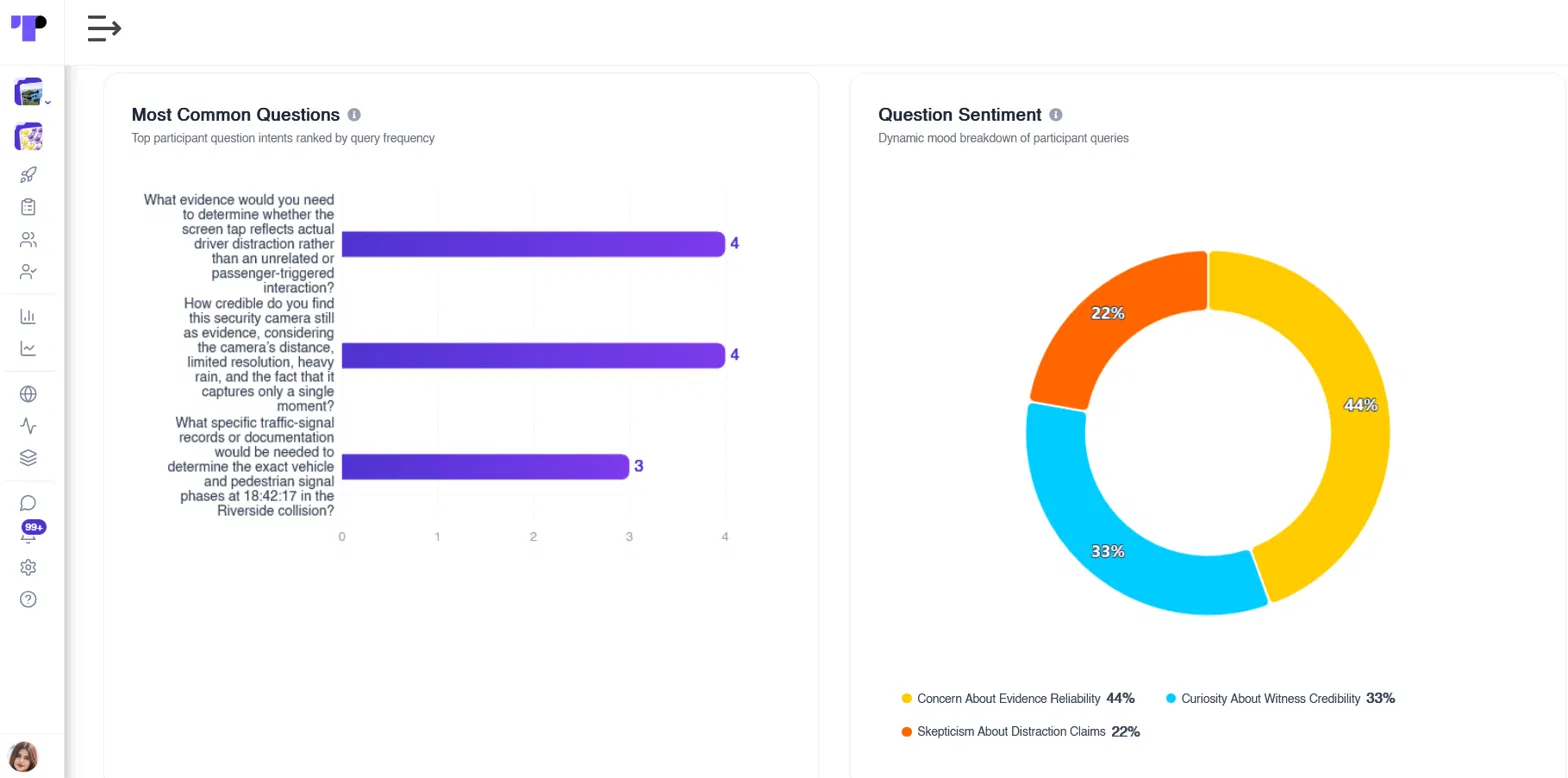
What Participants Ask Most and How They Feel
The most common questions are ranked by frequency, alongside the sentiment behind them, such as concern, curiosity or scepticism. Questions that keep coming up show where study instructions need to be clearer.
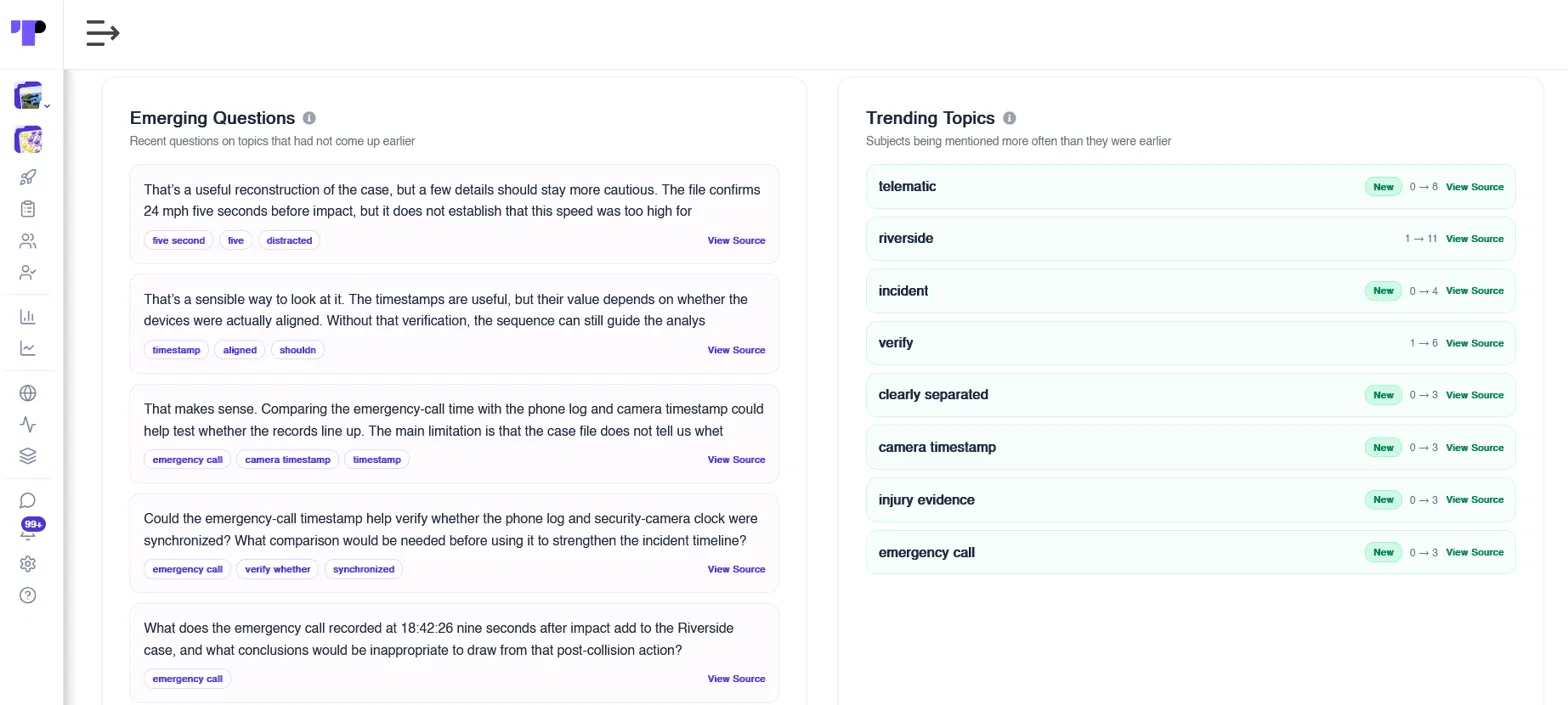
Emerging Questions and Trending Topics
Emerging questions highlight topics participants have only just started asking about, while trending topics show which subjects are growing. Each one links back to its source, so researchers can see the full context.
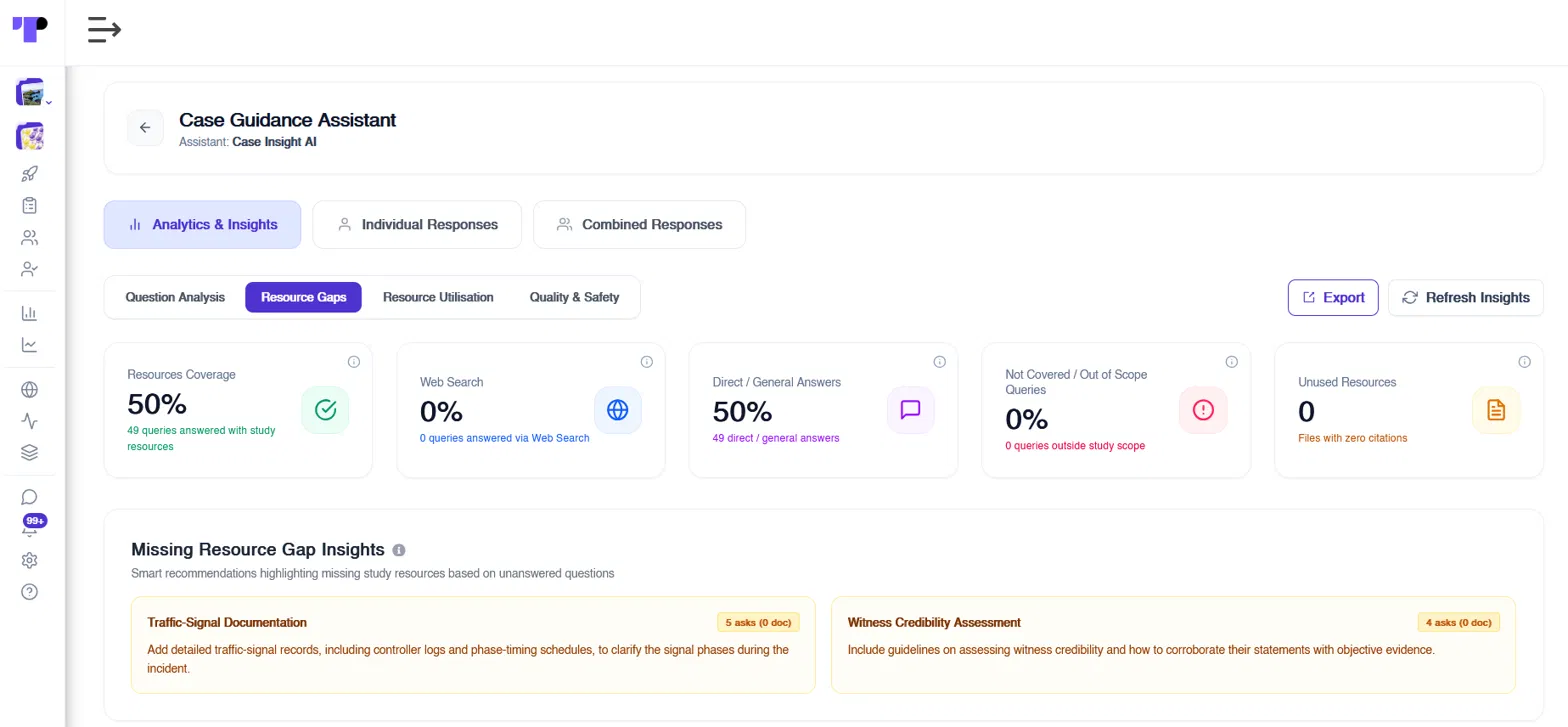
Resource Gaps: What Your Study Materials Are Missing
Resource gap analysis shows which questions your files answered and which they missed. It then suggests documents to add, so future participants get better answers.
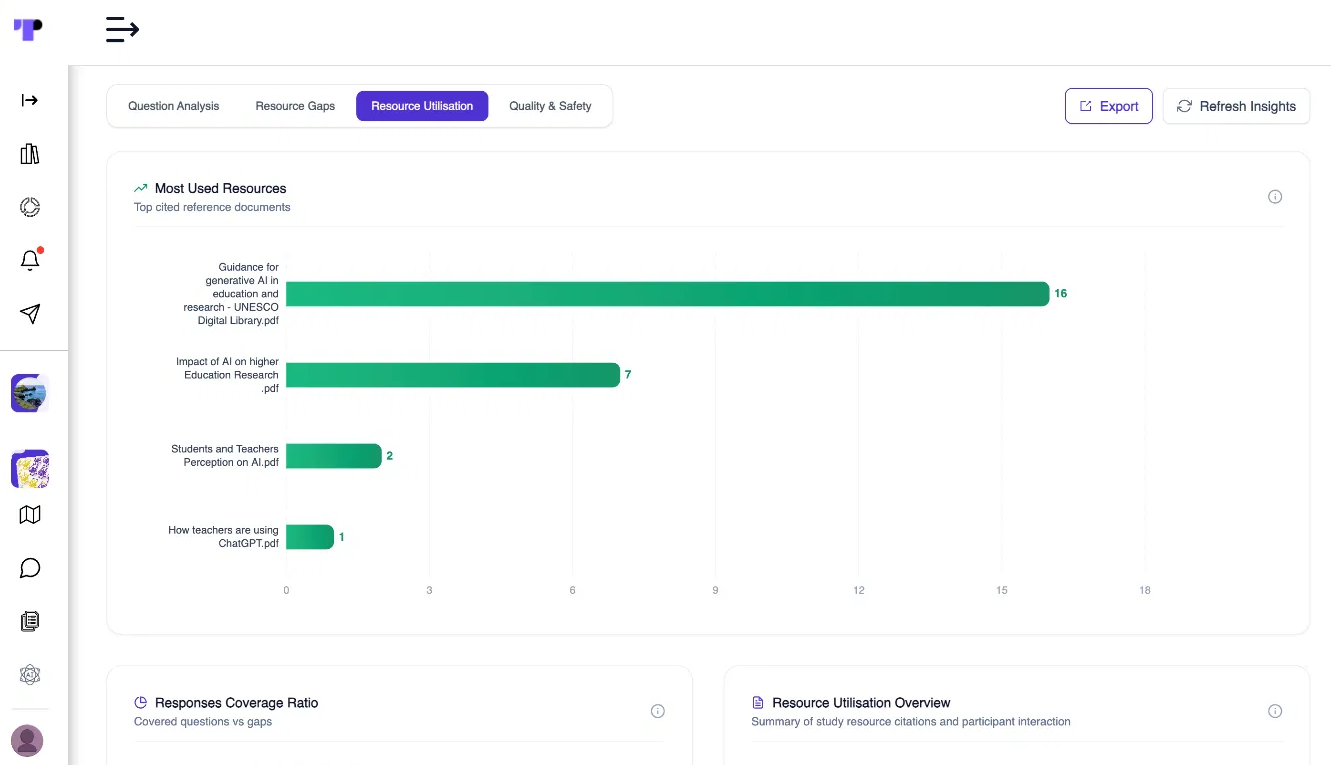
Resource Utilisation: Which Documents Participants Rely On
A ranking of the most cited documents shows which resources participants rely on most, helping teams keep those files accurate and up to date.
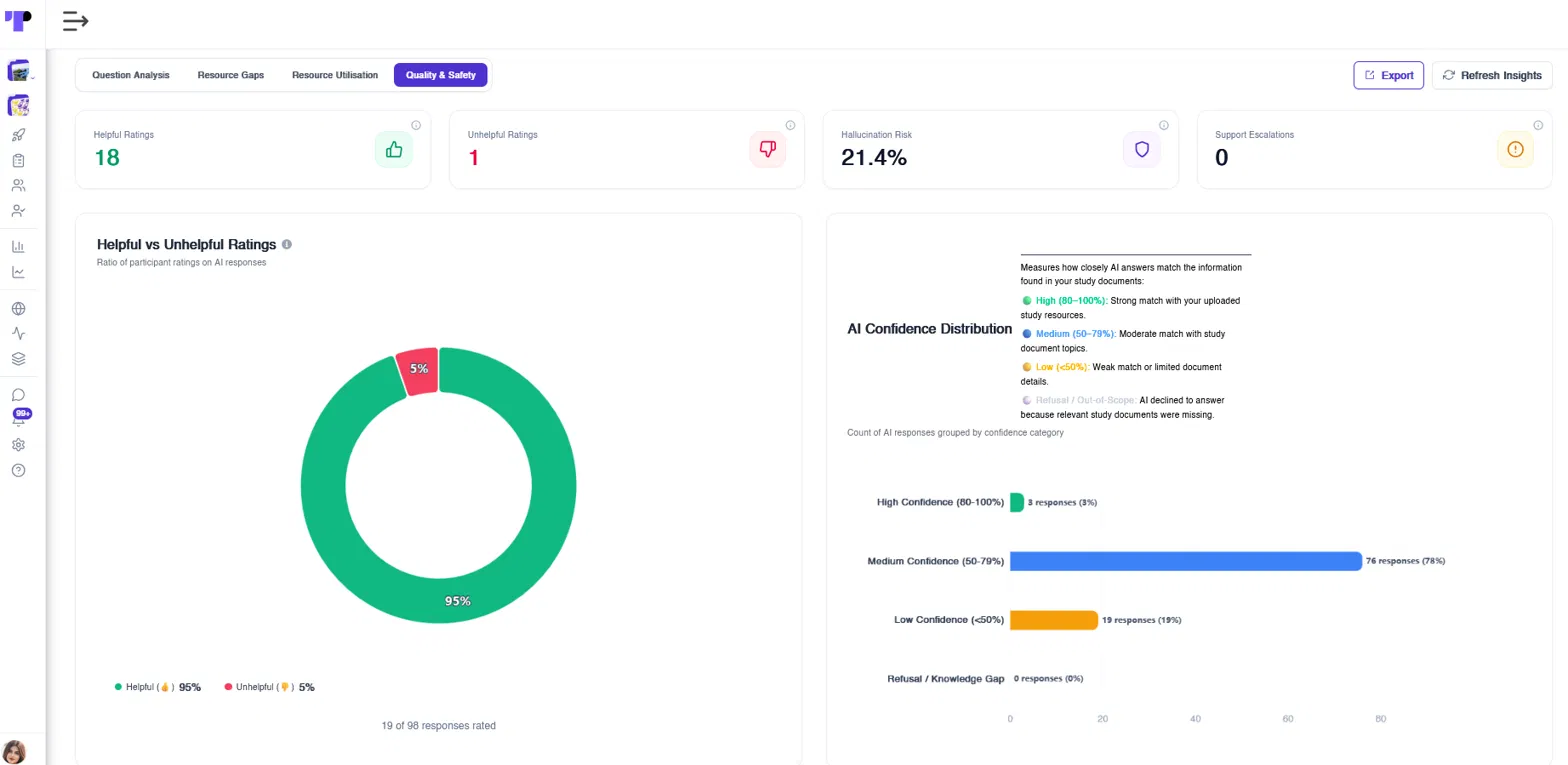
Quality and Safety: Ratings, Accuracy and Escalations
Research teams can track helpful and unhelpful ratings, hallucination risk, support escalations and AI confidence levels. These metrics show whether answers are reliable and when the assistant needs better resources or human review.
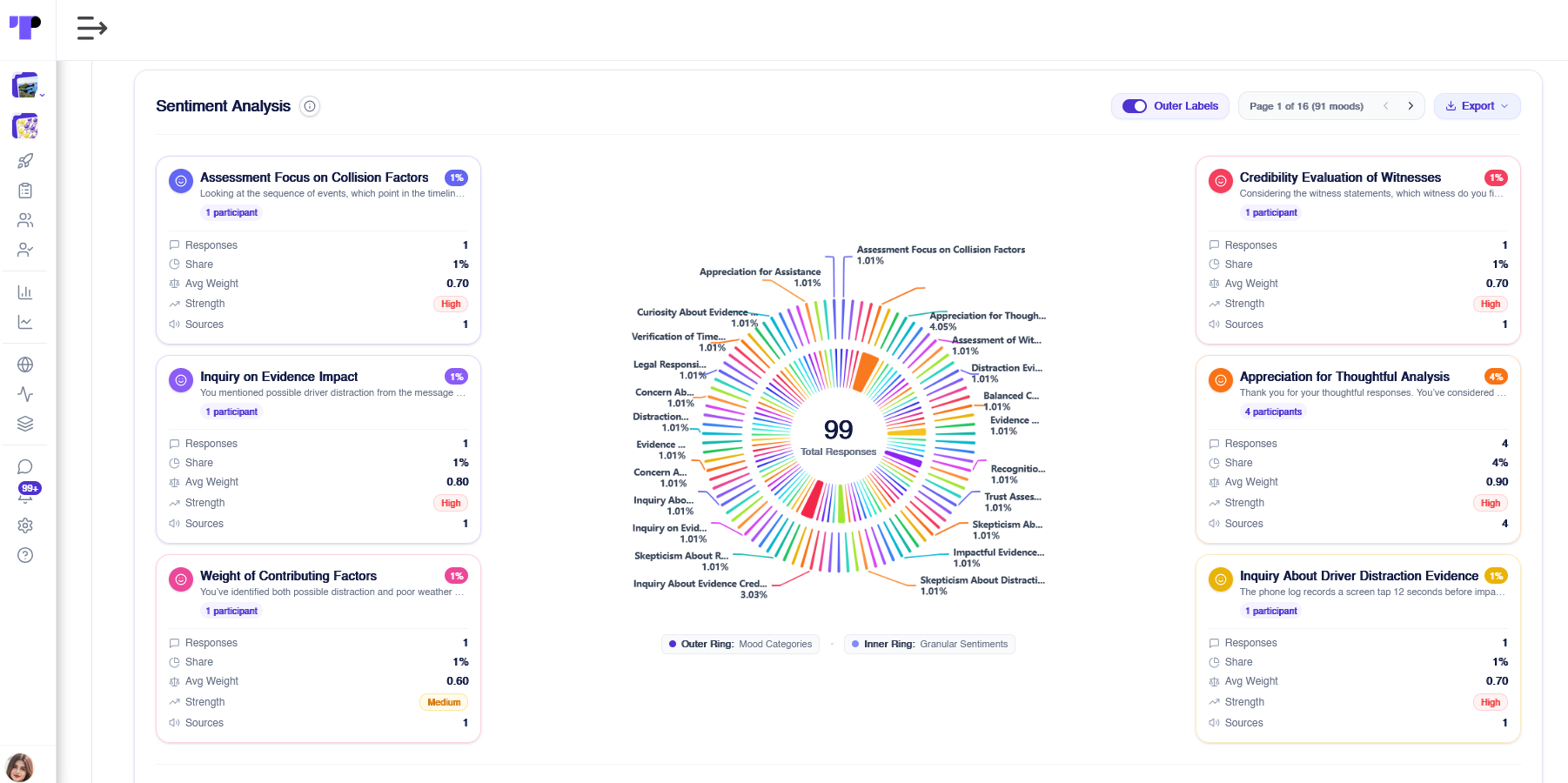
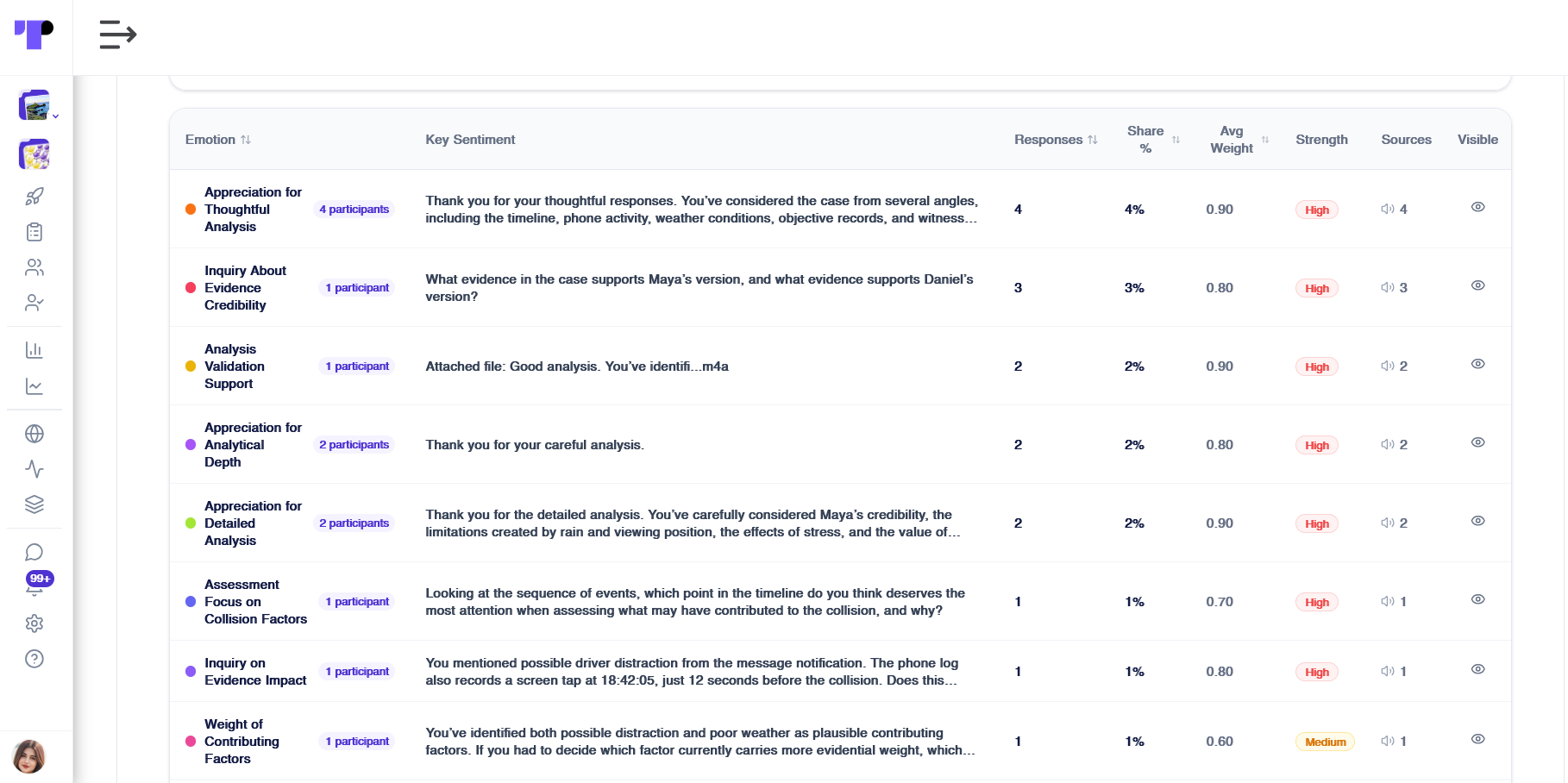
Sentiment Analysis of Participant Conversations
AI sentiment analysis groups participant messages into moods, showing each mood’s share, weight and strength alongside the key statement behind it.
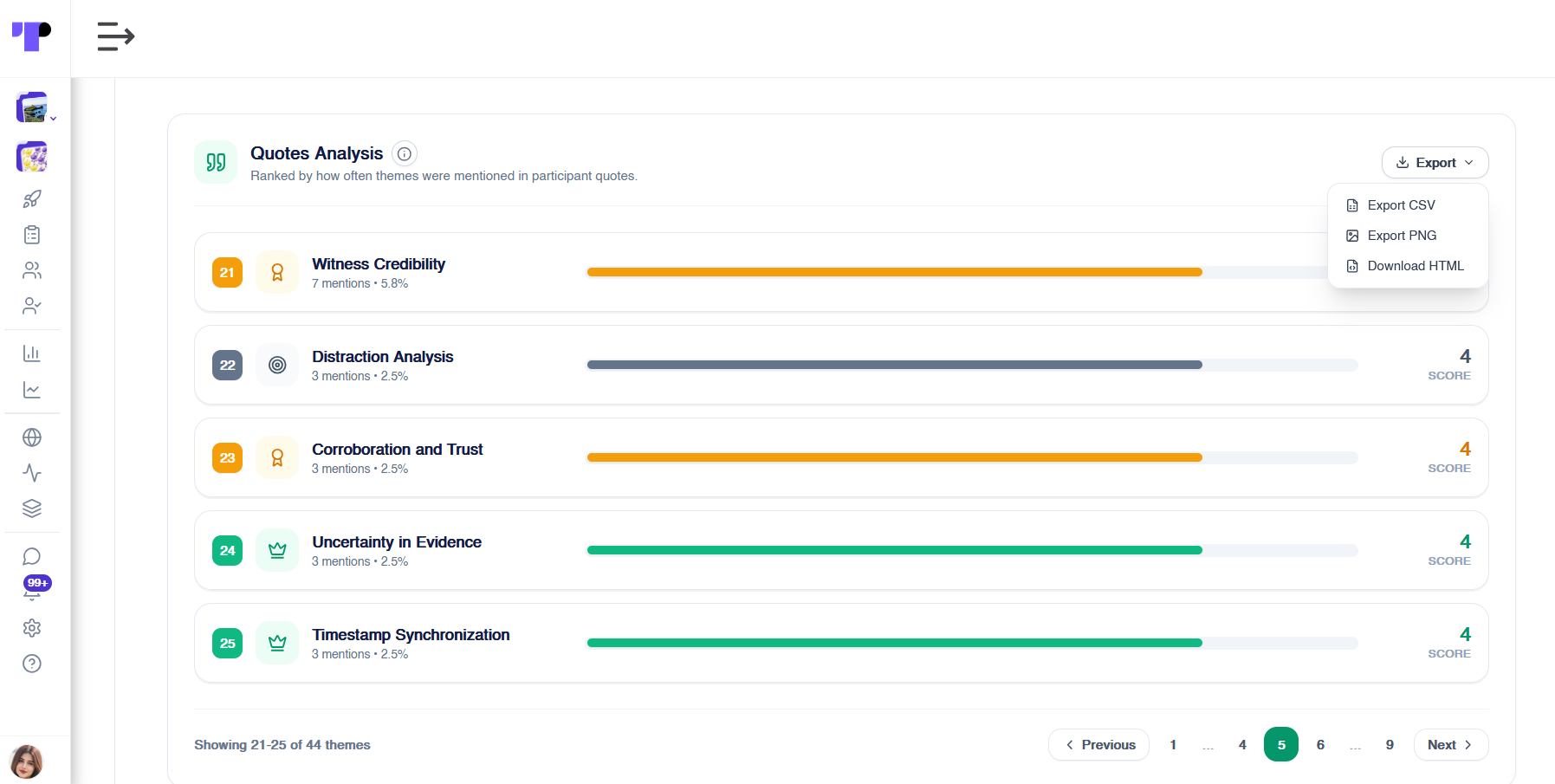
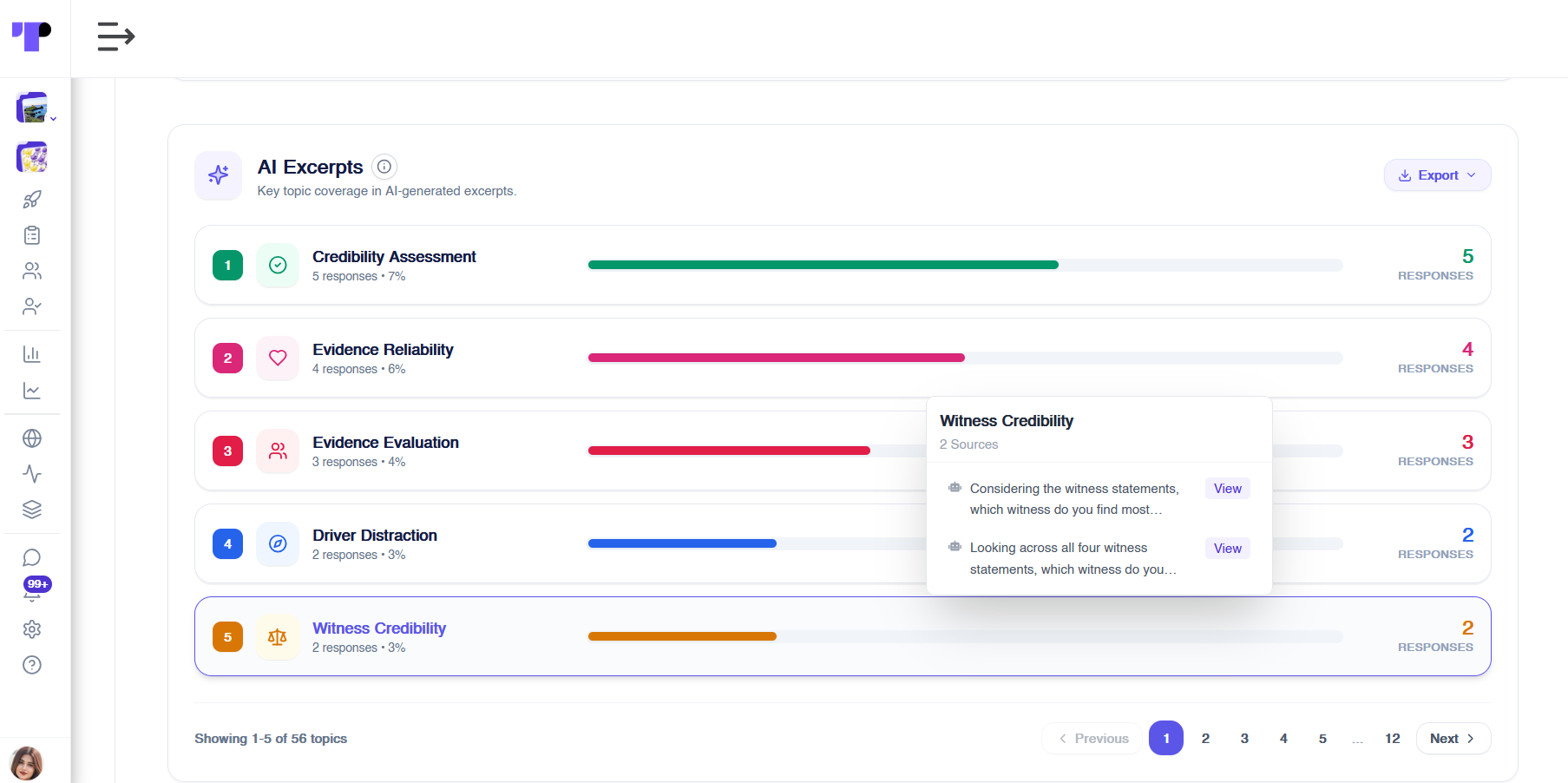
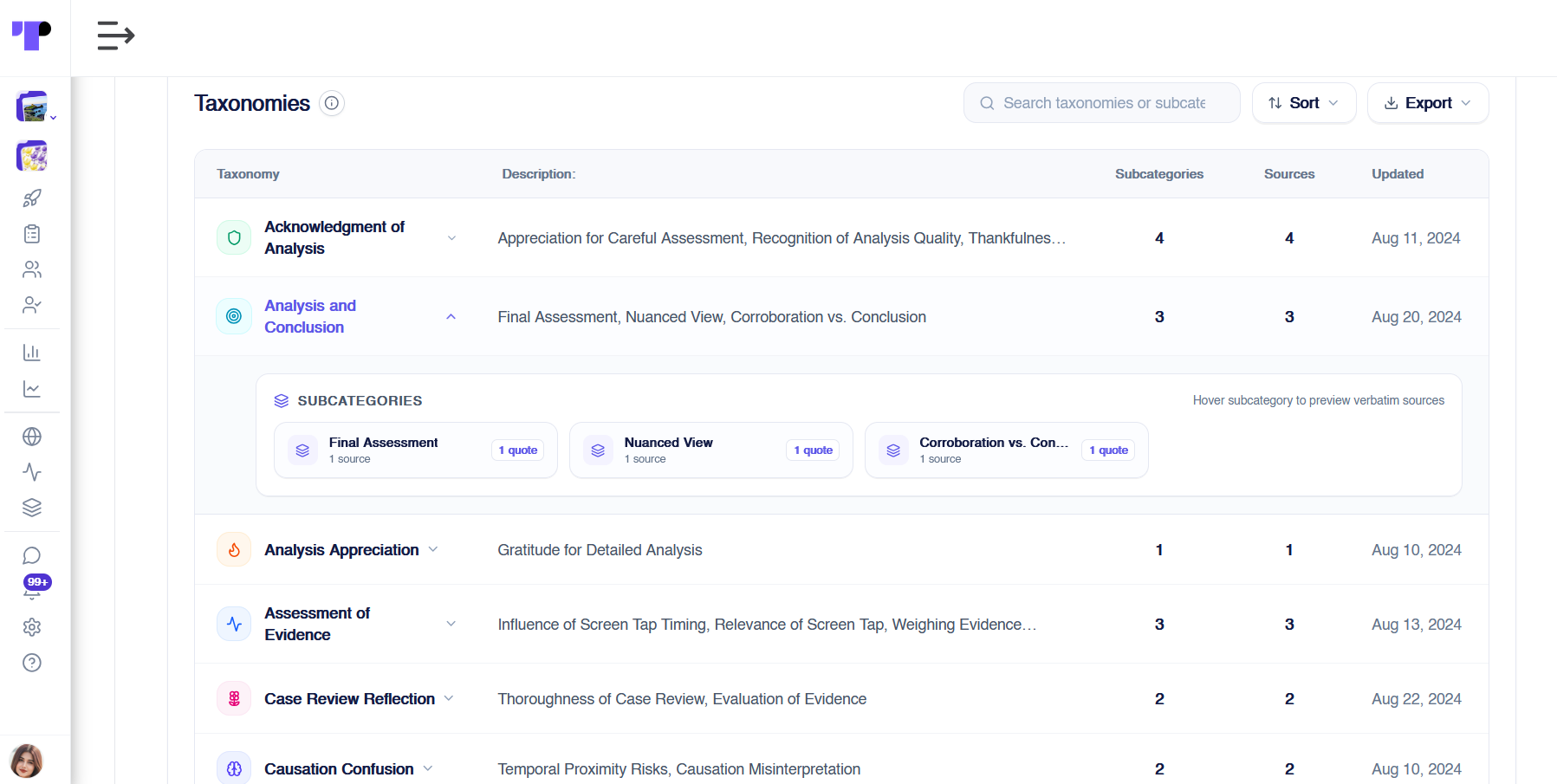
Quotes, AI Excerpts and Taxonomies
Quotes analysis ranks the top themes, AI excerpts link each one to its sources, and taxonomies sort them into categories. Findings are then ready for reports and branded insight reports.
Best Practices for a Trustworthy AI Study Assistant
An AI study assistant should earn participants’ trust. Follow these practices:
- Be open about AI. Under the EU AI Act, people using chatbots “should be made aware that they are interacting with a machine.”
- Keep answers grounded. Use uploaded resources and always cite sources in sensitive studies.
- Keep a human in the loop. Make sure moderators respond quickly to human support requests.
- Review analytics regularly. Fill resource gaps and check quality and safety metrics as the study runs.
- Test before launch. Ask the assistant your participants’ likely questions first, in line with Terapage’s AI transparency principles.
If you need help planning or setting up your assistant, Terapage’s Premium Support team can guide you.
AI Study Assistants on One Unified Research Platform
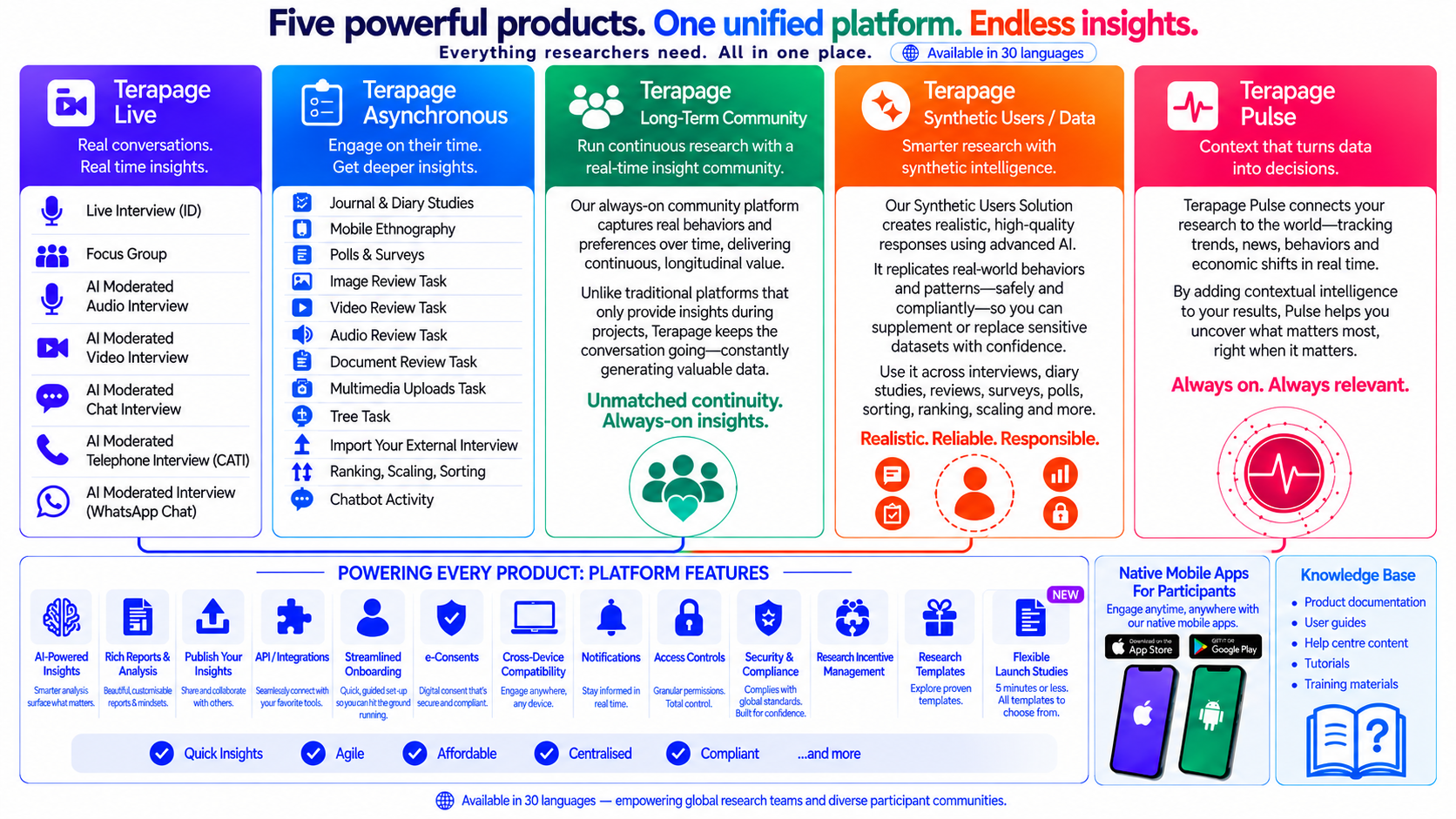
The AI study assistant is part of Terapage Asynchronous, where it runs as the Chatbot Activity. Terapage Asynchronous is one of five products on one platform, alongside Terapage Live, the Long-Term Community, Synthetic Users and Data, and Terapage Pulse. Every product shares the same platform features, such as AI-powered insights, e-consent, notifications and native mobile apps. That means participants get the same secure support in every study, in more than 30 languages.
To give your participants support beyond FAQs on your next study, request a demo or start a free trial.
Ready to support participants beyond FAQs?
No credit card required. Need help with participant recruitment? See our participant recruitment services.